Forum Discussion

rhockman
Aug 18, 2022Brass Contributor
Data List
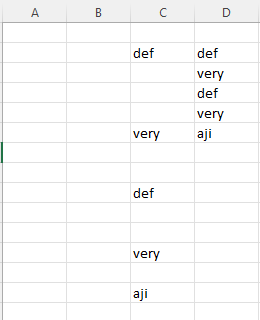
I have data in a long column with many blank fields. I want a list created eliminating the blank fields and keeping all the data. How do I do this?
- Aug 18, 2022
With the below example, if your question is, can I do something like =FILTER(B2:E11, B2:E11 <> "") then the answer is no*
What you can do (in G-J) is to match the month (SEP, OCT...) in B-K, get the values then filter them
In G2 then copy right:
=LET(
    MonthData, XLOOKUP(G1, $B1:$E1, $B2:$E11),
    FILTER(MonthData, MonthData <> "")
)
* Doable with 365, ex:
=TRANSPOSE(
  TEXTSPLIT(
    TEXTJOIN(",",,BYCOL(MonthData, LAMBDA(r, TEXTJOIN(";",,r)))),
    ";",",",,,""
  )
)

rhockman
Aug 18, 2022Brass Contributor
That's great. Can I use the same filter (B-K) for multiple months and add the changes in the same order into one list?

Lorenzo
Aug 18, 2022Silver Contributor
With the below example, if your question is, can I do something like =FILTER(B2:E11, B2:E11 <> "") then the answer is no*
What you can do (in G-J) is to match the month (SEP, OCT...) in B-K, get the values then filter them
In G2 then copy right:
=LET(
    MonthData, XLOOKUP(G1, $B1:$E1, $B2:$E11),
    FILTER(MonthData, MonthData <> "")
)
* Doable with 365, ex:
=TRANSPOSE(
  TEXTSPLIT(
    TEXTJOIN(",",,BYCOL(MonthData, LAMBDA(r, TEXTJOIN(";",,r)))),
    ";",",",,,""
  )
)