Forum Discussion

george1685
Mar 16, 2022Copper Contributor
Data entry
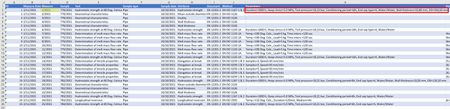
Hi, I have a datasheet with measuring data named “Measures” Each measure, among other, contains a “Parameters” field as you can see in the following screenshot. The “Parameters” field is a s...

HansVogelaar
Mar 16, 2022MVP
In K2:
=TEXTJOIN(", ";TRUE;IF(Params!$A$2:$A$1000=C2;Params!$B$2:$B$1000&" "&Params!$C$2:$C$1000&" "&Params!$D$2:$D$1000;""))
If the Params sheet has more than 1000 rows of data, adjust the ranges in the formula accordingly.
Then fill down.
- george1685Mar 17, 2022Copper ContributorHi,
Thank you for the tip however this is not what I am looking for.
I need an efficient way to enter data into the 'Params" datasheet while viewing the "Measures" datasheet, there is a connection between the two tables using the "Measure" field (the yellow highlighted)- PeterBartholomew1Mar 17, 2022Silver ContributorMaybe creating a data type within Power Query would do what you want?
- george1685Mar 17, 2022Copper ContributorI am not experienced using Power Query and there are many online courses on this topic.
I cannot decide if any of these fit to my needs.
Any link to specific resource for the above will be greatly appreciated.

