Forum Discussion

Current Date and time per cell
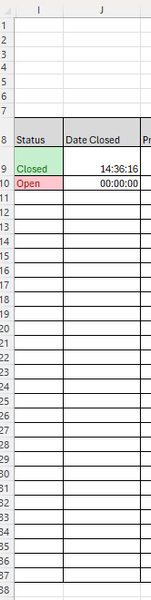

This is a classic Excel requirement, and you’ve already discovered the key limitation:
NOW() and TODAY() are volatile → they will always recalculate.
To freeze date/time when a status changes, you must use VBA. There is no formula-only solution that is reliable.
Below is the correct, minimal, production-safe VBA pattern for exactly your case.
Paste this code into the worksheet module
Double-click the sheet name (not a standard module).
VBA Code (FIFO-safe, fast, robust)
Private Sub Worksheet_Change(ByVal Target As Range)

    ' Watch column I only
    If Intersect(Target, Me.Columns("I")) Is Nothing Then Exit Sub
    If Target.CountLarge > 1 Then Exit Sub

    Application.EnableEvents = False

    ' If status becomes Closed, stamp date/time
    If LCase(Target.Value) = "closed" Then
        If Me.Cells(Target.Row, "J").Value = "" Then
            Me.Cells(Target.Row, "J").Value = Now
        End If

    ' Optional: clear timestamp if reopened
    ElseIf LCase(Target.Value) = "open" Then
        Me.Cells(Target.Row, "J").ClearContents
    End If

    Application.EnableEvents = True

End Sub
Result
Status | Date Closed |
Open | (blank) |
Closed | 2026-01-17 14:36:16 |
Closed | 2026-01-18 09:12:03 |
No refreshing
No recalculation
Audit-safe
Works forever
You want to keep timestamp even if reopened?
Remove this block:
ElseIf LCase(Target.Value) = "open" Then
Me.Cells(Target.Row, "J").ClearContents
End If
My answers are voluntary and without guarantee!
Hope this will help you.
Was the answer useful? Mark as best response and like it!
This will help all forum participants.
 BuilditJan 19, 2026Copper Contributor
This worked great, thank you very much.