Forum Discussion

Current Date and time per cell
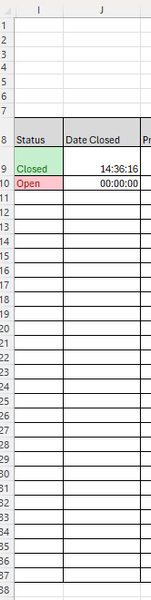

You require a logic test that applies the Now() stamp when the criteria is met - a fresh change to “Closed” in the monitored cell - but when not met leaves the check cell as it was.
Solution:
=if(AND(i9=“Closed”,Cell(“address”,i9)=Cell(“address”)),Now(),j9)
Based on:
Date of Last Modified for a Cell | Microsoft Community Hub
This requires iterative calculation setting to be turned on, details of which can be found in the thread linked above.
I have assumed that the cell update test { Cell(“address”,i9)=Cell(“address”) } will work for a dynamically updated rather than user updated cell - this needs to be tested.
- Lobo360Jan 17, 2026Brass Contributor
I have tested and unfortunately this does not work for dynamically updated cells as it doesn’t register with the Cell(“address”) function. It does work for manually updated cells though.