Forum Discussion

Creating Macro: Copy/Paste info from current sheet>Opens new sheet>Returns to previous sheet
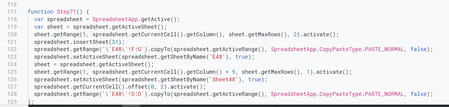

JohnnyB12 because you inserted an image instead of text of sample file, instead of recreating your code I just wrote a new function:
Function Step71()
    Dim source, dest As Worksheet

    Set source = ActiveSheet
    Set dest = ActiveWorkbook.Sheets.Add(, source)
    dest.Range("a:b").Formula = source.Range("f:g").Formula
    dest.Range("j:j").Value = source.Range("o:o").Value
    dest.name = "My New Sheet"

End Function
notice how I declare "source" and "dest" as Worksheet type
then set source to present activesheet and then dest as the new added sheet (note the part in () is to add the new sheet after the source sheet, you could delete that if you want it before that sheet)
then I assign the columns "a:b" in the destination to be a copy of the formulas found in "f:g" of the source (WARNING: it will copy the formula as they are and not shift them so formula in g2 looking at f2 in the new sheet will still be looking at f2)
then I assign the column "j:j" to be the VALUES from column O:O
and for fun I set the NAME of the new sheet = "My New Sheet"
I hope that makes it easier for you and you learn a little about VBA