Forum Discussion

Creating a Product Selector
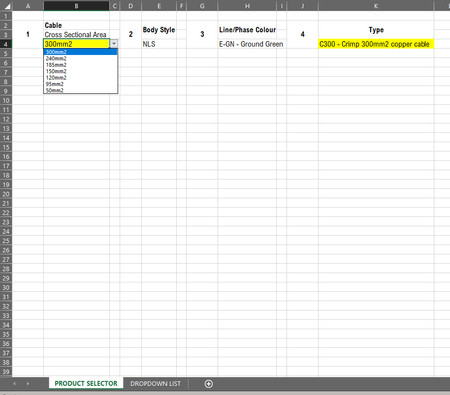


Badgesr456 Thanks! You might need to re-think your design, as you probably want to work with dependent dropdown lists. But, if that's not the case, perhaps the formula (L8 in the Dropdown sheet) in the attached file will do for you. It's not really straightforward, but it work is this specific case.
- Badgesr456Oct 07, 2021Copper Contributor
Hello Riny, Sorry to trouble you again
The seems to be an issue with the result
50mm should be C50 not C150
Please see attached
Can you help, thanks
- Riny_van_EekelenOct 07, 2021Platinum Contributor
Badgesr456 Aha! that's because "50mm2" is first found in "150mm2". To overcome, you could add a space before the item from the dropdown list. Thus " 50mm2". See attached.
BUT, this is not very professional, and I believe you need to redesign your schedule. If you have a dropdown list to begin with, and each item relates to only one other item, why not work with one of Excel's lookup functions. Which version are you working with. But perhaps I'm misunderstanding your intentions altogether.
- Badgesr456Oct 07, 2021Copper ContributorRiny_van_Eekelen
Thank you very much