Forum Discussion

Create a row in a table based on changed date in another table
 May 22, 2023
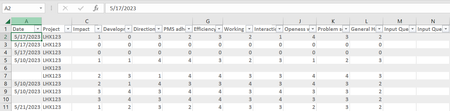
Does the screenshot show the " error " in the date column? If so the column width needs to be adapted to the size of the data. If you increase the column width the dates are displayed as intended.
Does this return the intended result if the project is included?
You can try Power Query. In the attached file you can add data to the blue dynamic table. Then you can click in any cell of the green table and right-click with the mouse and select refresh to update the green result table.
The data layout in the screenshot and in the attached file is for illustration. You can place the green result table to the right of the blue table or in another worksheet.

It is working well
-I want to change the green table but then the date column is showing an error ####
-Can I also separate the weekly averages with 'project' sorting? (In my earlier screenshot)
- OliverScheurichMay 22, 2023Gold Contributor
Does the screenshot show the " error " in the date column? If so the column width needs to be adapted to the size of the data. If you increase the column width the dates are displayed as intended.
Does this return the intended result if the project is included?
- Excel999May 23, 2023Copper ContributorThis works Perfect!
- I tried to add two columns 'Input Question 1' and 'Input Question 2' and in the blue table it added without any error but when I tried to add it in the green table, it shows an error.
- I tried it to add in Query itself but couldn't get it right. What I wanted is that for each Project the user can give a free text in these two columns and this should be lined with the respective project in the green table