Forum Discussion

SUDHAKAR-FRONTIER
Apr 15, 2024Brass Contributor
Count function need to get single value
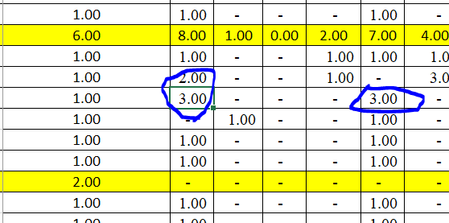
Dear Friends, Kindly help me the below issue. (COUNTIFS(Sheet1!N:N,"india",India!J:J,"ibm")) i have a excel with complete Region wise data, if i will give count function if there will be 2 or m...
- Apr 15, 2024


Riny_van_Eekelen
Apr 15, 2024Platinum Contributor
SUDHAKAR-FRONTIER The screenshots merely show what you consider to be an incorrect result and one that is correct. But NOT the underlying data. Difficult to diagnose what's wrong.

SUDHAKAR-FRONTIER
Apr 15, 2024Brass Contributor
Riny_van_Eekelen i have attached the below data. i have highlight the two column its in 2 but i need its only 1 count ..
- SergeiBaklanApr 15, 2024Diamond Contributor
- SUDHAKAR-FRONTIERApr 15, 2024Brass ContributorThank you Sergei Baklan & Riny now its working
- SergeiBaklanApr 15, 2024Diamond Contributor
SUDHAKAR-FRONTIER , you are welcome
- Riny_van_EekelenApr 15, 2024Platinum Contributor
SUDHAKAR-FRONTIER Don't understand what you are trying to achieve but the formulas do what they should based on the data you provided. In both cases there are two entries (i.e. rows) that fulfill both criteria,