Forum Discussion

Alejandro Dopazo
Mar 05, 2018Copper Contributor
Connect to a MySQL database - Error Excel 2016 for Mac
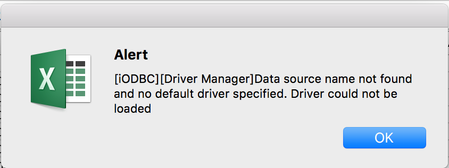
When trying to connect to an external database I get the error message:
[iODBC][Driver Manager]Data source name not found and no default driver specified. Driver could not be loaded
 Oct 19, 2018
Thank you
JKPieterse wrote:
I found this page, perhaps it helps you find the right ODBC driver for your platform? https://dev.mysql.com/downloads/connector/odbc/

JKPieterse
Mar 05, 2018Silver Contributor
I expect you need to download and install the MySQL ODBC driver for Mac:
https://dev.mysql.com/downloads/connector/odbc/5.3.html
https://dev.mysql.com/downloads/connector/odbc/5.3.html
Alejandro Dopazo
Oct 18, 2018Copper Contributor
I downloaded the driver but can't connect. I installed XAMPP and tried connecting to a database in localhost. I can connect via PHP no problem with same credentials.

- JKPieterseOct 19, 2018Silver ContributorThe screen-shot talks about SQL Server, my link is about MySQL. Those are different animals!
- Alejandro DopazoOct 19, 2018Copper Contributor
Thank you for your reply. I'm confused, do not see any mention to SQL Server in my posts, I am trying to connect to a MySQL Database from Excel for Mac Version 16.18.
- JKPieterseOct 19, 2018Silver ContributorYour uploaded screenshot claerly states SQL Server ODBC : https://techcommunity.microsoft.com/t5/Excel/Connect-to-a-MySQL-database-Error-Excel-2016-for-Mac/m-p/275679?attachment-id=8675