Forum Discussion

Conditional Formatting on Concatenate Formula
- Jun 24, 2021
milo1234 there was a typo in one of the formulas that references row E instead of H. I fixed that so I hope the attached works for you.
As for copy and paste, yes it will "change" the applied to and the formula but that should be ok. What it is doing is COPYING both the applied to range and formula and shifting the cell references according to the new location. You can see that if under conditional formatting you use the drop-down at the top and set it to "This Worksheet" and you will see 'duplicate rules'. And after a bit of copy, paste, insert, and such that conditional formatting drives my OCD crazy and I have to 'clean it up' but that is cosmetic and not functional issues.

milo1234 there was a typo in one of the formulas that references row E instead of H. I fixed that so I hope the attached works for you.
As for copy and paste, yes it will "change" the applied to and the formula but that should be ok. What it is doing is COPYING both the applied to range and formula and shifting the cell references according to the new location. You can see that if under conditional formatting you use the drop-down at the top and set it to "This Worksheet" and you will see 'duplicate rules'. And after a bit of copy, paste, insert, and such that conditional formatting drives my OCD crazy and I have to 'clean it up' but that is cosmetic and not functional issues.

mtarler Thank you again, this is really useful.
I can see you resolved the formula, however when you copy columns BH, BI & BJ for a new week and insert the copied cells, the same issue applies.
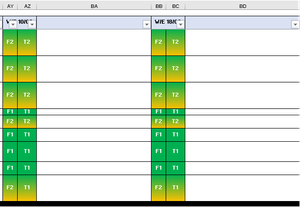
T1 and F1 does not change to green together - what can I do to stop this?
- mtarlerJun 24, 2021Silver Contributorthe easiest is to not "insert copied cells", just PASTE. If you need to insert columns then do that 1st then copy and paste. That is interesting what "insert copied cells" does, not sure if that is a bug or not and might be useful trick in certain cases.