Forum Discussion

Compile error in hidden module: CodeModule.
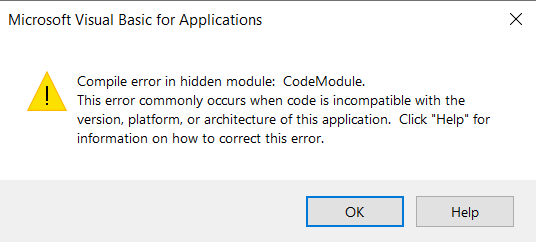

I am working with a Macro-enabled Excel file, is the worksheet that I try to edit. When I open the file, I get the error window (attached), then click "OK". Then I click in my macros icons in my Excel file and the same error window pops-up.
In my old laptop, every time It opens normally. And its not so old, Corei7-6600U and Win 10 64bits. And this excel file runs perfectly in all my other work colleagues laptops.
I don't know how to enter into that code window you are talking about, but I will find out.
Thanks for the reply!

I am not thinking of anything exotic. Just the developer tab and click Visual Basic or Alt+F11 to open the VBA code window. As long as the project is not password protected, you should be able to look through the code.
- davidsierramJul 11, 2021Copper Contributor
I managed to unlock the Excel file, now I have access to the code. I should be able to "run the code", but I am still trying to figure this out.
- PeterBartholomew1Jul 11, 2021Silver Contributor
If the code is run by clicking buttons or selecting a macro to run, it is likely to be in an ordinary module as a subroutine or a function. If it runs whenever you open the workbook or make a change the event handlers will be in modules specific to the workbook or sheet. It is also possible to use Class modules but that is less likely.
Under Tools / References you should be able to see the versions of libraries available for use. Unfortunately, I have forgotten what shows if something you need is missing or is the wrong version. What is puzzling is that the other machines you mention are relatively new; incompatibilities are more likely when old code is ported to new computers.
- davidsierramJul 11, 2021Copper Contributor
This Excel files are like our main app for work, they are all password protected : (