Forum Discussion

Compare list of Zoom participants with Student Roster
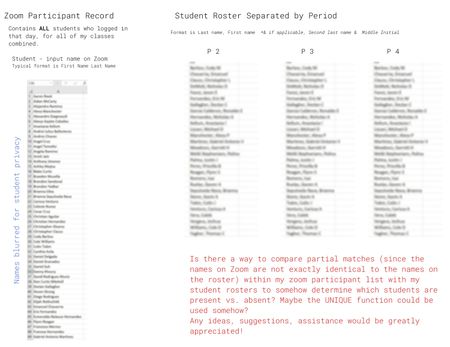
- Jan 11, 2021
jjennings yes there are few ways I could see you setting this up. Because the names aren't exactly the same there is also a concern about false misses or false catches (false positives and false negatives).
I could see you could 'stack' all the lists let's say in column B so your attendance sheet template would have all 3 periods in column B and let's say you have 49 students combined so then you paste the list from zoom in column A starting at A50. And in column B starting at cell B50 you have an equation like:
=let(zoomList,A50:A100,right(zoomList,len(zoomList)-search(" ",zoomList))&", "&left(zoomList,search(" ",zoomList)-1))
which will convert first name last name to Last, First
Then a UNIQUE of that column will show you a small list of outliers that you can manually check.
In the attached sheet I give a sample of this and added SORT to the UNIQUE to make it easier to check.
I also added another pair of columns where it will truncate the Last, First names to x number of characters in the first name. i.e. Smith, Joseph and Smith, Joe would both become Smith, Jo if set to 2 BUT so will Smith, Jonathan. In the example sheet you will see 3 will drop David vs Dave and 2 will also drop Michael vs Mike BUT you also confuse Bridget and Brenda.
I'm sure we could come up with some fancier tricks to help more but get the feeling that you are going to have exceptions no matters what I do and without sharing your list (which you can't do) I'm going to have a hard time catching them all. I hope this helps.

jjennings yes there are few ways I could see you setting this up. Because the names aren't exactly the same there is also a concern about false misses or false catches (false positives and false negatives).
I could see you could 'stack' all the lists let's say in column B so your attendance sheet template would have all 3 periods in column B and let's say you have 49 students combined so then you paste the list from zoom in column A starting at A50. And in column B starting at cell B50 you have an equation like:
=let(zoomList,A50:A100,right(zoomList,len(zoomList)-search(" ",zoomList))&", "&left(zoomList,search(" ",zoomList)-1))
which will convert first name last name to Last, First
Then a UNIQUE of that column will show you a small list of outliers that you can manually check.
In the attached sheet I give a sample of this and added SORT to the UNIQUE to make it easier to check.
I also added another pair of columns where it will truncate the Last, First names to x number of characters in the first name. i.e. Smith, Joseph and Smith, Joe would both become Smith, Jo if set to 2 BUT so will Smith, Jonathan. In the example sheet you will see 3 will drop David vs Dave and 2 will also drop Michael vs Mike BUT you also confuse Bridget and Brenda.
I'm sure we could come up with some fancier tricks to help more but get the feeling that you are going to have exceptions no matters what I do and without sharing your list (which you can't do) I'm going to have a hard time catching them all. I hope this helps.

mtarler Wow, thank you so much for taking the time to make a sample spreadsheet and help me brainstorm a solution! The way you used the SORT and UNIQUE function along with the equation which generates the last name and a certain number of characters is clever. I've only made equations for numbers within Excel, so, seeing an equation used with characters completely changes the way I've been thinking about the problem. I'll be trying out some different ideas this week and I'll report back if I come up with anything noteworthy.
Thank you again for your time!