Forum Discussion

Chat with Copilot popup on every Excel launch
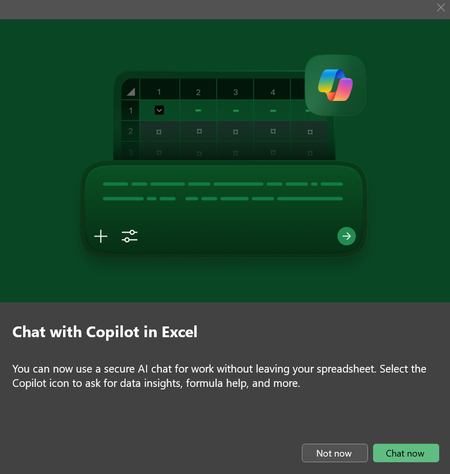

There is currently no supported way to permanently disable or “remember” the Copilot promo popup in Excel on Microsoft 365 builds like yours. What you’re seeing is, unfortunately, by design.
Why you don’t see Copilot settings
You are correct:
- There is no Copilot section in File → Options
- Disabling connected experiences does nothing
- There is no registry key or policy exposed (yet) for consumers or Pro users
Copilot UI suppression is only available via enterprise policies, not local settings.
What maybe can be work…
Enterprise policy (only if managed)
If this PC is joined to:
- Azure AD / Entra ID
- Domain with Microsoft 365 Apps policies
An admin can suppress Copilot prompts using Office cloud policy or Intune.
Policy name (for admins):
Disable Copilot in Microsoft 365 apps
If this is a personal or unmanaged PC, this option does not apply.
What does NOT work
Just to save you time:
- Registry hacks → ignored
- Disabling “Tips” → ignored
- Privacy options → ignored
- Turning off Copilot services → ignored
- Clicking “Not now” repeatedly → session-only
…Is this a work-managed device or personal?
Practical advice
If this is affecting you all day, every day, your best bets are:
- If possible: ask IT to apply the Copilot disable policy
- If unmanaged: consider switching to Semi-Annual Enterprise Channel
- Provide feedback (this one actually matters):
- Excel → Help → Feedback → “I don’t like something”
- Keywords: Copilot popup every launch
Microsoft has rolled back similar forced prompts in the past after enough feedback.
My answers are voluntary and without guarantee!
Hope this will help you.
Was the answer useful? Mark as best response and like it!
This will help all forum participants.