Forum Discussion

Charts Frustration
- Oct 14, 2023

Yeah I think i'm giving up on the dynamic bit, I'm just setting the age from 18 - 90 or something like that.
I'm looking for it to look like this...
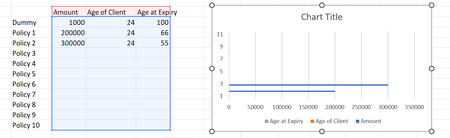
So i've basically set my table out like this, which will feel the chart. The Dep 1,2,3 are childrens ages, these and the retirement will be plotted in the same way you did with the trend lines (which i loved by the way):
So this table will be fed data from this table:
(The policy End Ages for Applicant 1(thomas) are in the highlighted cell column)
To avoid gaps in the chart, I want to say IF OWNER = AP1Name or "JOINT" then put the Policy End Age for that row in the graph chart.
I'm basically create 1 chart for applicant 1 that shows sole and joint policies and one for applicant 2 eventually.
I really appreciate you help, this has been very helpful
Marc - Financial Adviser.... not an excel expert
