Forum Discussion

ahmad ali
Mar 04, 2019Brass Contributor
changing Date format in a pivot table
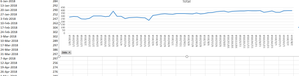
Hello, Could you please help me .... I can't change the date format in the pivot chart, I want it to like: 6-Jan-2018 ....please find the file attached Thanks
- Mar 04, 2019
In the attached file, all I did was:
- Right-click cell A4 and choose "Field Settings"
- Click the Number Format button
- Choose Date category and select "March 14, 2012"
- OK your way out.

JKPieterse
Mar 04, 2019Silver Contributor
In the attached file, all I did was:
- Right-click cell A4 and choose "Field Settings"
- Click the Number Format button
- Choose Date category and select "March 14, 2012"
- OK your way out.

ahmad ali
Mar 04, 2019Brass Contributor
Thank you so much ... it's a bit Embarrassing for me .... I don't know why it wasn't working for me