Forum Discussion

changing Date format in a pivot table
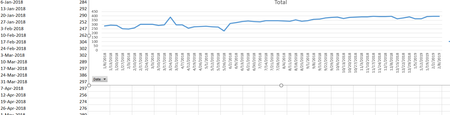
- Mar 04, 2019
In the attached file, all I did was:
- Right-click cell A4 and choose "Field Settings"
- Click the Number Format button
- Choose Date category and select "March 14, 2012"
- OK your way out.


SergeiBaklan Can you explain more how do you do that?
Thanks
- SergeiBaklanDec 05, 2022Diamond Contributor
Glad to know this discussion helped
 Christina YoungDec 04, 2022Copper ContributorThanks heaps for this. Now my dates look like I want them too.
- Riny_van_EekelenOct 28, 2021Platinum Contributor
SergeiBaklan AndreyKlepikov Try disabling "Automatic grouping of Date/Time columns in Pivot Tables", by checking the box shown at the bottom of the second picture. (Note: unchecked in my settings). This will stop Excel from adding Year and Month Fields when dates are put in the Rows or Columns field. Playing around with it a bit and it seems you need to re-build the Pivot Table with the new setting to take effect. Now you can format the date column to your own liking in the "Field Settings" for the Date.
Excel, Preferences, Tables and Filters,
PS: If you don't disable the automatic grouping (like in the picture above) and drag a Date into the Rows or Columns field in a pivot table, Excel will do the automatic grouping as expected. But, now you can press cmd-Z and the grouping will be removed. This will then allow you to change the date format under Field settings.
(Stumbled on to this by chance. Perhaps it also works on the PC, with Ctrl-Z. Not tested, though.)
- SergeiBaklanOct 28, 2021Diamond Contributor
Sorry, I don't use Mac. Riny_van_Eekelen , if you know.
 AndreyKlepikovOct 28, 2021Copper Contributor
I am using desktop version Excel for Mac.
I can not find any way to change date format. There is no option for that neither in PivotTable field settings nor in excel option.
SOS
- SergeiBaklanOct 10, 2020Diamond Contributor
Oops, I don't remember that is default option for newly installed Excel. In general that is one which set here
- kenteoOct 05, 2020Copper Contributor
Hi, Yes. Would like understand more about these two differences.
By default if we create from table to pivottable, it will using non-data model?
I also notice that the date format can change if you set to ungroup the field. By default it is group it, then even you change the number format for change date format, it will not work
- SergeiBaklanOct 05, 2020Diamond Contributor
Sorry, I didn't catch what is the question about. How to create PivotTable with and without loading data to data model?
