Forum Discussion

Changing Date For Night Shift Employees
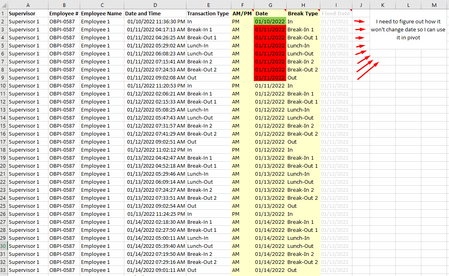
- Jan 25, 2022
ronaldonaire Just added one column to the time-log that determines the Clock IN time for each entry, based on the Break Type. Then, the pivot table can be like I inserted in the Final Data tab, from row 16.

ronaldonaire Just added one column to the time-log that determines the Clock IN time for each entry, based on the Break Type. Then, the pivot table can be like I inserted in the Final Data tab, from row 16.

Riny_van_Eekelen Thank you for your answer I have tried it and it works! Can you tell me how did you split your created Clock IN row to be able to show minutes, hours and Days? I can't recreate what you did here.
- Riny_van_EekelenJan 26, 2022Platinum Contributor
ronaldonaire When I dragged the Clock IN field into the rows area, it automatically created fields for days, hours and minutes. Then I reformatted the pivot table and unchecked the Clock IN, Minutes and Hours fields.
- ronaldonaireJan 26, 2022Copper ContributorIt worked! Thank you again for your answer, it helped me a lot!