Forum Discussion

SarahILE
Jan 31, 2024Copper Contributor
Changing cell references to the next row
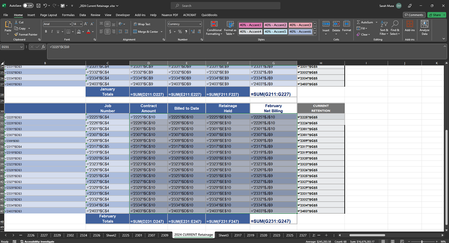
This spreadsheet shows monthly invoices for different projects which are referenced on multiple sheets. Is there a quicker way for me to change every cell highlighted here to the next row? I started ...
- Feb 02, 2024
SarahILE Start by selecting the range of cells you want to change, where the row number being referenced in each formula is the same (ie: all formulas referencing $C$9, $D$9, $E$9 & $J$9). Then, on the ribbon, go to Home > Find & Select > Replace and complete the following:
- Find what: $9
- Replace with: $10
- Click Replace All

djclements
Feb 02, 2024Silver Contributor
SarahILE Start by selecting the range of cells you want to change, where the row number being referenced in each formula is the same (ie: all formulas referencing $C$9, $D$9, $E$9 & $J$9). Then, on the ribbon, go to Home > Find & Select > Replace and complete the following:
- Find what: $9
- Replace with: $10
- Click Replace All

SarahILE
Feb 02, 2024Copper Contributor
djclementsit worked! thank you so much. I knew there would be a quicker way, I just changed 68 cells at once! you've saved me lots of time and I'm sure some potential errors!