Forum Discussion

Dana220106
Aug 25, 2022Copper Contributor
Cell reference that will stay relative within a set of folders
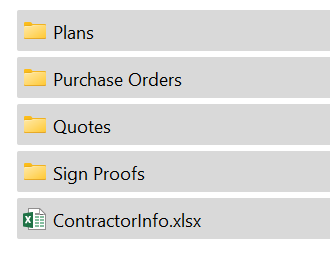
I have created a master set of folders for new jobs. At the root of the folder there is a Contractorinfo.xlsx worksheet that includes all of the information for the job. I want the worksheet within t...
- Aug 26, 2022
Ah - the LET function is only available in Excel 365 and 2021.
Please change the 'Refers to' of the defined name ContractorInfo to
=TRIM(LEFT(SUBSTITUTE(CELL("filename",Sheet1!A8),"\",REPT(" ",255),LEN(CELL("filename",Sheet1!A8))-LEN(SUBSTITUTE(CELL("filename",Sheet1!A8),"\",""))-1),255))&"\[ContractorInfo.xlsx]"
(You can do so in Formulas > Name Manager)

Dana220106
Aug 26, 2022Copper Contributor
Microsoft Office Pro Plus 2016

HansVogelaar
Aug 26, 2022MVP
Ah - the LET function is only available in Excel 365 and 2021.
Please change the 'Refers to' of the defined name ContractorInfo to
=TRIM(LEFT(SUBSTITUTE(CELL("filename",Sheet1!A8),"\",REPT(" ",255),LEN(CELL("filename",Sheet1!A8))-LEN(SUBSTITUTE(CELL("filename",Sheet1!A8),"\",""))-1),255))&"\[ContractorInfo.xlsx]"
(You can do so in Formulas > Name Manager)
- Dana220106Aug 26, 2022Copper ContributorThanks so much for your help... and patience! It worked!!!! 🙂