Forum Discussion

Cell reference that will stay relative within a set of folders
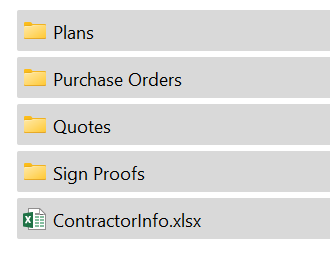
- Aug 26, 2022
Ah - the LET function is only available in Excel 365 and 2021.
Please change the 'Refers to' of the defined name ContractorInfo to
=TRIM(LEFT(SUBSTITUTE(CELL("filename",Sheet1!A8),"\",REPT(" ",255),LEN(CELL("filename",Sheet1!A8))-LEN(SUBSTITUTE(CELL("filename",Sheet1!A8),"\",""))-1),255))&"\[ContractorInfo.xlsx]"
(You can do so in Formulas > Name Manager)

Thank you for your response! When I enter the =INDIRECT formula a window pops up as follows:
Update Values: Sheet1 (looking for a file name)

Did you replace Sheet1 with the name of a sheet in your workbook?
- Dana220106Aug 26, 2022Copper ContributorI changed the name of the sheet in my workbook to Sheet1 and copied the formula.
- HansVogelaarAug 26, 2022MVP
Just to make sure: Sheet1 is the name of a sheet (any sheet) in the workbook with the formula (the workbook stored in the Purchase Order subfolder). It is used in the definition of ContractorInfo.
The cell formula uses Project Information, which is a sheet in the ContractorInfo.xlsx workbook.
And I forgot to mention that ContractorInfo.xlsx should be open in Excel too.
- Dana220106Aug 26, 2022Copper Contributor
As soon as I paste the formula this box pops up.
When I use the dialog that comes up and navigate to the file the #NAME? error is displayed.