Forum Discussion

Ruth-Anne
Apr 03, 2024Copper Contributor
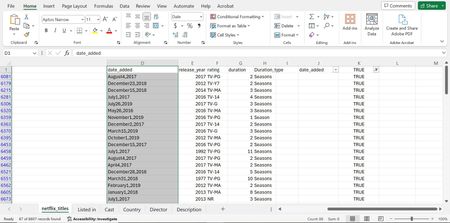
Cell format not changing
I am trying to clean all the cells in a column to have the Date format, specifically March 14, 2012, as previewed in Format options. In the Column D rows not shown, they have right alignment, with sp...

HansVogelaar
Apr 04, 2024MVP
Step 1:
Select column D.
Replace comma with comma followed by a space.
Step 2:
Press Alt+F11 to activate the Visual Basic Editor.
Press Ctrl+G to activate the Immediate window.
Type or copy/paste the following line:
Selection.Value = Selection.Value
With the insertion point in that line, press Enter.
Switch back to Excel.