Forum Discussion

Can't seem to find the answer to a simple solution?

The E indicates so-called exponential notation.
9.99999999999999E+307 is Excel's notation for 9.99999999999999*10^307.
It is the largest number that you can enter into an Excel cell, i.e. larger than any number you want the formula to return. LOOKUP searches for this number, and since it cannot find it, it returns the last number it found.

I did a copy/paste of the code into cell G26 of another spreadsheet, but no value is showing up. Is there a reason why? The value in G26, in this example, should read 2,295 (G5).
Could it have something to do with the values that appear in this column already have a code for each of their individual cells? =SUM(E2*0.8)... E3, E4, etc. up to E25.
- HansVogelaarJul 18, 2022MVP
No, it shouldn't matter that G2 and below contain formulas:
Are you sure that G26 hasn't been formatted with white text?
If not: Could you attach a sample workbook (without sensitive data), or if that is not possible, make it available through OneDrive, Google Drive, Dropbox or similar? Thanks in advance.
- Mike_SchellJul 18, 2022Copper Contributor
"White text" would make sense. I checked and the text is "black". I don't mind sending a copy of the workbook. It is just numbers and no real sensitive data like account numbers or anything. I assume you would need the .xslb file correct?
Here is a Dropbox link. Let me know if this works. Thanks!
https://www.dropbox.com/scl/fi/20teqg7sos317v27bf8lv/401K-Chart-Latest-NEW-version-1-.xlsb.xlsm?dl=0&rlkey=b3b057r7zv3gg2fqwhq4pszmy
- HansVogelaarJul 18, 2022MVP
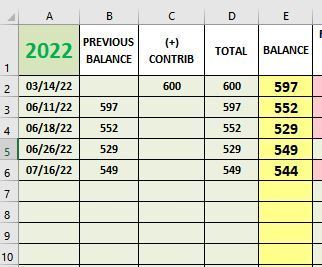
Thanks. That clears it up, The result of the formula in G6:G25 is 0, so the formula in G26 returns the value of G25, i.e. 0. But you have set the sheet not to display a zero in cells that have zero value, so the cell looks blank.
Solution: change the formula in G2 to
=IF(E2="","",E2*0.8)
and fill down to G25. G6:G25 will now contain the text value "" instead of the number 0. G26 will then display the expected value: