Forum Discussion

Calculated Field %

You can insert a caluclated field.
In the below screenshot the name of the column (in the pop up field) is Percentage and the calculation is =Intervention/Winter.
In the result table in range F1:J10 in the column "Summe von Percentage" the results are formatted as percentage.
 PeChristophersonMar 15, 2024Copper Contributor
Thank you very much for your help. I really appreciate it.
I tried your method, and after looking at google, youtube, and chatgpt, it said to do the same thing you mentioned, but I still keep getting a #div/0. So I must be doing something else wrong.
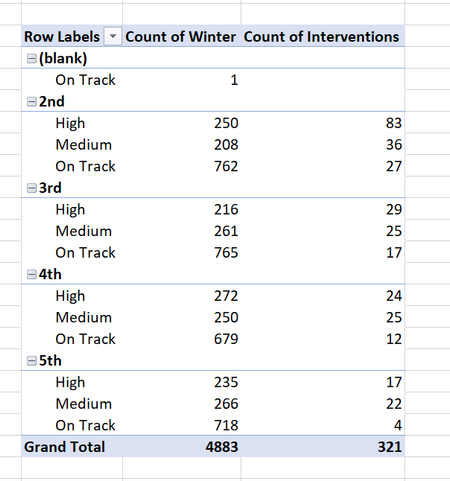
I simplified my table and am showing some new pictures here.
So in this new example, both of my pivot table columns come from the same column. One is a sum, and one is a count. I am hoping to divide the sum by the count.
- OliverScheurichMar 15, 2024Gold Contributor
From your screenshot i can't tell why you get an #Div./0 error because in the "Intervention2" column all values are greater than 0. If you insert a calucalted filed with the formula =Intervention/Intervention2 there shouldn't be an error in my understanding.
Can you attach your file without sensitive data or a screenshot which shows the percentage column in the result table and the pop up window for the calculated field with its name and formula?