Forum Discussion

mabfrazer
Sep 01, 2023Copper Contributor
Better Way merge Excel Data to printable Customer Profile Publication
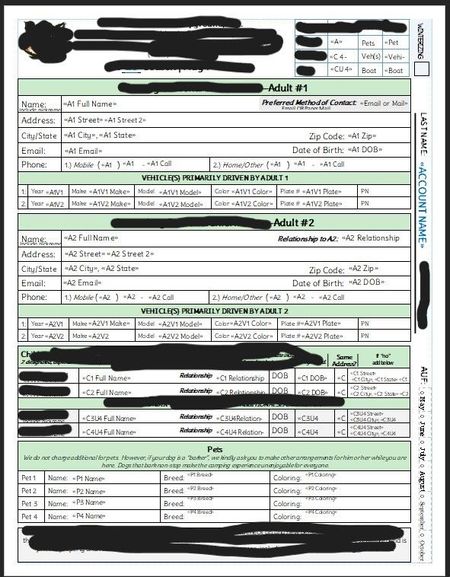
Hello All, Every year I have to take our customers' data from within Excel and create an intricate form with Publisher > Mail Merge. I have to smush a bunch of tables into the file that is suppos...

peiyezhu
Sep 01, 2023Bronze Contributor
Make space for new/future data fields/tables?
Can you provide some raw data.and your expected result which maybe.helpful to visualize what kind of automation you want to achieve.
mabfrazer
Sep 07, 2023Copper Contributor
For example, if the customer adds additional people to their account, I would want to auto populate a new table that shows additional person(people) data = names, addresses, phone, email, vehicle, children, etc.
If the customer doesn't have additional people, I don't want those extra tables to be there. As it is now, I have to custom create extra forms for each extra person.
I'd also love to have it flag fields that are missing data, so that when the form prints, it makes a list of fields that need to be addressed.
If the customer doesn't have additional people, I don't want those extra tables to be there. As it is now, I have to custom create extra forms for each extra person.
I'd also love to have it flag fields that are missing data, so that when the form prints, it makes a list of fields that need to be addressed.
- peiyezhuSep 07, 2023Bronze Contributorhttps://support.microsoft.com/en-us/office/vlookup-function-0bbc8083-26fe-4963-8ab8-93a18ad188a1
vlookup?
How about fill the form from a list from.another worksheet with vlookup?- mabfrazerSep 13, 2023Copper ContributorI'm not familiar with this feature but I'll certainly check this out.