Forum Discussion

Baseball Tryout Leaderboard
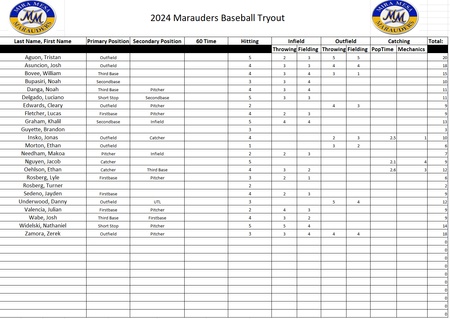

ConnerLittle Tried copying your data from the picture but it became a bit messy. So, I created an example that demonstrates the use of a pivot table. However, you would have to change the set-up a bit. Currently you are collecting data in a visually appealing manner, but that's no good for analysis or reporting.
Get rid of the double header row. Make sure you have unique headers for each column. Now you can create a pivot table with Primary and Name in the row field and Total in the value field. Format the pivot table to show sub- or grand totals (or not) and sort the Total score in descending order.
May not look much like a pretty report, but you have an instant overview of the ranking of your players. Add or change data to/in the table, press Refresh on the Data ribbon and the pivot table will be updated.