Forum Discussion

Average Line in Clustered Column chart
 Jan 03, 2020
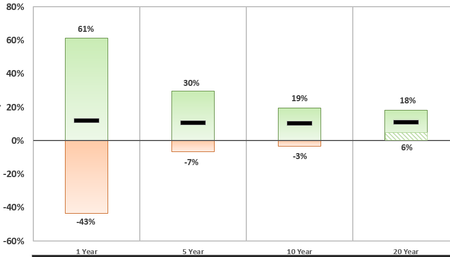
Riny_van_Eekelen Although no one may ever travel to this thread, I think I found a work-around! I re-selected my data, and then created a clustered column. Then, I left clicked on a bar>right click>"format data series">"Series Options"> Set "Series Overlap" to 100%>Change the average bar to the same fill and border color as the max bar> then change the border to the dash for added effect.

One more try.
You can create your own line marker. I created a JGP of a narrow line and used that one. It's not the same with as the columns but you can fiddle around yourself and create marker that suits your exact needs.
Riny_van_Eekelen Although no one may ever travel to this thread, I think I found a work-around! I re-selected my data, and then created a clustered column. Then, I left clicked on a bar>right click>"format data series">"Series Options"> Set "Series Overlap" to 100%>Change the average bar to the same fill and border color as the max bar> then change the border to the dash for added effect.