Forum Discussion

auto populate excel tab with training opportunities
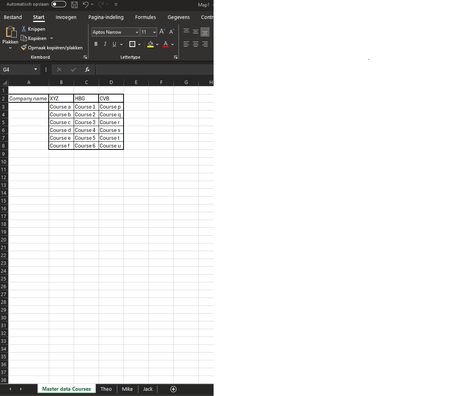

It is quite possible to build a list of relevant courses dynamically. There is a catch though. If you expected to use the individual sheets to maintain the record of courses attended, you need to bear in mind that the manual input will not adjust as the list changes.
The changes you could make on the master sheet would be limited to appending a course; any deletions, insertions or re-sorting would create a mess.

that is indeed not something i considered as i would be inputting the date of the training manually
but also didn't think or deleting or re-sorting the trainings in the master sheet. i do want to be able to add new trainings to the master sheet that in a perfect situation would than be auto populated below the already shown courses in the mechanics sheet like in the example.
would something like the below example be possible where i would make seperate fields for the competencies and than it populates them to the right instead of as a long list down below. this would than not shift any manual input as that would stay on the same field if the new course would always just populate underneath the already existing shown courses. ? the only issue would then be that i cannot delete or re-sort anything in the master sheet without causing problems.
- PeterBartholomew1Oct 11, 2024Silver Contributor
Would something like this work for you?
Using the data as validation lists separates the user data from the dynamic data
- Koen_PuijkOct 14, 2024Copper Contributorit could work potentially. the technicians file would still need to show the competencies somewhere so we can see in 1 view which of our brands they are trained for as the names of the courses aren't always an indicator unless the person viewing it has indept knowledge of the courses. but i can tinker with it and make it work.
- PeterBartholomew1Oct 15, 2024Silver Contributor
I had only got as far as checking the idea of using validation lists, the assumption being that you would populate the groups relevant to each technician.
To obtain a validation list that updates dynamically to match the declared competencies, the best approach might be build a master list of courses versus competencies and filter it for each technician.
= LET(
    course,        TAKE(masterCourseList#,, 1),
    masterComp,    TAKE(masterCourseList#,,-1),
    FILTER(course, BYROW(masterComp=compentencies, OR))
  )