Forum Discussion

Applying range names to previously created formulas
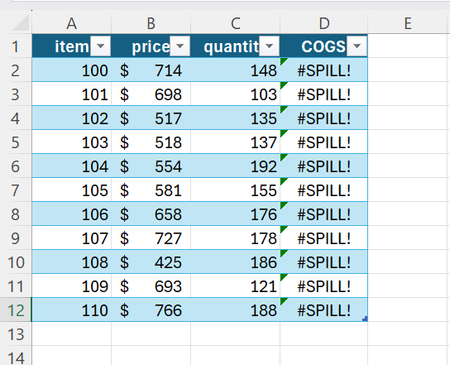

MJexcel0001 The formula =price*quantity (referring to the named ranges you've defined) will produce an array of results for every item in the table and return those results in a dynamic spilled array. You can enter this formula in, for example, cell F2 to see how the results spill in a range on the worksheet. Dynamic array formulas like these cannot be used within a structured Excel table, nor are they necessary, because structured tables already have built-in names for each column that can be referenced to create a calculated column. The implicit intersection operator "@" is used to reference "This Row" of the table, so you need only use =[@price]*[@quantity] to create the calculated column.

djclements Thank you for the quick and helpful response. It works and I appreciate it.