Forum Discussion

Annoying Chart Pop-Up window I can't get rid of
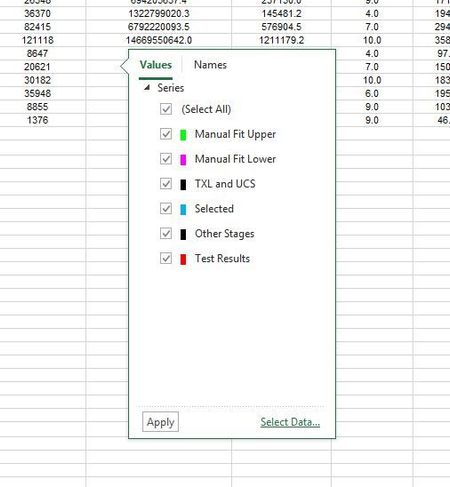

DRPaquette Try clicking the ALT key or the CTRL key. Both of these work for me.

I have been using Excel every day for almost 30 years now. I have never seen this popup until the last month or two, and it is unbelievably annoying. I see no purpose to it and it is covering up my data. I wish that Microsoft would get their head out of my butt and let me do my work. My biggest impediment to porductivity is Microsoft and their constant changes to the office suit and Windows. They keep making changes that they think will help people do their work, but they havent a clue as to how real people work. I wish that they would stop trying to add things to their software and focus on fixing the 10,000 bugs that are already there.
 JimP445Sep 04, 2024Copper Contributor
I figured it out!
I hope this works for you -
Click off of the chart, then onto the chart, hover, then hope for these icons to show up.
When they do, click the '+' icon, and it goes away. Phew.
- Match82Mar 19, 2025Copper Contributor
I've never posted on this forum before, but it brought me here to address an irritation and it's the only article I can find about it. I've found the solution! Wanted to share it with anyone who stumbled upon this in the same way I did.
Jim's solution is 99% of the way there and helped me immensely. For me at least the only difference was that it's the FILTER icon (the one like a funnel) and not the "+" icon. Click the funnel (which you did accidentally once already, which is why you're reading this) and the problem goes away!
 Suraj_MultaniMay 06, 2025Copper Contributor
Finally a solution that works!!! Thank you so much for sharing this.
- Suraj_MultaniSep 04, 2024Copper Contributor
JimP445 after years of dreading when this pop up will show up, for the first time I am hoping it shows up so I can try your solution!
I am still confused about why Microsoft does not do one of 2 things
1. Add a Windows control to close the pop-up like and "x" - this using of "+" instead of "x" is inconsistent.
2. Remove the code that creates this pop-up since it serves no purpose and is extremely irritating when it occurs and follow up across multiple worksheets in a spreadsheet.
 JonPeltierMVPSep 10, 2024Iron Contributor
1. An x in the top corner would be redundant, since you can just click the icon corresponding to the flyout to make it go away. If the flyout isn't connected to a chart on the active sheet, click any chart, then click the corresponding icon for that chart, and the flyout will go away (for now).
2. The plus icon does serve a purpose: to add (or modify) chart elements. It is much more convenient than having to go to the ribbon or task pane.