Forum Discussion

burnskrl
Feb 06, 2025Tin Contributor
Adding existing VBA/Macro in Private Function to new Workbook
Hello again! I have inherited a workbook with a Macro that stores qualitative notes in a separate worksheet and compiles the notes over time. I want to take that Macro and apply it to a new workb...

burnskrl
Feb 07, 2025Tin Contributor
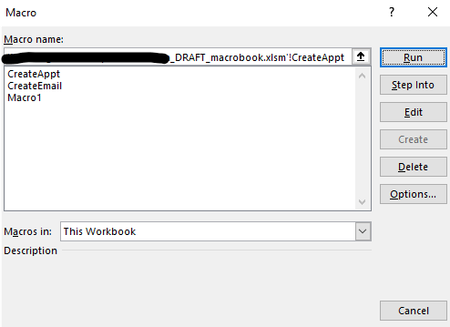
Do you have a suggestion on how I might be able to get it to run in my new workbook even though it isn't a macro? Is there a way to have functions run? My guess is yes, but I am still new to this level of Excel, so it is a bit over my head at the moment. Happy to learn though!!

HansVogelaar
Feb 08, 2025MVP
You could change the code as follows:
Public Const sRngName = "PT_Notes"

Public Sub Check_Setup()
    Dim ws As Worksheet
    Dim rNotes As Range, i As Long
    Dim PT As PivotTable, ptField As PivotField
    Dim tblNotes As ListObject
    Dim wsSave As Worksheet

    Set ws = ActiveSheet
'---Check if not exactly one PT on Worksheet- exit
    If ws.PivotTables.Count <> 1 Then GoTo StopNotes
    Set PT = ws.PivotTables(1)

'---Check if not Compact Report layout- exit
    For Each ptField In PT.RowFields
        If Not ptField.LayoutCompactRow Then GoTo StopNotes
    Next ptField

'---Check if Named Range "PT_Notes" doesn't exist- define it
    If Not NameExists(sRngName, ws.Name) Then
        With PT.TableRange1
            Set rNotes = Intersect(PT.DataBodyRange.EntireRow, _
                    .Resize(, 1).Offset(0, .Columns.Count))
        End With
        Set rNotes = rNotes.Resize(rNotes.Rows.Count _
            + PT.ColumnGrand)
        ws.Names.Add Name:=sRngName, RefersTo:=rNotes
        Call Format_NoteRange(rNotes)
    End If

'---Check if "|Notes" Worksheet doesn't exist- add it
    If Not SheetExists(ws.Name & "|Notes") Then
        Set wsSave = ActiveSheet
        Sheets.Add
        ActiveSheet.Name = ws.Name & "|Notes"
        wsSave.Activate
    End If

'---Check if Notes DataTable doesn't exist- add it
    With Sheets(ws.Name & "|Notes")
        On Error Resume Next
        Set tblNotes = .ListObjects(1)
        If tblNotes Is Nothing Then
            .Cells(1) = "KeyPhrase"
            .Cells(1, 2) = "Note"
            Set tblNotes = .ListObjects.Add(xlSrcRange, _
                .Range("A1:B2"), , xlYes)
        End If
    End With

'---Check if any PT fields are not Table Headers - add
    With tblNotes
        For Each ptField In PT.RowFields
            If IsError(Application.Match(ptField.Name, .HeaderRowRange, 0)) Then
                .ListColumns.Add Position:=2
                .HeaderRowRange(1, 2) = ptField.Name
            End If
        Next ptField
    End With
    Exit Sub

StopNotes:
    If NameExists(sRngName, ws.Name) Then
        Application.EnableEvents = False
        Call Clear_Notes_Range(ws)
        ws.Names(sRngName).Delete
        Application.EnableEvents = True
    End If
End Sub
Make sure that the other functions and procedures called by this macro are present in the workbook (Clear_Notes_Range, Format_NoteRange, NameExists and SheetExists)