Forum Discussion

Absolute referencing when adding columns.
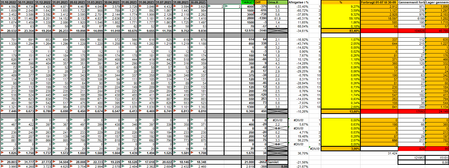
- Oct 20, 2023
Use
=AVERAGE(OFFSET(X2, 0, -13, 1, 4))
and fill or copy down. This means: take the average of the range starting 13 cells to the left of X2, i.e. in K2, and 4 columns wide.


Unfortunately, you omitted the column headings (A, B, C, ...) this time.
And which column is the relevant one? I don't know Danish.
- KasperThomsenOct 20, 2023Copper Contributor
HansVogelaar
I'm trying to omit some maybe sensitive data, but I get what you are saying.
I'm off work now, so I don't have access to the sheet, so let's say that in X2 i want to make a formula that takes the averages of cell K2-N2.
Then next month I add a column after N, which pushes everything to the right of it 1 column right.
So now the cell that I have the average in is Y2, but the values it calculates from are still K2-N2.
I want it to follow, and use the latest 4 months of data, so now it's L2-O2.
Please let me know if you need more information.
(I'm not that experienced in Excel, so there is a lot of terms I might get wrong.- HansVogelaarOct 20, 2023MVP
Use
=AVERAGE(OFFSET(X2, 0, -13, 1, 4))
and fill or copy down. This means: take the average of the range starting 13 cells to the left of X2, i.e. in K2, and 4 columns wide.
- KasperThomsenOct 20, 2023Copper ContributorHansVogelaar
Thank you so much! It seems to work exactly like i hoped