Forum Discussion

Copilot Studio Agent Shows Usage Limit Error Despite Low Credit Usage
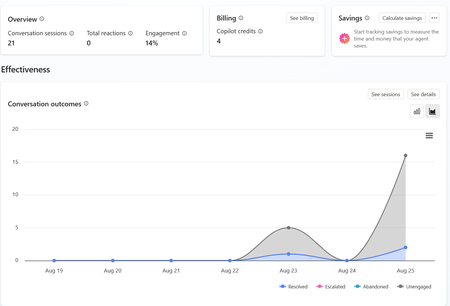

The low monthly credit figure does not rule out this error. Copilot Studio can block an agent because the environment exhausted capacity, an administrator set an agent hard limit, or a short-term generative AI rate limit was reached. Since the test pane works but the website fails, capture the error code and UTC time from the web conversation, then compare it with a test-pane request. In Power Platform admin center, check Licensing > Copilot Studio for the environment’s prepaid or pay-as-you-go capacity, the agent’s limit and status, and consumption. Review Copilot Studio quotas, service health, authentication, and whether the website uses the agent version and correct environment. Republish after confirming configuration. Do not infer available capacity from four credits shown in one view. If no limit is reached, open Microsoft Support with the agent ID, environment ID, channel, correlation ID, and timestamps so they can identify rate-limit or enforcement telemetry.