Forum Discussion

Help required in a formula
- Feb 16, 2022
If true/false are texts, not Boolean, when
=SUMPRODUCT(--( $E$3:$E$13="TRUE") )COUNTIF() in background transform texts which represent numbers and Booleans accordingly.


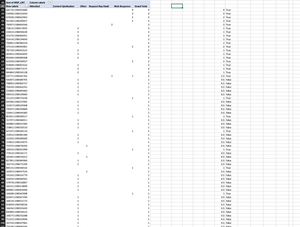
Can you check if "TRUE " with a space at the end is entered in range O42:O107 instead of "TRUE" without a space.

Thanks for your reply
Column O is a having a formula.
For Scenario 1 ,
=SUMPRODUCT(($A$1:$A$7=$A$9:$G$9)*($B$1:$B$7*A10:G10))
This works when the columns are 7 as soon as I have only 2 columns then it starts giving wrong results , The issue is in week 1 week have data for all 7 columns but in week 2 we have only for 3 , Hence as soon as I change to week 2 it gives me wrong results .
Here is the formula what you have given : =SUMPRODUCT(($X$3:$X$9=$B$4:$G$4)*($Y$3:$Y$9*B6:G6))
Here is the updated one : =SUMPRODUCT(($X$3:$X$9=$B$4:$D$4)*($Y$3:$Y$9*B5:D5))
