Forum Discussion

Send files from Blob Storage to Vendor API
Hello,
In an Azure Blob container in our tenant we have several thousand .json files that need to be ingest by a vendor search api.
The vendor example is to send as PUT /v2/indices/{index public key}/documents/{document id} to their api.
My background with ADF is copyfiles from a local fileshare to blob. I just copy with source and sink - works
Never having done this before and using Copilot it suggested creating a pipeline, using the Get Metadata activity.
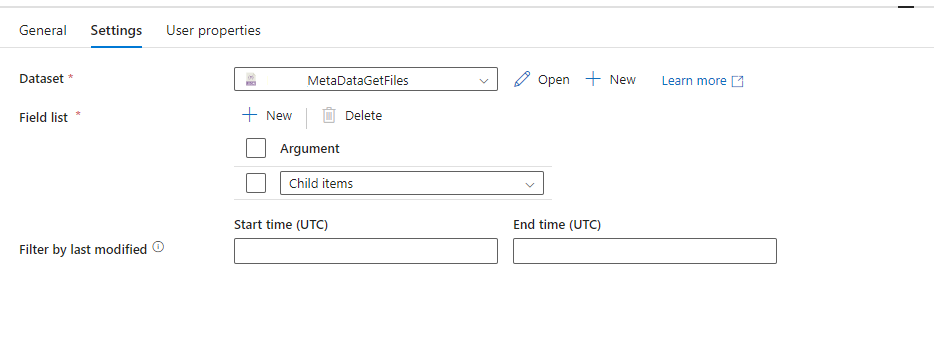
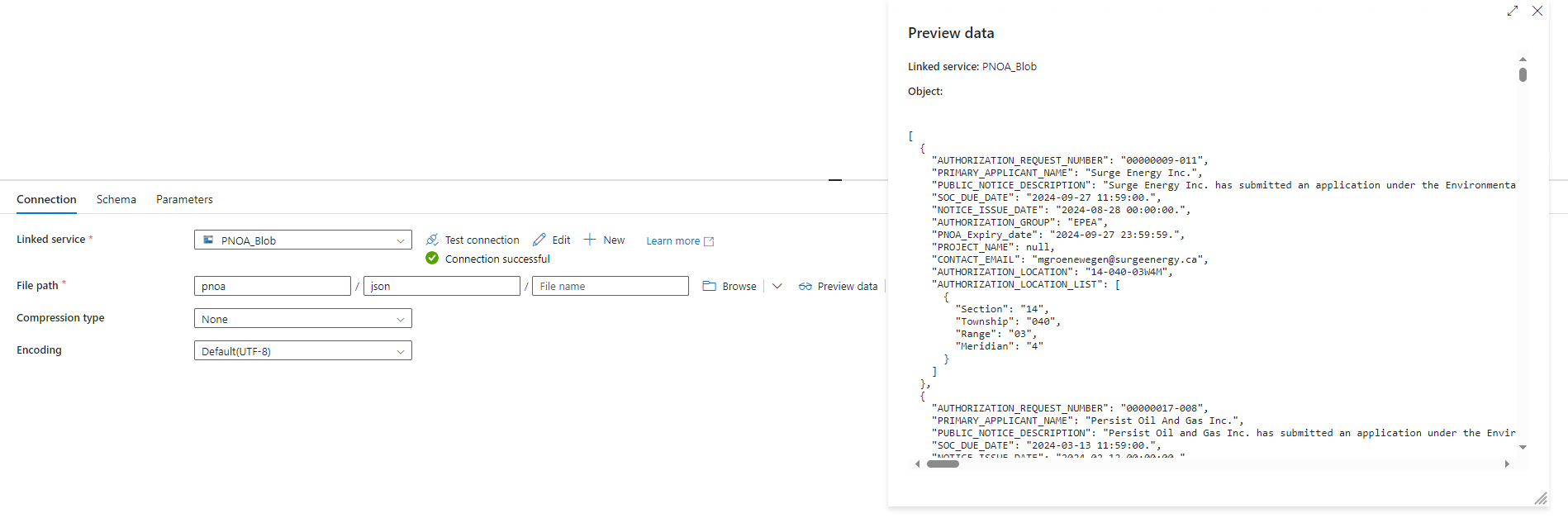
I did that. The setting of Get Metadata point to a Dataset. (see attachments for images - not the blob setting show successful connection and preview)
at this point I just tried to debug it and got this message:
Error code
2001
Failure typeUser configuration issue
Details
The length of execution output is over limit (around 4MB currently)
Activity ID
b74f3802-804f-4b04-91c2-3f68546a40a5
Each files is about 20KB, but I suspect it is trying to get all the files as one.
If this is the case, how do I get it to iterate one by one?
Copilot said to use a Filter activity, but that is AFTER the Get Metadata statement.
Any help on how to proceed OR troubleshoot this better?
Thanks,
V
1 Reply
 Mks_1973Iron Contributor
To iterate through each file in Azure Data Factory (ADF) and send them individually to your vendor’s API, follow these steps:
Set up the Get Metadata activity to retrieve Child items of your Azure Blob container. This will give you a list of all files in the container.
Ensure you’re only fetching metadata on Child items (individual files) to avoid exceeding the output limit.
Use the ForEach activity to iterate over each file returned by the Get Metadata activity.
In the Items setting of the ForEach activity, pass the output of the Get Metadata activity to process each file one by one.
Within the ForEach activity, add a Copy Data or Web Activity depending on your vendor's API requirements.
If Web Activity:
Configure it to use the PUT method to the specified API endpoint.
Include {index public key} and {document id} dynamically based on file properties or path.
Use @item().name within the ForEach to get the current file name (or ID) and pass it in the URL.
If the API requires the file’s content in the body, you may need to add a Get Blob Content operation, typically done with an additional Copy Data activity or another Get Metadata configured for file content retrieval
Below is a example of setup in the Web Activity for the API call:
{
"method": "PUT",
"url": "https://api.vendor.com/v2/indices/{indexPublicKey}/documents/@{item().name}",
"headers": {
"Content-Type": "application/json"
},
"body": {
"fileContent": "@{activity('GetBlobContent').output}"
}
}
NOTE:
If encountering limits in Get Metadata, try limiting the number of files by last modified date or filename prefix.
Ensure that your ADF pipeline has the correct permissions to access the Blob storage and execute the Web/Copy activities