Forum Widgets
Latest Discussions
Updated Failover Clustering API Documentation
Does anyone know when the Failover Cluster API documentation will be updated? Currently, in learn it only shows Server 2008 and 2012. https://learn.microsoft.com/en-us/previous-versions/windows/desktop/mscs/failover-cluster-apis-portal The same goes for storage spaces. Is there any updated documentation?SteskaljMar 18, 2026Steel Contributor45Views1like0Comments
HLK: is there anyone known errata ID #138836 information?
Windows 2025 Server, the Hardware Security Testability Interface Test fail with Intel 6369p CPU. I submitted HLK package with readme errata ID#91130 reply FAIL, errta id#91130 is not coverd for this test failure, please to apply onboarding your model in errata ID #138836 through CSS team. Thanks.frankwang945Dec 28, 2025Copper Contributor78Views0likes0Comments
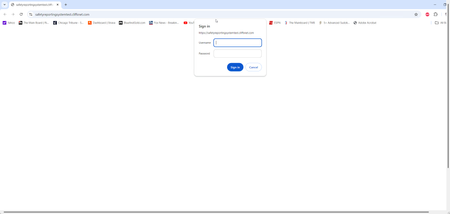
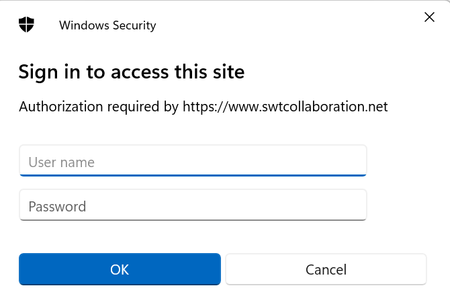
Getting Prompted for Username and Password on Internal Web Site, HTTP Error 401.2 - Unauthorized.
I have an internal web site that uses Windows Authentication. This works perfectly on my Microsoft Windows Server 2022 Datacenter Azure Edition which is my developer server. When I tried to put this site out on our test Microsoft Windows Server 2022 Datacenter Azure Edition, with the exact same setup, I get prompted for my Username and Password. It does not matter what I have tried to enter for Username and Password, nothing is ever accepted and it I hit cancel, I get the dreaded HTTP Error 401.2 - Unauthorized. I don't understand why this would work on 1 server, but not the other server. HTTP Error 401.2 - Unauthorized You are not authorized to view this page due to invalid authentication headers.Raymond_PietrzakFeb 20, 2025Copper Contributor295Views0likes0CommentsTrouble Setting Up Windows Server on My New Aura Edition AI PC
Hey everyone, I recently got an Aura Edition https://www.lenovo.com/ca/en/lenovoauraedition/, and I’m super excited about the AI features. However, I’m running into issues trying to set up Windows Server on it. The installation isn’t going as smoothly as I expected. Also, I’m wondering if the AI hardware or features could be causing conflicts with the setup. Has anyone else set up Windows Server on a similar AI-powered PC? I’d appreciate any tips or advice on what to look out for or how to optimize the configuration. Regards, CharliecharliekatherineOct 04, 2024Copper Contributor234Views0likes0CommentsBad Request - Request Too Long HTTP Error 400. The size of the request headers is too long.
I am moving a web site from Windows Server 2012 to Windows Server 2022. When I open my web site, I receive the error message: Bad Request - Request Too Long HTTP Error 400. The size of the request headers is too long. When I inspected the headers, they were only 640 characters long. I have cleared my cache and flushed DNS to no avail. This error doesn't happen all the time, just sporadically. How do I fix this so that it doesn't happen.Raymond_PietrzakJul 25, 2024Copper Contributor437Views0likes0Comments
ntel Ethernet controller(3) I 225V issue
Hello, I was having 2019 standard server, running, Added one SSD and Installed fresh new standard 2022 server. After installation, drivers are missing so exported from running 2019 server. All drivers are installed except one Network card. This card is Intel Ethernet controller(3) I 225V.. I tried all possible but did not find any luck. This 2022 server is not yet keyed, but I guess its good for next 180 days. what could be reason ? Any help ?kpiseJun 17, 2024Copper Contributor335Views0likes0CommentsMicrosoft RD client Android app url scheme is not working
I've been using a legacy URL scheme in my Android app to open the RD Client app via a deep link and initiate an automatic connection with a remote server. It used to work fine, but now it's no longer functioning. Is there a change in the URL scheme that hasn't been documented, or perhaps an update that affects this functionality? Can someone guide me on this issue?asad_baigJun 11, 2024Copper Contributor300Views0likes0CommentsAzure VM Agent Status not ready
I have created a red hat openshift private cluster but the VMS are stuck in the state of "agent status not ready." I have followed these troubleshooting steps: Linux Virtual Machine Agent Status "Not Ready" - Microsoft Community Hub However, all of them seem to point to trying to check and see what is on the VM itself. I am unable to do this because I can't SSH into the machine. Has anyone else ran into this issue and been able to resolve it? I am deploying it via CLI as I was not able to do it via GUI for some reason. This is my script: #az login az account set --name "accountnamehidden" #az provider register -n Microsoft.RedHatOpenShift --wait #az provider register -n Microsoft.Compute --wait #az provider register -n Microsoft.Storage --wait #az provider register -n Microsoft.Authorization --wait $LOCATION= "eastus" # the location of your cluster $RESOURCEGROUP= "sample-rg" # the name of the resource group where you want to create your cluster $CLUSTER= "K8sDev1test" # the name of your cluster $arovnet= "sample-vnet" $mastersubnet = "k8sDev1-master-ue-snet" $workersubnet = "k8sDev1-worker-ue-snet" az aro create --resource-group "samplerg" --vnet-resource-group "sample-vnet-rg" --name $CLUSTER --vnet $arovnet --master-subnet "k8sDev1-master-ue-snet" --worker-subnet "k8sDev1-worker-ue-snet" --apiserver-visibility Private --ingress-visibility Private --fips true --outbound-type UserDefinedRouting --client-id hidden --client-secret hidden540Views0likes0Comments 439Views0likes0Comments
HLK Windows Touch Reporting Rate Test
Hello, I have a question regarding the HLK Test. I understand that in the Touch Reporting Rate Test, if the touch reporting rate is higher than the refresh rate, the test will pass. However, I recently encountered a situation where the test failed on a laptop with VRR enabled. Is it possible that the HLK Stdio is not receiving real-time refresh rate data due to the VRR feature? Should I disable VRR when conducting the Touch Reporting Rate Test?HeonLeeApr 16, 2024Copper Contributor384Views0likes0Comments


Tags
- windows server89 Topics
- Active Directory23 Topics
- networking22 Topics
- security16 Topics
- PowerShell13 Topics
- storage13 Topics
- management12 Topics
- Compute7 Topics
- containers7 Topics
- Hyper-V6 Topics