Forum Widgets
Latest Discussions

DPM 2025 failing with SharePoint Subscription Edition
I recently upgraded from SharePoint 2019 to Subscription Edition. I was able to back SP 2019, but not the new version. It gives errors such as the following: Retry the operation. If backup is failing for a SQL instance or Sharepoint Farm, make sure SQL OLEDB driver version 19.3.3 or higher is installed on protected computer. I have tried both 9.3.5 and 9.4.1 of the OLE DB drivers without success, on both the SharePoint and SQL servers. In the past, I only installed this driver on the SQL server. I believe there may be some incompatibility with OLE DB 9.4.1 as with it installed the non-farm related databases also fail intermittently with this message, but not with the 9.3.5 driver. I'm using SQL Server 2022. Both DPMRA and SYSTEM have sysadmin roles on the SQL server. Anyone having this type of problem?simdocJun 16, 2025Copper Contributor158Views0likes3Comments
DPM 2025 UR1 Agent Install Failed
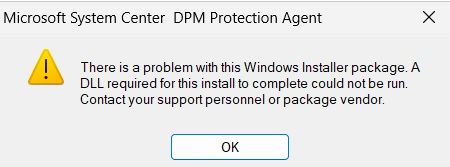
Hi, I have fresh installed DMP server with the following stack: Windows Server 2025 Standard SQL Server 2022 Reporting Services 2022 After DPM install I updated to UR1 without agent deployment. I have new cluster Windows Server 2025 Cluster Nodes and I would like protect with the new DPM but agent install is failed with the following message: Install protection agent on HOSTNAME failed: Error 313: The agent operation failed because an error occurred while running the installation program on HOSTNAME. Error details: Fatal error during installation (0x80070643) Recommended action: Review the log files on HOSTNAME: [windir]\temp\msdpm*.log and take appropriate action. Retry the operation, and if the error persists, restart the computer and then retry the operation again. I find this in the log: Product: Microsoft System Center DPM Protection Agent -- Error 1723. There is a problem with this Windows Installer package. A DLL required for this install to complete could not be run. Contact your support personnel or package vendor. Action _CheckCertificatesConfigured, entry: CheckCertificatesConfigured, library: C:\WINDOWS\Installer\MSI6206.tmp Error 1723. There is a problem with this Windows Installer package. A DLL required for this install to complete could not be run. Contact your support personnel or package vendor. Action _CheckCertificatesConfigured, entry: CheckCertificatesConfigured, library: C:\WINDOWS\Installer\MSI6206.tmp Action ended 12:11:00: _CheckCertificatesConfigured. Return value 3. I tied these steps: 1. I can deploy dpm agent from my previous dpm 2022 server with success to the host 2. I copied the dmp agent installer to the host from the original DPM 2025 installer 10.25.25.0 and I can install the agent with success 3. I copied the dmp agent installer to the host from the updated UR1 environment 10.25.39.0 but i can't install and got this error message witch is almost the same what I find in the log I think something is wrong with the updated UR1 agent. I am looking for solution.Antal_KabatekFeb 26, 2026Brass Contributor157Views2likes2Comments