Forum Widgets
Latest Discussions

Update bootloader in Win10 Iot Ent LTSC (21H2) applied images?
The product I work on uses Windows 10 IoT Enterprise LTSC (21H2). I am trying to update the bootloader in the extracted and applied images to the version signed in 2023, to work around the issue with the default bootloader signatures expiring in 2026 (see KB5012170). KB5012170 updates the bootloader on an installed system. I can apply this hotfix to an installed device, and the bootloader on the hidden partition indeed gets updated. However, if I sysprep and extract the image from this machine, and apply it to a new machine, after using bcdboot to set the boot image, the new machine ends up with the old expiring bootloader installed. It seems KB5012170 only updates the "live" version of the bootloader on the hidden partition. It does not update the bootloader that ends up in the extracted image? Updating to Windows 10 IoT 22H2 or Windows 11 IoT is not an option for us for now. I do not want to have to require users to always install KB5012170 every time they install our product moving forward. I would like newly created images of our product to contain the updated bootloader by default. But I cannot find a way to do this. KB5012170 seems to be the only way to get the updated bootloader for our edition of Windows. Is there another way to get the updated bootloader I am missing? Is there a tool or trick that I am missing that would allow us to update the bootloader in the extracted, applied image without requiring a subsequent install of KB5012170?Bob66Jul 08, 2026Copper Contributor55Views0likes2Comments
Joining PC to domain breaks Windows
Hey all. We have a machine in our facility that is running Windows 10 IoT Enterprise LTSC 21H2, and for some reason whenever we try to add it to our domain, it breaks a few things. Windows Search no longer works, trying to run services.msc will accept the command but will take the box literally over 5 minutes just to open, takes other things longer to load than when not joined, sometimes it hangs up after rebooting when "applying computer settings" right before it logs in to where I have to unhook the network cable, etc. The first time we tried, we rebooted after joining domain and about 10 seconds into creating the new profile after it says "Hi", the entire screen went black. We waited and waited but nothing happened, so when we hit ctrl + alt + del, the screen came up, but if we hit task manager, it just goes black again and the cursor showed up. The only way I found around this was to ctrl + alt + del and log off, then log back in. After the first scare, we unjoined and waited until a later time when production was down. Second time seemed to yield the same results, but atleast that time we tried a few other things to see and it just wouldnt work. We unjoined and I started diving in a little more to see what I could do, and after googling and running through ChatGPT, it was finally determined to run an in-place repair install. Well last night I deleted everything regarding it out of AD including the computer, user, and the GPOs created for it and started from scratch. Joined to the domain and it had the same issues but I pushed through and then started the install. Once I got through, all of the issues were still there AND now when I tried to open the software, it was having a "EtherCAT subsystem not started" error. Spent hours referencing it to a similar machine just to find out that during that in-place install, it must have lost its assignment to one of the NICs, Nonetheless I finally got that fixed, but I want to know if anyone here has ever seen that before and if you have any suggestions for a fix? Ive done like....10-15 other machines in the past 3-4 months that have not had this problem, all with a mixture of Windows 10 AND Windows 11. Any advice?JayfaasJun 03, 2026Copper Contributor55Views0likes0CommentsDisable Windows Update in Windows 10 IoT Enterprise
I'm trying to disable the Windows Update service to stop it from running and downloading updates while our device is connected to the Internet. Our device is only connected on occasion and remains offline most of the time. I have tried multiple registry settings for the update service and related services, but as soon as it sees a connection they start back up. I found some group policy settings to stop update from automatically downloading and installing them. Is that the only way to keep updates from happening? Thanks, Joshkendallj8Nov 14, 2025Copper Contributor686Views0likes4Comments 298Views0likes1Comment
Anomalies IDs for Windows 10 IoT Enterprise LTSC 2021 for medical devices
I am working in the medical device industry and we use Windows 10 IoT Enterprise LTSC 2021 as the operating system for our devices. To comply with medical device regulations, we need access to a comprehensive and tracked list of anomalies (bugs) with specific IDs for this version of the operating system. I have been unable to find this documentation on Microsoft's official website, but it is essential for: Completing software risk analysis Documenting known vulnerabilities as required by regulations (MDR, FDA, etc.) Maintaining the traceability required for certification processes We have regular licenses for the operating system and I would like to know: Is this documentation available for Windows 10 IoT Enterprise LTSC 2021 license holders? Is there a specific channel (OEM Partner Program, Commercial Support, or other) through which we can access this information? Is there a dedicated process for medical device manufacturers to obtain this documentation? Any guidance on how to proceed would be greatly appreciated. Thank you in advance for your support!noemiioriooApr 16, 2025Copper Contributor212Views0likes0CommentsAnomalies IDs for Windows 10 IoT Enterprise LTSC 2021 for medical devices
Good day everyone, I am working in the medical device industry and we use Windows 10 IoT Enterprise LTSC 2021 as the operating system for our devices. To comply with medical device regulations, we need access to a comprehensive and tracked list of anomalies (bugs) with specific IDs for this version of the operating system. I have been unable to find this documentation on Microsoft's official website, but it is essential for: Completing software risk analysis Documenting known vulnerabilities as required by regulations (MDR, FDA, etc.) Maintaining the traceability required for certification processes We have regular licenses for the operating system and I would like to know: Is this documentation available for Windows 10 IoT Enterprise LTSC 2021 license holders? Is there a specific channel (OEM Partner Program, Commercial Support, or other) through which we can access this information? Is there a dedicated process for medical device manufacturers to obtain this documentation? Any guidance on how to proceed would be greatly appreciated. Thank you in advance for your support!noemiioriooApr 16, 2025Copper Contributor236Views0likes2Comments- 5mpdk3349211384208605mpdkNov 09, 2024Copper Contributor136Views0likes0Comments

I2C WriteRead with no restart, IoT libraries and FT4232H device
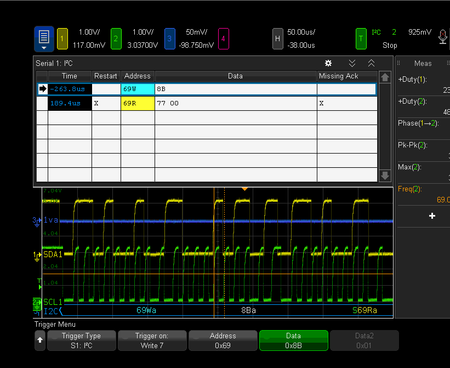
Hi everyone, I am porting an app and trying to use the FTDI Ft4232H device to communicate to some I2C devices. When I use the "old" dongle(going to be obsolete) and I2C call to the device, I get the correct transaction and read results from the device. However, when I use the IoT libraries and the "WriteRead" command to do the same thing, the library issues a restart and the transaction fails. Can anyone help or point me to: A library that does a correct multi byte read without a restart? A way to do this with the current IoT libraries? Here are the "using" statements in my C# code: using Iot.Device.FtCommon; using Iot.Device.Ft4232H; using System.Device.I2c; Cheers, StevesifustevecSep 19, 2024Copper Contributor495Views0likes1CommentHow to active Windows IoT Enterprise LTSC2021 via phone
Dear Community, how can I activate Windows IoT Enterprise LTSC2021 via phone. I MUST activate via phone since the computers are installed in a facility without internet connection. What I have already tried that DID NOT work The activation dialogue does not show the "phone option" as seen in this video: https://www.youtube.com/watch?v=6RTu0_uWjMM Run "SLUI 4" from the command line with admin privilleges. It just returns without doing anything Rebuild some internal databases as described here before step 2: https://answers.microsoft.com/en-us/windows/forum/all/activate-windows-by-phone-not-there-in-settings/34b72b93-563f-463c-8614-4675cfd0143f Contacted the seller of the license (arrow), they referred me to mailto:email address removed for privacy reasons, who then told me to go to the forums What's left that I can try?msadmin1320Aug 14, 2024Copper Contributor716Views0likes0Comments

Tags
- iot4 Topics
- anomaly detection policy2 Topics
- Bootloader2 Topics
- Deep Dive2 Topics
- tony_tsai_01@outlook.com1 Topic
- Windows IoT1 Topic
- iotshow1 Topic
- Win10 IOT NAT Setup1 Topic
- microsoft teams1 Topic
- Settings1 Topic