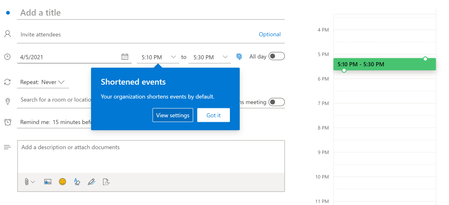
While back-to-back meetings have become a hallmark of the pandemic era, our recent research proves that even small breaks between meetings can have a positive impact on our stress levels and our abil...
We're experiencing this also. Any new users that haven't ever enabled those settings manually prior to us running the "Set-OrganizationConfig -ShortenEventScopeDefault 1 -DefaultMinutesToReduceShortEventsBy 5 -DefaultMinutesToReduceLongEventsBy 10" on the tenant, the settings work fine and the changes are almost immediate, in Outlook on the Web.
Any mailboxes that were migrated to Exchange Online previously OR mailboxes where the users have already manually enabled the feature by going to the Calendar > Settings > view all Outlook settings > Calendar > Events and invitations… check the “Shorten duration for all events” box (in OWA in this case), do not receive the tenant settings at all, even after 24+ hours.
I am very surprised that there is not a Set-CalendarProcessing or Set-MailboxCalendarConfiguration that can be run across all mailboxes to 1) enable the feature and 2) customize the settings at a mailbox level (similar to the wat the Focused inbox can be Administratively managed).
Here I manually set the times to 0 minutes, and after saving, there's no way to get the Tenant setting to override it.