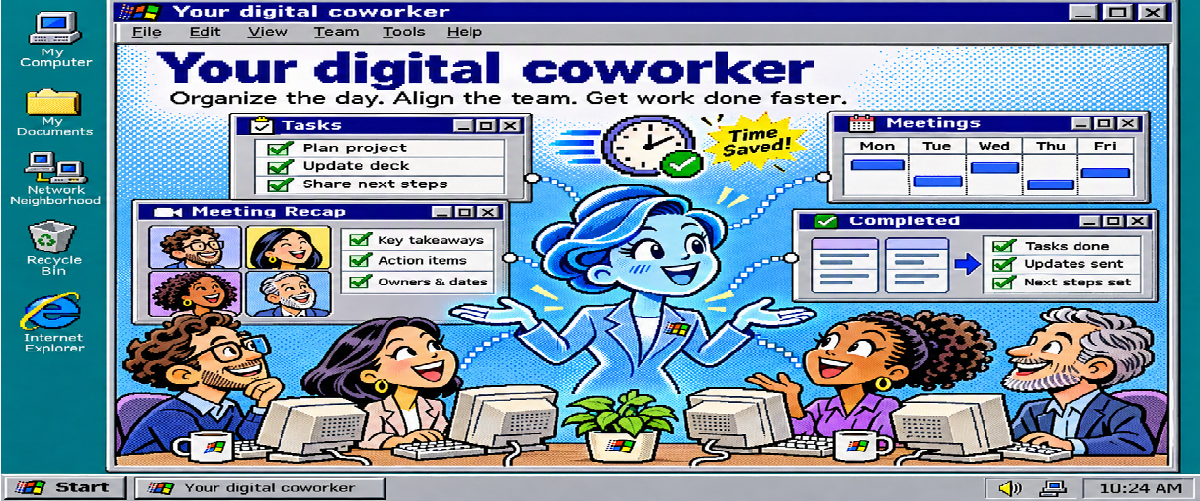
A new class of Agents!
We are already building agents that reason, retrieve knowledge, call tools, and execute multistep workflows. Some assist people directly. Others run in the background. Increasingly, multiple agents collaborate to get a job done.
So what makes a Foundry autonomous agents different?
Is it another form of automation? Another autonomous agent? An agent with more tools, better memory, or a task that runs longer? Those capabilities can exist in other agents too.
"The more important shift is from an agent that performs work to a digital coworker with its own identity, a standing role in the organization, and a manager accountable for its operation."
That changes more than what the agent can do. It changes the operating model around it.
A different class, not just a more capable agent
We often describe agents by how they are implemented: prompts, custom code, tools, skills, orchestration, models, or managed runtimes.
We also describe them by what they can do: reason, plan, remember, retrieve information, use tools, or act autonomously.
Foundry autonomous agents introduce another useful distinction:
"Who is acting?"
Microsoft Learn overview describes three agent types:
|
Agent type |
Who acts? |
Where it fits |
|---|---|---|
|
Assistive agent |
An agent acting on behalf of a signed-in user, within that user's permissions |
Personal assistance, such as preparing a meeting brief |
|
Background service agent |
An agent using its own app-only permissions, without an agent user account |
Backend automation, such as responding to an infrastructure alert |
|
Foundry autonomous agents |
An agent with both an agent identity and an agent user account, acting as itself in Microsoft 365 |
A digital coworker coordinating work with a team |
These three agent types also represent different operating models for how agents participate in an organization.
Autonomy alone does not define a Foundry autonomous agent.
The more important distinction is that a Foundry autonomous agent can operate under its own organizational identity rather than inheriting a user's identity to perform its work. That distinction becomes particularly important when an agent moves from helping an individual complete a task to taking on an ongoing responsibility for a team.
Its own place in the organization hierarchy
Every Foundry agent has a Microsoft Entra agent identity. A Foundry autonomous agent additionally has an Entra agent user account. The two serve different purposes.
- The agent identity secures the infrastructure and resources used to run the Foundry autonomous agent.
- The agent user account gives the digital coworker its presence in Microsoft 365 and a place within the organization.
This introduces a different collaboration model.
Instead of interacting with software that always operates through someone else's identity, a team can work with a digital coworker under its own name. Authorized actions can be associated with that account rather than whichever teammate happens to be signed in.
This is particularly valuable in two scenarios:
- Group work, where there is no obvious person whose identity the agent should borrow.
- Event-driven work, where the agent may need to respond even when no person is actively signed in.
The important distinction is that this is not simply a background service with more automation.
The Foundry autonomous agent becomes an organizational participant in Microsoft 365, with its own identity, defined responsibilities, and a manager accountable for its operation.
Figure 1. Identity gives the digital coworker a place in the organization. The manager is accountable; useful progress reporting still needs to be defined in the blueprint.Build once, hire multiple times
The second major difference is the developer and deployment model.
With Foundry autonomous agent, developers publish a blueprint that teams can use to create their own instances.
Think of the blueprint as defining the digital role:
- Its purpose and instructions,
- Capabilities and tools,
- Expected behavior,
- Supporting platform infrastructure,
- And the technical boundaries within which its instances operate.
Each hired instance then has its own identity, agent user account, assignment, and independently granted access.
Imagine a Release Manager blueprint that knows how to track commitments, generate summaries, and work with project information. One team can hire an instance for its release work. Another can hire an instance for a different program. Both digital coworkers share the underlying implementation. They do not automatically share access to each other's business resources.
Capability belongs to the blueprint. Business access belongs to the instance.
That separation is essential.
Adding a SharePoint tool does not automatically grant access to a SharePoint site. Likewise, administrative consent to an API capability does not, by itself, authorize access to every business resource behind it.
This allows organizations to reuse a blueprint without hard-coding one team's projects, credentials, or data into the shared implementation.
Figure 2. One shared design, separate team hires. Blueprint approval enables hiring; it does not grant team data. Each manager controls their instance's onboarding, operation and offboarding, while tenant governance continues across the fleet. This is a logical operating model, not a network-isolation diagram.From an agent endpoint to a digital team member
The third difference is how people work with the agent over time.
A traditional agent experience often starts with an interaction:
Ask a question. Invoke a workflow. Get a response. A digital coworker can instead have a standing responsibility that continues across individual interactions.
Consider a digital Workstream Manager. Its job is not simply to answer questions about a project. Its responsibility might be to maintain visibility into commitments and outstanding work. A teammate asks it to track a proposal review. The digital coworker records the owner and expected date. Later, the manager asks what remains open, and the digital coworker prepares a workstream summary from the work it has been tracking. The reviewed Workstream Manager sample provides a concrete starting point for exploring this model: persistent work items, manager-controlled teammate access, on-demand summaries, and Microsoft 365 tools for authorized information sources.
The important idea here is continuity of responsibility. Instead of treating every interaction as an isolated request, the digital coworker performs a defined role across the team's work.
Figure 3. A bounded example of teamwork and manager oversight. Read from top to bottom. Reporting and approval behavior must be designed. Manager approval never substitutes for resource permissions. Animation is illustrative, not live telemetry.An agent can complete a request. A digital coworker can hold a bounded responsibility over time.
Accountability Matters as Much as Autonomy
Autonomy gets much of the attention in conversations about AI agents.
But as agents become organizational participants, accountability becomes equally important.
The Foundry autonomous agent makes this operating model explicit. Different organizational roles participate at different stages:
- Developers build, publish, and evolve the blueprint and its agent behavior.
- Azure administrators help provision and govern the supporting Azure resources.
- Identity and Microsoft 365 administrators review the permissions and organizational access the agents require.
- Hiring managers hire and onboard instances for their teams.
- Managers oversee those instances within their assigned responsibilities.
- Tenant administrators and security teams maintain governance across the broader agent estate.
Onboarding establishes the practical boundaries of a particular digital coworker: who can interact with it, which conversations or events it responds to, whom it can communicate with, which resources it can access, and which information sources can ground its work. The manager then oversees that instance while developers continue improving the shared blueprint and administrators govern the broader fleet. This is more than assigning an owner to a software deployment. The manager is accountable for whether the digital coworker should continue performing its role, whether its scope should change, and when it should stop operating.
That leads to an important design principle:
Autonomy should increase only when identity, authorization, observability, and accountability increase with it.
Building the Coworker Is Only Half the Architecture
Microsoft Foundry provides the pro-code path for building the behavior of these digital coworkers: custom agent logic, model integration, tools, persistence, orchestration, and evaluation. But building the agent is only part of the architecture. Enterprise adoption also requires controls around identity, permissions, inventory, security, compliance, monitoring, and lifecycle management.
Microsoft Agent 365 complements the development model by providing enterprise controls around the agent estate and integrating with capabilities across Microsoft Entra, Defender, and Purview. This distinction matters because designing an effective digital coworker is not only about deciding what it can do.
We also need to determine:
- Who it is,
- What it can access,
- Who manages it,
- Where it can operate,
- How its activity is observed,
- and when its authority should end.
Network isolation, permissions, data boundaries, telemetry, evaluation, and lifecycle controls therefore become architectural concerns, not afterthoughts.
The goal is to control not only how the digital coworker works, but also where, for whom, and under whose authority it works.
Start With a Role, Not with Autonomy
Foundry autonomous agent can support individuals, teams, and broader organizational processes. But organizations should not start by asking: How autonomous can we make this agent?
A more useful question is: What responsibility could we give a digital coworker that has a clear purpose, bounded access, measurable outcomes, and a named manager?
Start with one role.
- Give it explicit responsibilities.
- Define what it can and cannot access.
- Determine what requires human approval.
- Establish how its manager will observe, coach, and eventually offboard it.
- Then expand its responsibilities and autonomy as confidence grows.
- The move from agents to digital coworkers is not about making every agent autonomous.
It is about giving the right agents a defined identity, a bounded responsibility, and a place in how an organization gets work done.
Get Started
If you are exploring Foundry autonomous agent, a practical path is:
1. Clone the repository and open the sample folder. These PowerShell commands select the source snapshot reviewed for this article:
git clone https://github.com/microsoft-foundry/foundry-samples.git
Set-Location foundry-samples
git checkout f960ccb05b003fa274e9b5903f9d39ac1228eb65
Set-Location samples\python\autopilot-agents\hello-world
Follow the Hello World README for Python 3.11 or later locally, PowerShell 7, Azure CLI 2.80 or later, Azure Developer CLI 1.32 or later, and the azure.ai.agents extension 1.0.0-beta.16 or later. The declared hosted runtime is Python 3.13. Keep the parent autopilot-agents\scripts directory: provisioning and session updates use shared helpers.
Before provisioning, confirm a supported hosted-agent region, a Responses-compatible model with quota, resource-management permissions, and Foundry project access. Arrange a tenant administrator for blueprint approval. Sign-in and provisioning do not grant the developer missing permissions; Microsoft 365 licensing and tenant app policies are separate items that would need to be addressed.
2. Define the behavior in Python
In Hello World's agent\app.py, the message handler calls the configured model through the Foundry project. This is an excerpt from its existing respond function, not a standalone application:
if context.activity.text:
    response = await project.get_openai_client().responses.create(
        model=os.environ["AZURE_AI_MODEL_DEPLOYMENT_NAME"],
        input=context.activity.text,
    )
    await send_reply(context, response.output_text)
The same file constructs ActivityAgentServerHost with digital_worker=True and registers the Teams handlers. The preview SDK provides the activity-message endpoint, readiness endpoint, hosting, and storage lifecycle. Setting that flag selects the Autopilot identity model; it does not define a useful role or grant business-data access.
For richer behavior, the sibling samples separate the responsibilities:
|
File, relative to autonomous agents |
What it implements |
|---|---|
|
hello-world\agent\activity_routing.py |
Selects supported direct, group, and tagged channel messages |
|
foundry-toolbox\agent\toolbox.py |
Discovers and validates allowed tools; uses Microsoft Agent Framework to handle model-selected calls |
|
meeting-assistant\agent\app.py |
Registers meeting handlers and obtains Work IQ tokens using agent-user authorization |
|
meeting-assistant\agent\meeting_lifecycle.py |
Coordinates meeting start, end, transcript readiness, and persisted occurrence state |
|
meeting-assistant\agent\meeting_analysis.py |
Extracts explicit agenda items and validates structured closure classifications and evidence references |
3. Separate deployment configuration from tool configuration
Deployment and tool definitions have different jobs. Hello World's azure.yaml describes the hosted service and Microsoft 365 publication. Selected fields are shown below; retain the complete source file when deploying:
services:
  hello-world-autopilot:
    host: azure.ai.agent
    project: .
    language: python
    codeConfiguration:
      runtime: python_3_13
      entryPoint: main.py
    kind: hosted
    protocols:
      - protocol: activity
        version: 2.0.0
    activity:
      digitalWorkerType: m365
      publish:
        publishScope: tenant
        canRespondWithoutMention: true
        appVersion: 1.0.0
        agentDisplayName: Hello World Autopilot
The full file includes descriptions, developer and privacy URLs, environment settings, and resource sizing. Review the publication metadata before using it for your organization. canRespondWithoutMention is a publication setting, not a replacement for routing logic: Hello World still requires mentions for channel messages.
For a concrete tool manifest, Foundry Toolbox supplies this separate toolbox.yaml:
name: public-docs
description: Microsoft Learn documentation and Bing-backed public web search.
tools:
  - type: mcp
    server_label: learn
    server_url: https://learn.microsoft.com/api/mcp
    allowed_tools:
      - microsoft_docs_search
      - microsoft_docs_fetch
      - microsoft_code_sample_search
    require_approval: never
  - type: web_search
    name: web_search
    description: Search the public web for current information with source links.
Microsoft Agent Framework discovers those functions and handles model-selected calls. The sample validates a read-only tool allowlist; require_approval: never is specific to this public-information example, not a recommendation for tools that write or access sensitive data.
When deploying that sibling sample, follow its README to install azure.ai.toolboxes, create public-docs from toolbox.yaml, and save its MCP endpoint as TOOLBOX_ENDPOINT before azd deploy. Merely adding the YAML file does not create or connect a Toolbox. Public Web Search incurs additional charges and has separate data-handling boundaries; use public questions only.
Meeting Assistant uses a different connection: Work IQ MCP, with the delegated WorkIQAgent.Ask permission declared in its azure.yaml and agent-user authorization configured at runtime. Follow its README for the newer agent extension requirement, 1.0.0-beta.18 or later, and a model supporting structured outputs. It also needs tenant consent, transcript API access, applicable licensing, and a Work IQ spending policy.
4. Package and deploy the Python code directly
After completing the Hello World README's setup, run the following from its folder containing azure.yaml:
$tenantId = "<tenant-id>"
az login --tenant $tenantId
azd auth login --tenant-id $tenantId
azd env new my-hello-world
azd provision
azd deploy
azd ai agent show
This agent will also show up in Microsoft Foundry Portal
5. Publish the blueprint, then approve and hire an instance
Review Hello World's activity.publish metadata, then submit the deployed agent to Microsoft 365:
azd ai agent publish
Deployment, publication, approval, and hiring are separate steps. An AI Administrator or Global Administrator approves the requested blueprint in the Microsoft 365 admin center and verifies its presence in the Agent 365 registry. A licensed user can then create an instance in Teams through Apps > Agents for your team, subject to tenant app policies.
For Hello World, start with a direct message: "Say hello and tell me what you can help with." Check group-chat delivery and tagged channel messages separately. For Meeting Assistant, use synthetic meeting data to check agenda extraction, event delivery, transcript access, and evidence quality; its behavior is not a Hello World feature.
For code-only changes, run azd deploy again. Existing sessions can remain on an older sandbox; the sample provides an explicit update helper:
References
New to autonomous agent? Start with the overview. Focus on the identity model and the distinction between a reusable blueprint and a hired instance.
Ready to build? Start with the Python Hello World walkthrough. Deploy the code, inspect the hosted agent in Foundry, publish the blueprint, obtain approval, and create an instance in Teams. Then choose Foundry Toolbox for public-information grounding or Meeting Assistant for an event-driven team responsibility. Use each sample's own README and configuration together; their tools and prerequisites differ.
Planning governance? Review the lifecycle and Agent 365 integration guide. Identify the Azure administrator, developer, tenant approver, and instance manager before deployment. Check current regional support, permissions, and licensing; the autonomous agent quickstart currently requires Frontier enrollment and an available Agent 365 Frontier license for each hired instance.
- What is an autopilot in Microsoft Foundry? - agent types, identity, blueprints, and collaboration patterns.
- Autopilot lifecycle in Microsoft Foundry - roles, hiring, onboarding, and accountability.
- Microsoft Agent 365 integration with Foundry - governance integration and hosted-agent telemetry requirements.
- Microsoft Agent 365 overview - product name, capabilities, and current product availability.
- Build your first autopilot - current prerequisites and documented publishing flow.
- foundry-samples/samples/python/foundry-autopilot-agent at main · microsoft-foundry/foundry-samples
Happy Reading!

 Microsoft