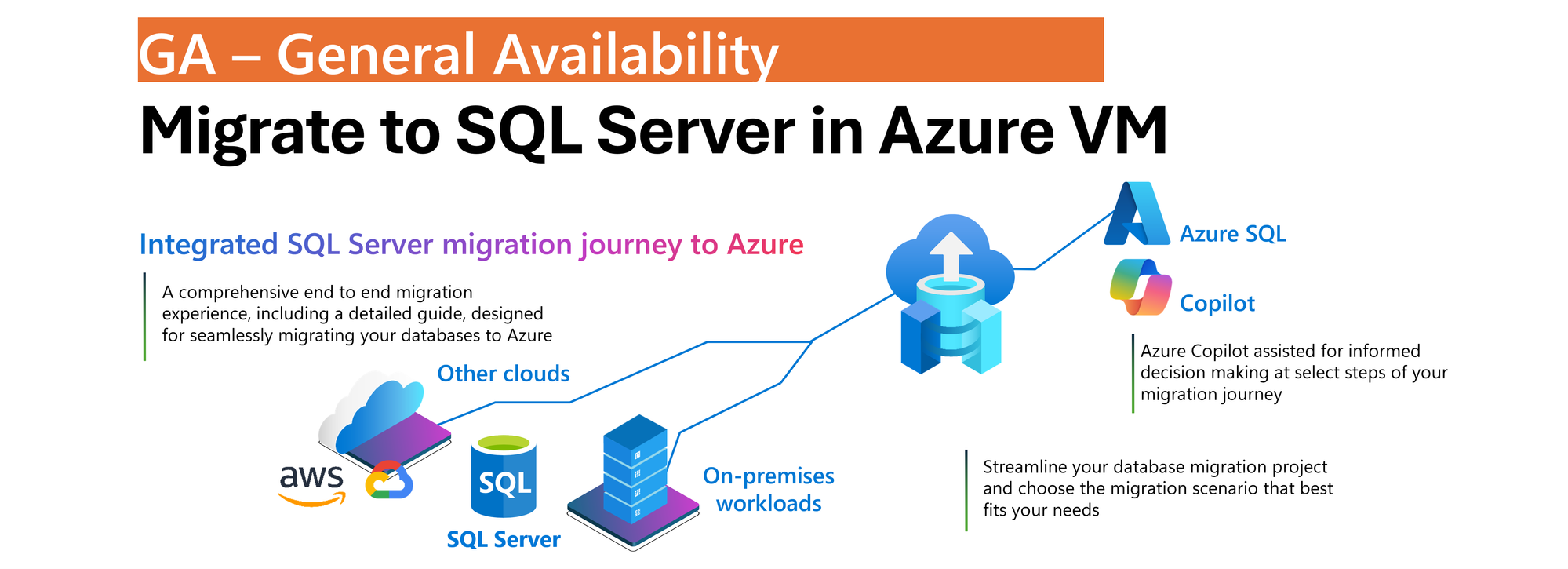
SQL Server migration enabled by Azure Arc now supports SQL Server on Azure Virtual Machines as a generally available migration target. Customers can migrate SQL Server workloads to Azure using a single, integrated experience in the Azure portal, choosing between Azure SQL Managed Instance and SQL Server on Azure Virtual Machines based on your business and technical requirements.
With General Availability, SQL Server on Azure Virtual Machines becomes a fully supported production destination within the Azure Arc migration experience. Organizations can now use the same guided workflow to assess readiness, configure migration, monitor progress, and perform cutover regardless of the selected Azure SQL migration target.
One Migration Experience, More Flexibility
Modernizing SQL Server estates is rarely a single-step journey. Organizations often operate across on-premises, hybrid, and cloud environments while balancing application dependencies, operational requirements, and modernization goals. SQL Server migration enabled by Azure Arc simplifies this process by bringing migration activities into a single experience in the Azure portal.
With the July 2026 release, we are announcing General Availability of SQL Server on Azure Virtual Machines as a migration target in Azure Arc, allowing customers to have a greater flexibility to choose Azure destination that best aligns with to your needs without introducing additional tools or migration processes.
Whether migrating to the fully managed Azure SQL Managed Instance service or to SQL Server running on Azure VMs, the experience remains consistent and familiar.
Unified Migration Workflow
A key benefit of SQL Server migration enabled by Azure Arc is that the entire migration lifecycle is managed from a single tool in Azure portal.
After a SQL Server instance is enabled by Azure Arc, customers can:
Assess migration readiness
Select a migration target
Configure migration settings
Monitor migration progress
Validate results
Perform final cutover
All of these activities are performed directly from the Azure portal using a guided workflow designed to simplify migration planning and execution.
The prerequisite remains unchanged: source SQL Server instances must be enabled by Azure Arc before migration can begin. The result is a flexible, scalable, and consistent migration experience that supports hybrid realities, reduces operational overhead, and helps customers modernize SQL Server estates at their own pace.
Consistent Experience Across Azure SQL Targets
Migration to SQL Server on Azure Virtual Machines follows the same operational model already available for Azure SQL Managed Instance migration scenarios.
Customers use the same migration dashboard, monitoring experience, and guided workflow regardless of the destination. This consistency reduces learning curves, simplifies operational processes, and enables teams to select the most appropriate Azure SQL platform without changing migration methodology.
Online Migration Using Backup and Log Shipping
Migration to SQL Server on Azure Virtual Machines uses backup and restore with log shipping to support online migration scenarios while minimizing downtime.
The process begins with a full database backup that is restored to the target SQL Server instance running on an Azure Virtual Machine. Transaction log backups that are uploaded continuously by your workflows to Azure Blob Storage are continuously applied to the target database, keeping it closely synchronized with the source environment.
Azure Blob Storage serves as the intermediary staging location between source and target systems. To support efficient data movement and restore operations, both the Azure Blob Storage account and the target SQL Server on Azure Virtual Machines must reside in the same Azure region.
Within the Azure Arc migration experience, customers select the Azure Blob Storage container that stores the backup files. Azure Arc automatically restores the full backup and continuously applies transaction log backups as they become available. Customers are responsible for configuring and maintaining the continuous upload of transaction log backups to Azure Blob Storage.
Customer-Controlled Cutover
When the customer is ready to complete migration, upon customer initiated cutover, Azure Arc performs the final synchronization by applying the last uploaded backup and bringing the target database online.
This approach gives organizations full control over the migration timeline and cutover window, allowing downtime to be planned according to business requirements while reducing operational complexity.
Learn More
To learn more about SQL Server migration enabled by Azure Arc, see: Migration Overview
Can you please guide if I need to migrate SQL on Azure VM to SQL MI? AFAIK, Azure VM doesn't support Arc, so what's the best recommended approach to migrate from SQL running on Azure VM?

 Microsoft
