sql server on azure vms
5 TopicsGenerally Available: SQL Migration to SQL Server on Azure Virtual Machines in Azure Architecture
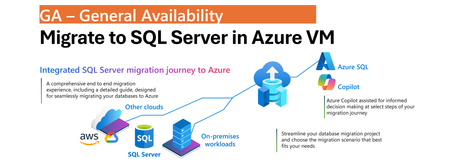
One Migration Experience, More Flexibility Modernizing SQL Server estates is rarely a single-step journey. Organizations often operate across on-premises, hybrid, and cloud environments while balancing application dependencies, operational requirements, and modernization goals. SQL Server migration enabled by Azure Arc simplifies this process by bringing migration activities into a single experience in the Azure portal. With the July 2026 release, we are announcing General Availability of SQL Server on Azure Virtual Machines as a migration target in Azure Arc, allowing customers to have a greater flexibility to choose Azure destination that best aligns with to your needs without introducing additional tools or migration processes. Whether migrating to the fully managed Azure SQL Managed Instance service or to SQL Server running on Azure VMs, the experience remains consistent and familiar. Unified Migration Workflow A key benefit of SQL Server migration enabled by Azure Arc is that the entire migration lifecycle is managed from a single tool in Azure portal. After a SQL Server instance is enabled by Azure Arc, customers can: Assess migration readiness Select a migration target Configure migration settings Monitor migration progress Validate results Perform final cutover All of these activities are performed directly from the Azure portal using a guided workflow designed to simplify migration planning and execution. The prerequisite remains unchanged: source SQL Server instances must be enabled by Azure Arc before migration can begin. The result is a flexible, scalable, and consistent migration experience that supports hybrid realities, reduces operational overhead, and helps customers modernize SQL Server estates at their own pace. Consistent Experience Across Azure SQL Targets Migration to SQL Server on Azure Virtual Machines follows the same operational model already available for Azure SQL Managed Instance migration scenarios. Customers use the same migration dashboard, monitoring experience, and guided workflow regardless of the destination. This consistency reduces learning curves, simplifies operational processes, and enables teams to select the most appropriate Azure SQL platform without changing migration methodology. Online Migration Using Backup and Log Shipping Migration to SQL Server on Azure Virtual Machines uses backup and restore with log shipping to support online migration scenarios while minimizing downtime. The process begins with a full database backup that is restored to the target SQL Server instance running on an Azure Virtual Machine. Transaction log backups that are uploaded continuously by your workflows to Azure Blob Storage are continuously applied to the target database, keeping it closely synchronized with the source environment. Azure Blob Storage serves as the intermediary staging location between source and target systems. To support efficient data movement and restore operations, both the Azure Blob Storage account and the target SQL Server on Azure Virtual Machines must reside in the same Azure region. Within the Azure Arc migration experience, customers select the Azure Blob Storage container that stores the backup files. Azure Arc automatically restores the full backup and continuously applies transaction log backups as they become available. Customers are responsible for configuring and maintaining the continuous upload of transaction log backups to Azure Blob Storage. Customer-Controlled Cutover When the customer is ready to complete migration, upon customer initiated cutover, Azure Arc performs the final synchronization by applying the last uploaded backup and bringing the target database online. This approach gives organizations full control over the migration timeline and cutover window, allowing downtime to be planned according to business requirements while reducing operational complexity. Learn More To learn more about SQL Server migration enabled by Azure Arc, see: Migration Overview For information about migrating to SQL Server in Azure VM, see: Migrate to SQL Server in Azure VM1.1KViews0likes1CommentExpanding Azure Arc SQL Migration with a New Target: SQL Server on Azure Virtual Machines
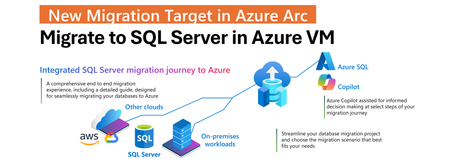
Modernizing a SQL Server estate is rarely a single-step effort. It typically involves multiple phases, from discovery and assessment to migration and optimization, often spanning on-premises, hybrid, and cloud environments. SQL Server enabled by Azure Arc simplifies this process by bringing all migration steps into a single, cohesive experience in the Azure portal. With the March 2026 release, this integrated experience is extended by adding SQL Server on Azure Virtual Machines as a new migration target in Azure Arc. Arc-enabled SQL Server instances can now be migrated not only to Azure SQL Managed Instance, but also to SQL Server running on Azure infrastructure, using the same unified workflow. Expanding Choice Without Adding Complexity By introducing SQL Server on Azure Virtual Machines as a migration target, Azure Arc now supports a broader range of migration strategies while preserving a single operational model. It becomes possible to choose between Azure SQL Managed Instance and SQL Server on Azure VMs without fragmenting migration tooling or processes. The result is a flexible, scalable, and consistent migration experience that supports hybrid environments, reduces operational overhead, and enables modernization at a controlled and predictable pace. One Integrated Migration Journey A core value of SQL Server migration in Azure Arc is that the entire migration lifecycle is managed from one place. Once a SQL Server instance is enabled by Azure Arc, readiness can be assessed, a migration target selected, a migration method chosen, progress monitored, and cutover completed directly in the Azure portal. This approach removes the need for disconnected tools or custom orchestration. The only prerequisite remains unchanged: the source SQL Server needs to be enabled by Azure Arc. From there, migration is fully integrated into the Azure Arc SQL experience. A Consistent Experience Across Migration Targets The migration experience for SQL Server on Azure Virtual Machines follows the same model already available for Azure SQL Managed Instance migrations in Azure Arc. The same guided workflow, migration dashboard, and monitoring capabilities are used regardless of the selected target. This consistency is intentional. It allows teams to choose the destination that best fits their technical, operational, or regulatory requirements without having to learn a new migration process. Whether migrating to a fully managed PaaS service or to SQL Server on Azure infrastructure, the experience remains predictable and familiar. Backup Log Shipping Migration to SQL Server in Azure VM Migration to SQL Server on Azure Virtual Machines is based on backup and restore, specifically using log shipping mechanism. This is a well-established approach for online migrations that minimizes downtime while maintaining control over the cutover window. In this model, database backups need to be uploaded from the source SQL Server to Azure Blob Storage. The migration engine will restore the initial full backup followed by ongoing transaction log and diff. backups. Azure Blob Storage acts as the intermediary staging location between the source and the target. The Azure Blob Storage account and the target SQL Server running on an Azure Virtual Machine must be co-located in the same Azure region. This regional alignment is required to ensure efficient data transfer, reliable restore operations, and predictable migration performance. Within the Azure Arc migration experience, a simple and guided UX is used to select the Azure Blob Storage container that holds the backup files. Both the selected storage account and the Azure VM hosting SQL Server must reside in the same Azure region. Once the migration job is started, Azure Arc automatically restores the backup files to SQL Server on the Azure VM. As new log backups are uploaded to Blob Storage, they are continuously detected and applied to the target database, keeping it closely synchronized with the source. Controlled Cutover on Your Terms This automated restore process continues until the final cutover is initiated. When the cutover command is issued, Azure Arc applies the final backup to the target SQL Server on the Azure Virtual Machine and completes the migration. The target database is then brought online, and applications can be redirected to the new environment. This controlled cutover model allows downtime to be planned precisely, rather than being dictated by long-running restore operations. Getting started To get started, Arc enable you SQL Server. Then, in the Azure portal, navigate to your Arc enabled SQL Server and select Database migration under the Migration menu on the left. For more information, see the SQL Server migration in Azure Arc documentation.1.3KViews5likes0CommentsIntroducing Azure SQL Database offline migrations for the Azure SQL migration extension
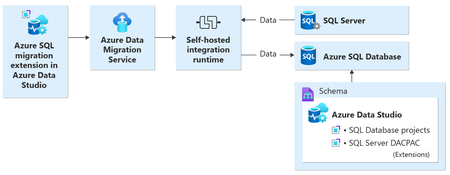
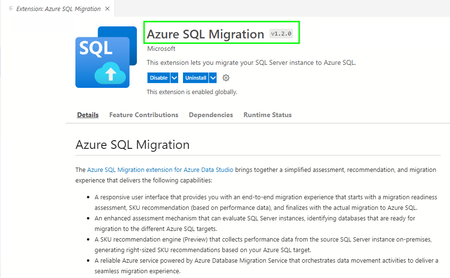
The new migration capability in the Azure SQL Migration extension provides an end-to-end experience to modernize SQL Server to Azure SQL Database. The extension allows you to perform a migration readiness check with actions to remediate possible migration blockers, export the assessment results, and get right-sized Azure recommendations.18KViews3likes1Comment