web parts
39 Topics
Webpart not displaying sharepoint view properly
some background on my current issue: I have created a Sharepoint list with two different views - All items view (as the name suggests, it shows all items in the Sharepoint list without filtering), as well as Management view (where I created the public view and applied certain filters to massage the data view and show by certain sales team only) Separately, I have created a page and added a web part in the page to show the list (objective is to show Management View), and have set the view to "Management View" in the web part list settings After saving my web part settings and republish my page, I can see from my end the web part is displaying correctly per my setting (i.e. the list web part is displaying Management View) - however when I share across the page link to my user (who have member privileges in my SP), they don't see what I see, but only see the web part showing All items view instead. Any input or advice on this would be much appreciated, thanks!632Views0likes0Comments
How to format a column in the PnP Search Results Web Part
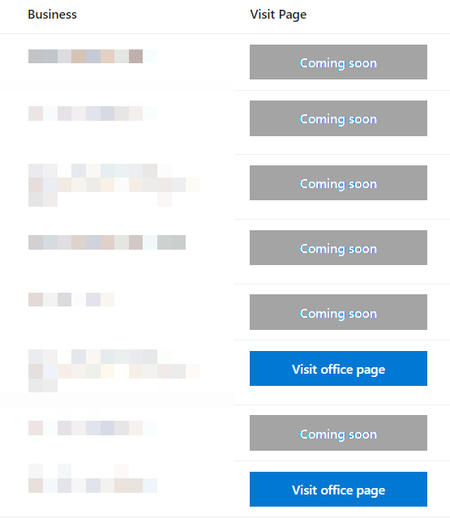
I'm trying to get a column in my PnP Search Results web part to be blue or grey for the background color, depending on the content in the column. The Visit Page column should be grey if the page is coming soon or blue if the page is available, so it should look like this: For the Visit Page column, this is what I have: <!-- If the URL length is less than or equal to 53, make the background grey --> {{#if slot item root.slots.PreviewUrl.length <= 53}} <a href="{{slot item root.slots.PreviewUrl}}" target="_blank" style = " padding: 10px 10px 10px 10px; cursor:pointer; border:none; color:white; font-weight:550; background-color:#A4A4A4; text-decoration:none; font-size:14px; text-align:center; display: flex; justify-content: center; "> {{slot item root.slots.VisitPage}} </a> <!-- If the URL length is greater than 53, make the background blue --> {{else}} <a href="{{slot item root.slots.PreviewUrl}}" target="_blank" style = " padding: 10px 10px 10px 10px; cursor:pointer; border:none; color:white; font-weight:550; background-color:#0078d4; text-decoration:none; font-size:14px; text-align:center; display: flex; justify-content: center; "> {{slot item root.slots.VisitPage}} </a> {{/if}} When I try the code above I get a parse error:1.2KViews0likes0CommentsAlternative to PnP Modern Search Web Part?
Many sites in my company's tenant are using or have an interest in using PnP Modern Search Web Parts. We use it to filter and display documents or list items from different sites in the tenant. This web part is not the most user-friendly to configure and it requires the person who is configuring it to have Site Collection Admin (SCA) access. Because of this, the number of people that can configure the PnP Modern Search Web Part in my company is about 3. I was wondering if there are any other web parts that someone might know of where someone with at least Site Member access can accomplish the same thing as PnP Modern Search Web Parts, or a more advanced version of the Highlighted Content Web Part?2.4KViews0likes1CommentModify date format and remove picture in Birthdays web part
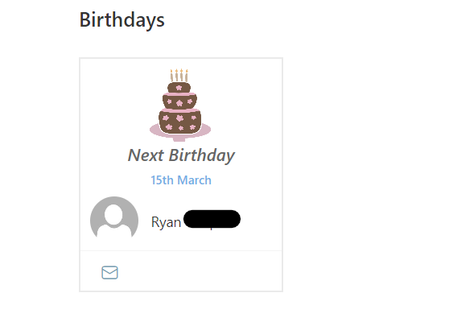
Introduction: I am new to SharePoint development and node.js. I am trying to implement an employee birthday calendar on SharePoint using the web-part here https://github.com/pnp/sp-dev-fx-webparts/tree/main/samples/react-birthdays I was able to successfully package and deploy the web part, however the date format is currently in a European format. Additionally, I don't want to display user's pictures in the web part and would like to remove the empty picture bubble. I believe that the code that controls the date format is located in the SPService.ts file: https://github.com/pnp/sp-dev-fx-webparts/blob/main/samples/react-birthdays/src/services/SPService.ts Observed Behavior: Developer Environment: Target SharePoint Environment: SharePoint Online Developer Environment: Windows 11 Browser: MS Edge, Google Chrome Node.js Version: v14.21.3 SPFx Doctor results: √ SharePoint Framework v1.14.0 √ Node v14.21.3 √ yo v4.3.1 √ gulp-cli v2.3.0 √ bundled typescript used Would anyone have any advice/guidance on how to change the date format and remove the image?869Views0likes0Comments
SharePoint News web part publish date displaying as in X hours
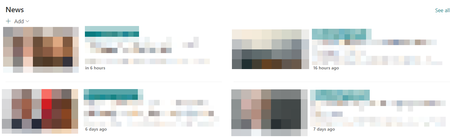
I’ve noticed recently that when a news article is published it has the publish date say “in x hours." However, the other news posts on the page say "X hours ago" or "X days ago". Are there any explanations for this? I've tried disabling the show publish date option & re-enabling it, but it didn't change anything. Image of News web part: News web part settings:1.2KViews0likes1Comment
RSS feed or similar to update a web part
Hi I have created a work portal in my service using SharePoint and I would like to create an automatically updated 'Fact of the day' web part with something like an RSS feed. Problem is, there isn't an RSS web part Any help would be greatly appreciated3KViews0likes6CommentsTasks not showing in Planner Web Part
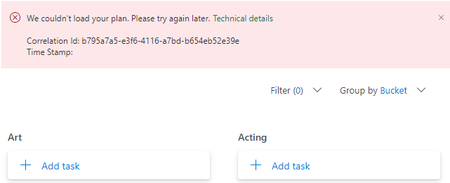
I have a Sharepoint Online site that's attached to a team. I added the Planner web part to the page in task view, and although the task buckets show up, they are empty. None of the many tasks are displaying. The following error appears: We couldn't load your plan. Please try again later. It's been ongoing for over a week now. I've removed the part, I've added it back in several times. I've not found this with other Team sites yet. Does anyone know of a work around here? Is there a site setting somewhere that's causing this issue?Solved2.5KViews0likes1Comment
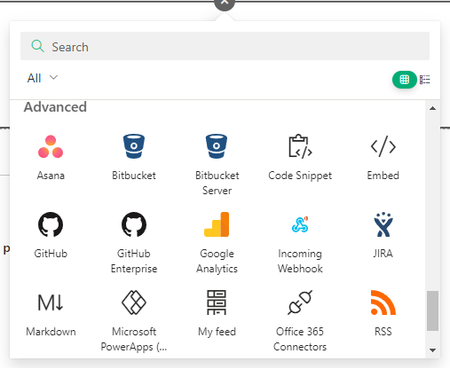
How to disable Advanced web parts?
Hi all, in Teams I can disable all the apps I don't want my users to use. But is this possible in SharePoint as well? For example in the web part overview I find a lot of third party stuff I only found something for three of the web parts using powershell and the web part ID but this is not working for all of the 3rd party web parts. Thanks alot for some hints 🙂Solved6.9KViews1like16Comments