vs code
157 TopicsSQL developer tools at SQL Modernization Day
SQL developers can now do most of their database work without leaving VS Code. The MSSQL extension ships updates every month, GitHub Copilot understands your schema, and the Microsoft SQL drivers keep pace with SQL Server 2025. And new Microsoft SQL skills, now in public preview, let your coding agent assess and migrate SQL Server to Azure SQL. Here's what's new across the toolchain, and where to see it in action at SQL Modernization Day on October 20. What's new in the MSSQL extension for VS Code The MSSQL extension connects to SQL Server, Azure SQL and SQL database in Fabric from the editor you already use. It now covers far more than connecting and running queries. Versions 1.40 and 1.41 added the following. Generally available Database management. Backup and restore, plus dialogs to create, rename and drop databases. View and edit data directly in the table view. DACPAC and BACPAC extract, deploy, import and export for moving databases between environments. Fabric integration to browse workspaces and provision SQL databases in Fabric. SQL database projects with a publish dialog and code analysis. Azure Data Studio migration toolkit that brings over your connections, settings and key bindings. Public preview Query Profiler for real-time activity monitoring with Extended Events. Flat file import to turn a CSV or TXT file into a new table. Database object search across tables, views, stored procedures and more, with scripting options. SQL Notebooks that mix SQL and Python kernels in one notebook. Schema Designer and data API design with GitHub Copilot, plus an application quickstart. Need a local database? The extension can spin up a SQL Server 2025 container in a few clicks. It checks prerequisites, sets up the container and adds the connection to Object Explorer for you. Build with GitHub Copilot and your schema GitHub Copilot is built into the MSSQL extension. In agent mode it reads your actual tables, columns and relationships, along with your workspace and open files. It uses the same connection and permissions as the extension, and it asks you to approve tool actions before they run. Here's some of what you can hand off: Chat with the mssql participant for SQL guidance, or let agent mode connect, list servers and run queries. Generate tables and relationships, then review them as a diff before anything reaches the database. Write T-SQL or ORM queries from plain language, and get explanations of stored procedures, views and complex joins. Generate realistic test data from your current schema. Configure Data API builder in natural language to expose tables as REST, GraphQL or MCP endpoints. Try it: from idea to an AI-ready app The library app sample walks through a full build in three steps: Spin it up. Create a local SQL Server 2025 container from the extension and seed the database. Wire it up. Have Copilot turn hardcoded app data into new tables and relationships, generate test data, and stand up a read-only REST API with Data API builder. Light it up. Add a native VECTOR column, generate embeddings, and use VECTOR_DISTANCE for semantic search behind a RAG chatbot. The repo includes a PRD and GitHub Copilot custom instructions, so Copilot follows your naming conventions and targets SQL Server without repeating yourself in every prompt. Coming next: Azure SQL Developer runs the Azure SQL Database engine locally for development, so you can build in your inner loop and deploy to Azure with no code changes. It's in gated preview, and you can sign up at aka.ms/azuresql-developer. Assess and migrate with Microsoft SQL skills Microsoft SQL skills, now in public preview, bring SQL Server migration expertise to the coding agent you already use. Skills are packaged instructions and scripts that an agent loads when a task calls for them. You ask for an assessment or a migration in plain language, and the agent picks the right skill for each step. The skills live in one central library, so they work the same way in GitHub Copilot, VS Code, Claude and Cursor. They cover the whole journey: Assess readiness, blockers and dependencies. Recommend a target, SKU and cost. Plan prerequisites and remediation. Migrate with BACPAC, or with Log Replay Service (LRS) and managed identity. Validate with post-move checks and guided fixes. You stay in control the whole way. The agent asks before it runs commands, and you approve its recommendation before anything moves. An assessment you can act on The assessment skills look at your estate through four lenses and turn discovery data into an Azure SQL recommendation you can defend. Lens Question What it checks Compatibility Can the workload move? Feature support, breaking changes, blockers and the remediation path Assessability Is there enough evidence? Inventory coverage, assessment status, data freshness and confidence gaps Sizing What capacity does it need? CPU, memory, I/O and storage demand, mapped to a compute tier with headroom Pricing What will it cost? SKU and service tier, region, licensing including Azure Hybrid Benefit, and a monthly estimate Here's how that plays out. Ask GitHub Copilot in VS Code to assess a SQL Server 2016 instance for Azure SQL Database Hyperscale. The agent checks that the Azure CLI and its data migration extension are installed, runs the assessment and reports readiness database by database. A database that uses Service Broker gets flagged, since Azure SQL Database doesn't support it, along with the fix. You also get an HTML report that compares Hyperscale, Azure SQL Managed Instance and SQL Server on Azure VMs, with a monthly cost estimate and a SKU recommendation for each database. A migration that picks up where it left off Next, ask the agent to migrate one of those databases. It confirms SqlPackage is installed, checks that the source is online and builds a migration plan. The plan names the source and target servers and the method, an offline BACPAC export and import. It creates a new database and never overwrites an existing one, and the source isn't modified. If the export fails, the agent saves a checkpoint and diagnostics. Once you fix the source, it retries only the failed step instead of starting over, then validates the result. Explore the skills at aka.ms/microsoftsql-skills. For the full set of migration tools, including Azure Migrate, Azure Database Migration Service and migration through Azure Arc, see the database migration guide. Microsoft SQL skills are in public preview. Preview features are provided without a service level agreement and aren't recommended for production workloads. Put your database under source control with SQL projects SDK-style SQL projects (Microsoft.Build.Sql) treat your database like any other codebase. A build produces a .dacpac you can deploy to new or existing databases across SQL Server, Azure SQL and SQL database in Fabric. You can work with SQL projects in VS Code, SSMS and Visual Studio. Cross-platform builds with plain dotnet build. Every .sql file in the folder is included by default. Code analysis on build with 14 default rules. Add custom rule sets as package references, and promote any rule to a build error. Package references for shared objects and cross-database references, so objects that rarely change don't slow down every build. Extract an existing database into a SQL project with SqlPackage, installed as a dotnet tool. Schema compare across databases, SQL projects and .dacpac files. A typical pipeline looks like this: A developer proposes a change in a pull request. CI builds the project and runs code analysis. The team approves and merges to main. The pipeline calculates a deployment plan against staging or production. Someone reviews the plan as a script or deploy report and approves the release. GitHub environments and Azure DevOps approvals handle that last gate. SQL projects also help as AI agents write more of your code. Every database change lands as a reviewable diff, and changes from several agents or teammates merge like any other code. Get started at aka.ms/sqlprojects or work through the SQL DevOps workshop. What's new in the Microsoft SQL drivers The Microsoft SQL drivers all shipped new releases, including several of the fixes the community asked for most. Driver Release Highlights Microsoft.Data.SqlClient (.NET) 7.0 The core package drops its Azure dependencies. Entra auth moves to Microsoft.Data.SqlClient.Extensions.Azure with no code changes. New pluggable SSPI auth, .NET 10 support, and ActiveDirectoryPassword marked obsolete. JDBC 13.4 FLOAT16 vector support for embeddings, a new performance logger, Java 25 LTS and SQL Server 2025 support. mssql-python 1.4 A public bulk copy API with a Rust-powered core, spatial types, and type hints for mypy and Pyright. mssql-django 1.7 Django 6.0 and Python 3.14, composite primary keys, SQL Server 2025, and ODBC Driver 18 as the default. PHP (sqlsrv, pdo_sqlsrv) 5.13 PHP 8.4 and 8.5, SQL Server 2025, newer Linux and macOS platforms, and a fix for a Fabric connectivity crash. New to the Python driver? Start with the mssql-python quickstart. See it live at SQL Modernization Day Amit Khandelwal's session, Migrate to Azure SQL. Then Build Something New., puts these tools together at 10:00 AM PT on Tuesday, October 20. He covers the path off on-premises SQL Server, then builds on Azure SQL Database with VS Code, GitHub Copilot, the latest drivers and the SQL MCP Server. Expect demos of the developer workflow, not only the migration. SQL Modernization Day is a free livestream on Microsoft Reactor with eight sessions from the Microsoft SQL team. Register at aka.ms/SQLModernizationDay2026.Explore the latest in MCP: All recordings from MCP Live!
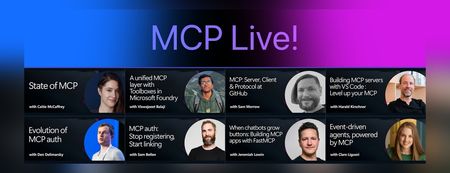
We recently hosted MCP Live!, a free half-day event featuring the people building the Model Context Protocol and putting it into practice. The Model Context Protocol (MCP) is the open standard for connecting AI models to tools and data. MCP servers let agents work with external data sources and capabilities across clients such as VS Code, GitHub Copilot, Claude, and other AI applications. Across the event, speakers explored: The state of MCP, the latest specification updates, and the protocol roadmap MCP server and client development at GitHub and in Visual Studio Code Enterprise-ready tools, authentication, governance, and security Interactive MCP Apps built with FastMCP Event-driven agents powered by MCP triggers and events Watch the complete MCP Live playlist, or browse the individual session recordings below along with links to related documentation, code, and resources. State of MCP 📺 Watch YouTube recording Join Caitie McCaffrey for a look at the state of the Model Context Protocol and the major changes introduced in the latest 2026-07-28 MCP specification release. Learn about the protocol's updated roadmap and emerging protocol priorities, including Agentic Messaging Primitives, and how they enable new patterns for agent-to-agent communication. Get a preview of where the protocol is headed and what these changes mean for developers building the next generation of AI agents. View the slides Follow Caitie on: LinkedIn | X MCP specification 2026-07-28 release MCP conformance tests MCP Server Cards working group A unified MCP layer with Toolboxes in Microsoft Foundry 📺 Watch YouTube recording Viswajeeet Balaji shows how Toolboxes in Microsoft Foundry make MCP enterprise-ready. It supports runtime tool search, MCP skill extensions, and the latest MCP 07-28 specification—while letting teams bring OpenAPI tools and A2A agents, expose them through MCP, and reuse the same unified configuration across agents. A centralized governance layer adds consistent authentication and guardrails without requiring every agent to rebuild its integrations. View the slides Follow Viswajeeet on: LinkedIn Documentation: Toolboxes in Microsoft Foundry Blog post: Building agents that act on your behalf with Toolboxes MCP: Server, Client & Protocol at GitHub 📺 Watch YouTube recording Sam Morrow is a co-creator of GitHub's MCP, an MCP Spec Maintainer, and Copilot client developer. Find out the latest MCP features his team is shipping on both the server and client side, as well as the parts of the spec that he's most excited about. Learn about some of the recent challenges, future plans, and insights from working across the MCP stack, and get a sneak peek at what's coming next. GitHub MCP Server Follow Sam on: LinkedIn | X Building MCP servers with VS Code — Level up your MCP 📺 Watch YouTube recording Harald Kirschner shows how MCP servers have evolved beyond local tool calls into richer, production-ready agent capabilities. Through a live VS Code demo, he builds an agentic achievement tracker that uses tools, elicitation, progress notifications, an interactive MCP App, stateless HTTP, and Agent Plugins—showing how to design, debug, and distribute modern MCP integrations. View the slides Follow Harald on: LinkedIn | X Documentation: MCP servers in VS Code Official MCP Registry MCP Registry repository Evolution of MCP auth 📺 Watch YouTube recording Den Delimarsky, Lead Maintainer of MCP and Member of Technical Staff at Anthropic, discusses how MCP authorization reached its current state: the original OAuth profile, protected resource metadata, the shift in client registration with servers, and enterprise-managed authorization. He also covers what the maintainers are working on next, including agent identity. View the slides Follow Den on: LinkedIn MCP auth: Stop registering, Start linking 📺 Watch YouTube recording Sam Bellen explains how Dynamic Client Registration made every MCP client mint a fresh client_id with every server it met, a per-server credential tax that quietly breaks down once clients start connecting to servers opportunistically. He shows how Client ID Metadata Documents flip the model: your client_id becomes a URL the server fetches on demand, giving you one durable identity that works everywhere, with a live demo of the flow end to end. View the slides Follow Sam on: LinkedIn DCR vs. CIMD demo with xmcp and Auth0 When chatbots grow buttons: Building MCP apps with FastMCP 📺 Watch YouTube recording Chat is great, but sometimes the answer is a button, a chart, or a form. MCP Apps let servers render interactive interfaces directly inside AI clients. Jeremiah Lowin, creator of FastMCP, shows how to build them in Python with FastMCP and Prefab, from simple components to dynamically generated interfaces. Follow Jeremiah on: LinkedIn FastMCP FastMCP authentication Event-driven agents, powered by MCP 📺 Watch YouTube recording Clare Liguori discusses the MCP Triggers & Events experimental extension, which lets agents poll MCP servers for events and get webhook triggers. She explores the new agent architectures the extension enables and presents a live demo. View the slides Follow Clare on: LinkedIn | X MCP Triggers & Events Working Group MCP events serverless earthquake agent demoIntroducing Inside Microsoft Foundry: Quickstart 🎬
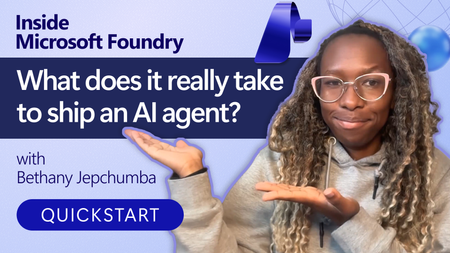
Discover Inside Microsoft Foundry: Quickstart, a new video series for developers building AI agents. Starting with "What does it really take to ship an AI agent?", the series explores real-world challenges such as model selection, grounding agents in data, evaluation, deployment, observability, and governance. Follow along as we show how the Microsoft Foundry ecosystem helps developers move from prototype to production, with new episodes released in the coming weeks.🚀 Foundry Toolkit for VS Code — August 2026 Update
This is the August round-up for the Foundry Toolkit for VS Code. Four releases shipped this month: 1.6.7, 1.6.8, 1.6.9, and 1.6.10. August was about turning agent development into a workflow you can follow end to end — start from the right path, connect reusable tools and other agents, run with real user isolation, and inspect exactly where the time and tokens went. Have feedback or hit a bug? File an issue on GitHub — the roadmap moves on what you tell us. Highlights Prompt Agent toolboxes — attach a centrally managed toolbox, inspect its tools and skills, manage versions and approval policies, and configure nested tools without leaving Agent Builder. 1.6.10 Agent-to-Agent connections (preview) — connect an Agent2Agent (A2A)-compatible agent from a configured connection, the Foundry account catalog, or a custom HTTPS endpoint. 1.6.10 Agent Inspector Overview — read a latency waterfall and an ordered timeline of model, reasoning, and tool activity for all runs or one selected run. 1.6.9 User-scoped Hosted Agent sessions — set a user identity so Responses conversations and session files stay isolated per user. 1.6.8 A clearer Create Agent start — choose Microsoft Agent Framework, Copilot SDK, LangGraph, Copilot-assisted coding, Agent Builder, or the full sample catalog from one redesigned page. 1.6.9 🤖 Create Agents — start on the right path, then stay in context Starting an agent shouldn't begin with choosing the wrong abstraction. The redesigned Create Agent page gives you direct routes to Microsoft Agent Framework, Copilot SDK, and LangGraph samples, Copilot-assisted coding, Agent Builder, and the complete sample catalog. You decide whether you want code, a guided build, or a prompt agent first — not after scaffolding the wrong project. 1.6.9 Hosted Agent setup is also less brittle. You can choose Skip for now during model setup even when existing deployments fail to load, then wire the model connection later. Administrator-connected Foundry models now appear alongside regular deployments in playgrounds and Hosted Agent creation, so the models your organization already configured are available where you build. 1.6.8 1.6.9 Once an agent is running, identity matters. The Hosted Agent Playground can now set a user identity for Responses conversations, keeping conversation state and session files isolated for each user instead of blending everyone into one test session. And when somebody sends you a Microsoft Foundry portal link, deep links can open that named Hosted Agent's Details or Optimization page directly in VS Code — not the portal home, not a search screen. 1.6.8 1.6.10 🔧 Toolboxes and A2A — connect capabilities once, reuse them An agent with five tools can become five separate configurations, five approval stories, and five places to make the same update. Toolbox changes that shape: it packages centrally managed tools behind one Model Context Protocol (MCP)-compatible endpoint, with shared versioning and policy controls. In August, Prompt Agents gained toolbox workflows inside Agent Builder. Open Add tools to browse toolboxes, or use Add to Prompt Agent from the Toolbox resource list. The attached toolbox appears as a collapsible card where you can inspect tools and skills, switch versions, configure approval policies and nested tools, replace or remove the toolbox, or opt out. You manage the collection — not a loose pile of one-off connections. 1.6.10 Agent-to-agent composition arrives in the same flow. Agent-to-Agent connections (preview) let you add an A2A-compatible agent from an existing connection, the Foundry account catalog, or a custom HTTPS endpoint. Attach it directly to a Prompt Agent or put it inside a toolbox for reuse across agents and runtimes. Your pipeline can now be agent → toolbox → specialist agent — with the connection managed as a real resource instead of buried in prompt text. 1.6.10 🔍 Agent Inspector — see the run, not just the answer A final answer can look right while the run behind it is slow, expensive, or calling the wrong tool. Agent Inspector now gives you the sequence and the evidence. The new default Overview tab shows every run or one selected run through two synchronized views: a latency waterfall and an ordered timeline of model, reasoning, and tool activity. Response footers add the model, duration, total tokens, and timestamp; hover over the token total to split input from output. Raw reasoning and reasoning summaries appear in separate collapsible sections when the agent provides them. 1.6.9 Tool inspection goes deeper in 1.6.10. Calls are grouped by response run, with status, call ID, arguments, and results, and each Responses event can show when it reached Agent Inspector. The Overview waterfall and timeline now scroll independently, while long streaming responses and Details views update more smoothly. You can move from "the tool failed" to the exact call and payload without reconstructing the run from chat bubbles. 1.6.10 The conversation itself is easier to drive: press Up or Down to recall and edit earlier requests without losing your unsent draft, or choose Clear Chat to reset the conversation plus Events and Details state. Pending MCP approvals and OAuth consent requests stay pinned above the input, with bulk actions and expandable details, until every decision is resolved. 1.6.7 1.6.9 🎯 Models and resources — faster to open, steadier when you return Resource pages should remember your work, not reset it. Models and Tools now load the selected tab first and show core rows before fetching the extra details. When you return to Agents, Models, Tools, Knowledge, or Evaluations, the toolkit preserves rows, search, filters, and pagination while refreshing the active view in the background. A manual refresh still gets the latest service state when you ask for it. 1.6.7 The sidebar does less work too. Collapsed My Resources sections load only when you open them, while Search and Recent Agents remain available. Evaluations, Routines, Tools, Skills, and Toolboxes now share consistent loading feedback, and a direct link to Tools or Skills opens the requested tab without loading Toolboxes first. The result isn't a new destination — it's less waiting on the way there. 1.6.7 1.6.8 Model deployment guidance got one sharp fix as well: quota errors now open the token quota page for your current Foundry project, so the recovery path lands on the project that actually needs capacity. 1.6.10 💻 Activity protocol agents — debugging that matches the agent Activity Protocol agents target Microsoft 365 channels, so local debugging should speak the same language. Newly scaffolded Python projects now open Microsoft 365 Agents Playground inside VS Code for local debugging. You stay in the editor and test the activity-shaped conversation before deployment instead of forcing it through an incompatible playground. 1.6.7 Copilot-assisted creation also follows the current Hosted Agent path: current Foundry project and model setup, a managed Python environment, workspace-root debugging, and the latest local run and deployment flow. When you reuse the selected Foundry project, Copilot no longer asks you to choose its Azure location again. 1.6.10 🪲 Fixes and polish Agent Inspector — streamed response and reasoning text stays complete; response text, reasoning, tool calls, and permission decisions keep their original order; replacement turns reject obsolete stream events; and unmatched tool calls or results no longer appear in Details. 1.6.9 1.6.10 Approvals and consent — human-in-the-loop pauses no longer duplicate tool or approval cards, Clear Chat remains available while a turn waits, and continuation responses retain pending approvals until every request is resolved. 1.6.8 1.6.9 Activity Protocol deployment — Azure Bot settings are validated before submission, compatible Bots are reused, identity and application ID conflicts get recovery guidance, and successful deployments no longer open an unsupported Agent Playground. 1.6.7 1.6.8 Agent Builder and MCP OAuth — reopening a Foundry Prompt Agent preserves its selected version and tool configuration, while authorization callbacks complete only the matching connection request. 1.6.8 Accessibility — screen readers announce Model Catalog actions, collapsible Agent Builder and Model Preference controls, and project and model fields with their labels and state; prompt placeholders also meet minimum contrast requirements. 1.6.10 ⚠️ Breaking change and migration GitHub Models has been removed from the Model Catalog, playground, model comparison, Agent Builder, and evaluations following the service's retirement. If a saved workflow or evaluation references GitHub Models, open it and select another available model before running it again. 1.6.7 🚀 Get it and tell us what to build next August connected the whole agent loop: choose the right starting point, reuse governed tools, compose agents through A2A, isolate real users, and inspect the run down to timing, tokens, arguments, and results. Install or update from the Visual Studio Code Marketplace. Read the docs — Foundry Toolkit for Visual Studio Code and the Microsoft Foundry documentation. Explore samples in the Microsoft Foundry samples repository. Browse the full changelog in WHATS_NEW.md. File issues and feature requests at github.com/microsoft/foundry-toolkit/issues. Join the Microsoft Foundry community on Discord. Try a toolbox with your next Prompt Agent, open the run in Agent Inspector, and tell us where the workflow still slows you down. Happy building. 🚀Distributing Agents to Microsoft Teams and Microsoft 365 Copilot Part 4/5
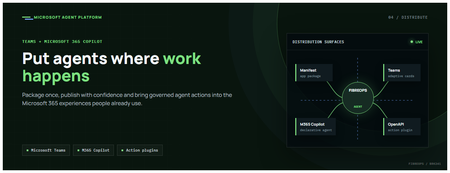
This is the fourth post in our series on the Microsoft agent platform. We cover the Distribute in M365 pillar — publishing your agents to Microsoft Teams and Microsoft 365 Copilot so they reach users where they already work. All examples reference the FibreOps repository, demonstrated at Microsoft Build BRK241. The Distribution Story Building a great agent is only half the challenge. The other half is getting it into the hands of users without asking them to learn a new tool, visit a new URL, or change their workflow. Microsoft 365 Copilot and Microsoft Teams are where enterprise users already spend their day, making them the natural distribution surface for agents. With the GA release, publishing an agent to Teams and M365 Copilot is a single command. No separate app registration portal, no manual manifest assembly, no multi-step approval workflow for development and testing. Publishing to Microsoft 365 Copilot (GA) FibreOps ships as a declarative agent + action plugin ready for sideload. A single CLI command produces the complete package: python -m fibreops.demo publish-m365 --out dist/m365 # Output: # ✓ wrote dist/m365/declarativeAgent.json # ✓ wrote dist/m365/fibreops-action.json # ✓ wrote dist/m365/manifest.json # ✓ wrote dist/m365/color.png (192x192) # ✓ wrote dist/m365/outline.png ( 32x32) # ✓ wrote dist/m365/fibreops-copilot.zip What Gets Generated File Purpose declarativeAgent.json Defines the agent's persona, capabilities, and conversation starters for M365 Copilot fibreops-action.json Action plugin that proxies tool calls to the deployed FastAPI backend via OpenAPI manifest.json Teams app manifest with publisher metadata, permissions, and capabilities color.png / outline.png App icons for Teams and M365 surfaces fibreops-copilot.zip Ready-to-upload package for Teams Admin Center Configuration Set the base URL to your deployed FastAPI app before publishing — the action plugin uses this to resolve the OpenAPI runtime: # Set the public HTTPS hostname of the deployed FastAPI app $env:M365_ACTION_BASE_URL = "https://fibreops-demo.azurewebsites.net" # Optional: customise publisher metadata $env:M365_PUBLISHER_NAME = "Contoso Network Operations" $env:M365_PUBLISHER_WEBSITE = "https://contoso.com/noc" # Generate the package python -m fibreops.demo publish-m365 --out dist/m365 Environment Variable Purpose M365_ACTION_BASE_URL Public HTTPS root for the FastAPI /openapi.json (e.g., Container Apps FQDN) M365_APP_ID Override the generated Teams app GUID (default: deterministic per repo) M365_PUBLISHER_NAME Publisher name shown in M365 Admin Center M365_PUBLISHER_WEBSITE Publisher website link Uploading the Package Upload the generated fibreops-copilot.zip through either path: Teams Admin Center → Manage apps → Upload new app M365 Admin Center → Integrated apps → Upload custom apps Once uploaded, the declarative agent: Inherits the publisher metadata you configured Advertises conversation starters from the FibreOps deck (e.g., "What is the current outage status?", "Dispatch an engineer to FN-LDN-001") Proxies tool calls to the deployed FastAPI app via the action plugin Appears in Microsoft 365 Copilot as a specialised agent users can invoke How Declarative Agents Work A declarative agent in Microsoft 365 Copilot is defined by metadata rather than code running in the M365 surface. The intelligence lives in your backend — Copilot handles the conversational UX, tool orchestration schema, and user authentication. The flow: User invokes the agent in Microsoft 365 Copilot or Teams Copilot renders conversation starters and accepts natural language input When the agent needs to act, Copilot calls the action plugin (your OpenAPI endpoint) Your FastAPI backend processes the request using the full agent pipeline Results return to the user in the Copilot/Teams UX This architecture means your agent logic stays in one place — the backend. The M365 surface is purely a distribution and interaction layer. Action Plugins and OpenAPI The action plugin ( fibreops-action.json ) references your FastAPI app's /openapi.json endpoint. FibreOps exposes a JSON API that the action plugin can call: /api/runs — List and query agent runs /api/optimiser — Get optimizer scores and suggestions /sdk/chat — Natural language interaction with the agent system /healthz — Liveness probe Because FastAPI auto-generates OpenAPI schemas from your typed Python endpoints, the action plugin gets accurate parameter descriptions, response schemas, and error codes without any manual specification work. Publishing as Autopilots (Public Preview) Autopilots take distribution one step further — agents that operate autonomously without requiring a user to initiate each interaction. An Autopilot can: React to events (e.g., a critical telemetry signal) without human initiation Take actions within defined guardrails Notify users only when human intervention is needed Operate continuously across Microsoft 365 surfaces For FibreOps, an Autopilot would monitor the Event Hub stream continuously and only surface to the NOC team when an incident exceeds automated resolution capability — a fully autonomous operations agent. Teams Adaptive Cards FibreOps posts rich Adaptive Card notifications to Microsoft Teams throughout the agent pipeline. This is separate from the declarative agent — it is a push notification channel for real-time operational awareness. # The NetOps agent posts an outage notice via Incoming Webhook def post_outage_notice(incident_id, node_id, severity, summary, engineer=None): card = { "type": "AdaptiveCard", "body": [ {"type": "TextBlock", "text": f"🚨 Outage: {node_id}", "weight": "Bolder", "size": "Large"}, {"type": "FactSet", "facts": [ {"title": "Severity", "value": severity.upper()}, {"title": "Incident", "value": incident_id}, {"title": "Summary", "value": summary}, ]}, ], "actions": [ {"type": "Action.OpenUrl", "title": "View in NOC Console", "url": f"{base_url}/runs/{incident_id}"} ] } # POST to Teams webhook or append to outbox for offline mode ... If TEAMS_WEBHOOK_URL is not configured, cards are appended to state/teams_outbox.jsonl for review in the NOC console's Teams panel. End-to-End: From Code to Copilot Here is the complete flow from development to distribution: Build — Develop agents with Microsoft Agent Framework, test locally with python -m fibreops.demo --backend local Publish agents — python -m fibreops.demo publish creates hosted Prompt Agents in Foundry Deploy infrastructure — azd up provisions App Service, ACR, Event Hub, Key Vault, and Application Insights Deploy hosted agent — azd env set FIBREOPS_DEPLOY_HOSTED true && azd up Generate M365 package — python -m fibreops.demo publish-m365 --out dist/m365 Upload to Teams — Upload fibreops-copilot.zip via Teams Admin Center Users interact — The agent is now available in Microsoft 365 Copilot and Teams Security Considerations Managed Identity — The deployed app uses system-assigned managed identity for all Azure service access. No secrets in code. Least privilege — Each role grant is scoped to the minimum required (Event Hubs Data Owner, Key Vault Secrets User, AcrPull, Azure AI Developer). Authentication — The M365 Copilot surface handles user authentication; your backend receives authenticated requests. Guardrails — Autopilots operate within defined boundaries; human-in-the-loop escalation is built into the Routine and agent decision logic. Key Takeaways Publishing to Teams and M365 Copilot is GA — a single command generates the complete package. Declarative agents separate distribution (M365) from intelligence (your backend). Action plugins leverage your existing FastAPI OpenAPI schema — no manual specification needed. Autopilots (Public Preview) enable fully autonomous operation within guardrails. Adaptive Cards provide real-time push notifications alongside the conversational agent surface. The same backend serves the NOC console, the Copilot SDK, and the M365 declarative agent. Next Steps Explore the FibreOps repository — try python -m fibreops.demo publish-m365 Microsoft 365 Copilot extensibility documentation Next in this series: Voice Live and Observability for Production Agent SystemsBuilding Autonomous Agents with Microsoft Agent Framework and GitHub Copilot SDK Part 2/5
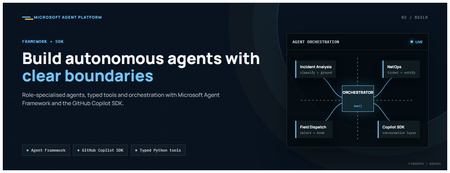
This is the second post in our series on the Microsoft agent platform. Here we dive deep into building autonomous agents, the development experience, the Microsoft Agent Framework, tool design patterns, and how the GitHub Copilot SDK brings conversational AI to your agent system. All examples reference the FibreOps repository, an autonomous fibre outage response system demonstrated at Microsoft Build BRK241. The Microsoft Agent Framework The Microsoft Agent Framework (now GA) provides a unified programming model for building agents. It supports multiple backends through a single .run() contract: Hosted — FoundryAgent connected to a Prompt Agent published to Microsoft Foundry Agent Service. Foundry — Agent + FoundryChatClient with the definition resolved locally (ideal for prompt iteration). Local — Deterministic LocalAgent for offline development and testing. This design means your orchestration code never changes regardless of where the agent runs. The factory pattern in FibreOps selects the backend at startup: # src/fibreops/agents/factory.py — simplified from agent_framework_foundry import FoundryAgent from agent_framework import Agent, FoundryChatClient def build_agent(role: str, backend: str, config: Config): if backend == "hosted": return FoundryAgent(agent_id=config.foundry_agents[role]) elif backend == "foundry": return Agent( instructions=get_instructions(role), chat_client=FoundryChatClient(endpoint=config.endpoint), tools=get_tools(role), ) else: return LocalAgent(role=role) Set FIBREOPS_AGENT_BACKEND to override the backend, or leave it as auto for intelligent detection. Designing Role-Specialised Agents FibreOps demonstrates a key pattern: role specialisation. Rather than one monolithic agent, the system uses three focused agents, each with a clear responsibility boundary: Agent Role Tools Available IncidentAnalysisAgent Classify severity, find root cause, retrieve SOP Knowledge (SOPs + topology), Web IQ, Work IQ NetOpsCoordinatorAgent File D365 incident, post Teams notice Ticketing, Teams, Memory FieldDispatchAgent Select engineer, book resource, update team Dispatch, Teams, Voice Why Role Specialisation? Focused system prompts — Each agent has a tightly scoped instruction set, reducing hallucination and improving reliability. Independent evaluation — You can score each agent separately against role-specific criteria. Parallel development — Teams can iterate on agents independently. Selective upgrade — Swap one agent's model or implementation without touching others. Tool Design: Typed Python Functions Tools in the Microsoft Agent Framework are typed Python functions that the runtime supplies to the hosted agent definition. FibreOps demonstrates several tool categories: Knowledge Tools # src/fibreops/tools/knowledge.py — simplified def sop_lookup(node_id: str, signal_type: str) -> dict: """Retrieve the Standard Operating Procedure for a given signal type. Args: node_id: The fibre node identifier (e.g., FN-LDN-001) signal_type: The type of signal (loss_of_light, high_ber, signal_degradation) Returns: SOP with steps, escalation path, and estimated resolution time. """ # Load from local markdown SOPs or Foundry IQ ... def web_iq_search(query: str, *, limit: int = 5) -> list[dict]: """Search public web for context relevant to the incident. Grounding against roadworks, weather, power outages, splice guidance. Falls back to deterministic fixtures when endpoint is unset. """ ... def work_iq_search(query: str, *, limit: int = 5) -> list[dict]: """Search enterprise knowledge for context relevant to the incident. Site surveys, SLA tiers, competency matrix, MTTR trends. """ ... Integration Tools # src/fibreops/tools/teams.py — simplified def post_outage_notice( incident_id: str, node_id: str, severity: str, summary: str, engineer: str | None = None, ) -> dict: """Post an Adaptive Card outage notice to the configured Teams channel. If TEAMS_WEBHOOK_URL is not set, appends to state/teams_outbox.jsonl for offline review. """ card = build_adaptive_card(incident_id, node_id, severity, summary, engineer) if config.teams_webhook_url: requests.post(config.teams_webhook_url, json=card) else: append_to_outbox(card) return {"status": "posted", "incident_id": incident_id} Design Principles for Agent Tools Typed parameters with docstrings — The runtime uses type hints and docstrings to generate the tool schema for the LLM. Graceful degradation — Every tool works offline by falling back to local fixtures or file-based state. Idempotent where possible — Tools that create resources return existing records if called with the same parameters. Observable — Every tool invocation emits an OpenTelemetry span for tracing and debugging. The Orchestrator Pattern The orchestrator drives signals through the agent pipeline. It is deliberately simple — a linear flow with error handling: # src/fibreops/orchestrator.py — simplified async def handle_signal(signal: TelemetrySignal) -> RunResult: """Process a telemetry signal through the agent pipeline.""" # Stage 1: Incident Analysis analysis = await incident_agent.run( f"Analyse this signal: {signal.model_dump_json()}" ) # Stage 2: NetOps Coordination coordination = await netops_agent.run( f"Coordinate response for: {analysis.summary}" ) # Stage 3: Field Dispatch dispatch = await dispatch_agent.run( f"Dispatch engineer for incident: {coordination.incident_id}" ) return RunResult( signal=signal, analysis=analysis, coordination=coordination, dispatch=dispatch, ) The orchestrator honours the same contract regardless of backend — hosted , foundry , or local — because all backends implement await agent.run(prompt) . GitHub Copilot SDK Integration (GA) The GitHub Copilot SDK enables conversational interaction with your agent system. FibreOps implements FibreOpsCopilotClient with the same interface as github/copilot-sdk : # src/fibreops/sdk/__init__.py — simplified from fibreops.sdk.client import FibreOpsCopilotClient client = FibreOpsCopilotClient() session = client.create_session() # Query agent status response = session.send_and_wait("status") print(response.text) # Human-readable summary print(response.data) # Structured JSON # Inject a telemetry signal via conversation response = session.send_and_wait(json.dumps({ "signal_id": "sig-demo", "node_id": "FN-LDN-001", "signal_type": "loss_of_light", "severity": "critical" })) The adapter routes prompts by shape: JSON signal-shaped dicts — Forwarded to the orchestrator for processing. Free-form text — Answered by a deterministic responder ( help , status , nodes , engineers , optimiser , dispatch ). Drive it from the terminal: python -m fibreops.demo chat "help" python -m fibreops.demo chat "status" python -m fibreops.demo chat '{"signal_id":"sig-demo","node_id":"FN-LDN-001","signal_type":"loss_of_light","severity":"critical"}' Or hit the embedded HTTP endpoint when the NOC console is running: Invoke-RestMethod -Method Post http://127.0.0.1:8800/sdk/chat -Body '{"prompt":"status"}' -ContentType application/json Development Workflow with Foundry Toolkit for VS Code The Foundry Toolkit for VS Code provides an integrated development experience: Author prompts — Edit system instructions with live preview and token counting. Test locally — Run against the foundry backend with FoundryChatClient pointing at your development model. Iterate fast — The foundry backend resolves definitions locally, so prompt changes take effect immediately without republishing. Publish when ready — python -m fibreops.demo publish creates hosted Prompt Agents in Foundry. Multi-Model Support The Microsoft Agent Framework supports multiple models. FibreOps defaults to gpt-4.1-mini (the model available in most demo Foundry accounts), but any chat-completions deployment works: # .env AZURE_AI_MODEL_DEPLOYMENT=gpt-4.1-mini # or gpt-4o-mini, gpt-4o, gpt-4.1 The framework also supports Claude Code connectors and Magentic-One for multi-agent collaboration scenarios. Testing Strategy FibreOps demonstrates a layered testing approach: Unit tests — Test tools in isolation with mocked dependencies. Local backend tests — Run the full pipeline with LocalAgent for deterministic assertions. Integration tests — Run against real Foundry agents with pytest -q . Rubric evaluation — The optimizer scores every run against defined criteria. # Run the test suite .\.venv\Scripts\python.exe -m pytest -q Key Takeaways The Microsoft Agent Framework provides a unified .run() contract across hosted, foundry, and local backends. Role specialisation keeps agents focused, testable, and independently evolvable. Tools are typed Python functions with docstrings — the runtime generates schemas automatically. The GitHub Copilot SDK (GA) enables conversational interaction with any agent system. Graceful degradation means the entire system works offline for development. The factory pattern lets you switch backends without changing orchestration code. Next Steps Clone the FibreOps repository and run python -m fibreops.demo --signals 3 Microsoft Agent Framework documentation Next in this series: Running Hosted Agents in Microsoft Foundry Agent ServiceBuilding and Deploying Microsoft Hosted Agents to Microsoft Teams
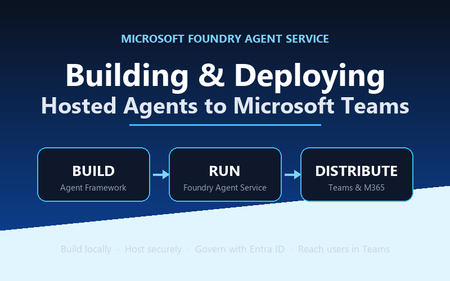
A practical, engineer-to-engineer guide to taking an AI agent from a developer laptop, into Microsoft Foundry Agent Service, and out to end users inside Microsoft Teams and Microsoft 365 — using the BRK241 FibreOps reference implementation as a worked example. Introduction: the hard part is no longer building the agent Two years ago, wiring an LLM to a couple of tools felt like the summit. It isn't any more. Frameworks, hosted models, and function-calling have made the build step almost routine. The problem has quietly moved downstream. The genuinely hard questions today are operational: Where does the agent run when it's no longer on your machine? What identity does it use to call enterprise systems, and who granted it? How does a platform team scale, monitor, and roll it back? How do business users actually reach it without learning a new tool? Who signed off on it touching production data? A prototype answers none of these. A production agent platform answers all of them, repeatably, for every agent an organisation ships. That shift — from a clever notebook to a governed, observable service that lands in the tools people already use — is the subject of this article. We'll use a single narrative to keep it concrete: FibreOps, the BRK241 "Autonomous Fibre Outage Response" system. It ingests optical line terminal (OLT) telemetry, analyses incidents, files tickets in Dynamics 365 Field Service, posts Adaptive Cards to Microsoft Teams, and dispatches engineers — all through role-specialised agents. The full source is on GitHub. The story runs on three verbs: Build → Run → Distribute. Section 1: Building the agent An agent is not one mega-prompt. FibreOps is deliberately factored into three role-specialised agents behind a single orchestrator, each with its own tool surface, its own system instructions, and a strict output contract: IncidentAnalysisAgent — classifies severity, finds probable cause, and pulls the correct standard operating procedure (SOP). NetOpsCoordinatorAgent — files the D365 incident and posts the Teams outage notice. FieldDispatchAgent — selects the best engineer by skill, region and shift, books the resource, and updates Teams. The Coordinator hands off to Dispatch with a literal HANDOFF:DISPATCH token rather than a fuzzy "I think we should…". Hard contracts between agents are how you stop them inventing work. Microsoft Agent Framework The agents are built with the Microsoft Agent Framework (MAF). The key design decision in the reference implementation is that all three backends honour one contract — await agent.run(prompt) -> response — so the orchestrator never knows or cares where reasoning actually happens: local — a deterministic LocalAgent shim with no LLM, so the demo runs with zero Azure credentials. foundry — agent_framework.Agent + FoundryChatClient , definition resolved locally. Ideal while iterating on prompts. hosted — agent_framework_foundry.FoundryAgent bound to a Prompt Agent published to Foundry Agent Service. This is the production path. Building a Foundry-backed agent is just a client plus instructions plus typed tools: from agent_framework import Agent from agent_framework_foundry import FoundryChatClient from azure.identity import DefaultAzureCredential client = FoundryChatClient( project_endpoint=settings.azure_ai_project_endpoint, model=settings.azure_ai_model_deployment, # e.g. gpt-4.1-mini credential=DefaultAzureCredential(), # no connection strings, ever ) agent = Agent( client=client, instructions=INCIDENT_ANALYSIS_INSTRUCTIONS_V1, name="IncidentAnalysisAgent", tools=[lookup_sop, recall, remember, web_iq_search, work_iq_search], ) Note the DefaultAzureCredential . There are no keys or connection strings anywhere in the reasoning path — identity flows from Microsoft Entra ID. Keep that in mind; it becomes the backbone of the governance story later. Tool calling and MCP Every tool is a typed Python function. Foundry sees the JSON schema derived from the signature; the runtime executes the Python. That separation matters: the published agent definition stores only the model and instructions, while the implementations are supplied by the runtime on every call. The same in-process tools (Teams, D365, dispatch, knowledge, memory) run identically whether the agent is local or hosted. Beyond your own functions, Foundry agents can draw on hosted toolbox tools ( web_search , code_interpreter ) and Model Context Protocol (MCP) servers. MCP is the open standard for exposing tools, resources and prompts to agents over a uniform protocol, so an enterprise can stand up an MCP server once and let every agent consume it. In FibreOps this is config-gated — set FIBREOPS_FOUNDRY_TOOLBOX=1 and the incident analyst gains live web search alongside its Web IQ / Work IQ connectors, with no code change. Grounding strategies FibreOps grounds reasoning three ways, in layers: Retrieval over owned knowledge — SOPs (markdown) and the fibre-node topology graph, looked up by the analysis agent. Foundry IQ — Web IQ for public context (roadworks, weather, power) and Work IQ for enterprise context (site surveys, SLA tiers, competency matrix). Procedural memory — prior incidents for a node, recalled before analysis so the agent learns from history. Crucially, when the IQ endpoints are unset the tools fall back to deterministic fixtures so the agent always grounds. Grounding that silently fails is worse than no grounding; design your fallbacks explicitly. Local development, testing and evaluation The whole system runs from one command with no cloud dependency: # Deterministic local backend — no Azure credentials required python -m fibreops.demo --signals 3 --backend local Every run is persisted as a JSON document — the input signal, every agent step, every tool call, every output, every ticket. That single artefact shape feeds three consumers: structured logs, the local optimiser, and Foundry Evaluators. The optimiser scores each run against a five-criterion rubric (was the analysis complete, was severity consistent with customer impact, did a ticket land, did dispatch policy match severity, was an SOP cited) and writes back concrete improvement suggestions. That evaluation loop — not the first working demo — is what turns a prototype into a system you can keep improving. Section 2: Deploying to Microsoft Foundry Agent Service Microsoft Foundry Agent Service is the managed runtime that hosts your agents. It gives you a secure, isolated execution environment, an agent runtime that speaks the OpenAI-compatible Responses API, plus hosted memory, toolboxes, knowledge integrations, and observability — without you operating any of it. FibreOps demonstrates the two hosting shapes Foundry offers. Shape 1 — Prompt Agents A Prompt Agent stores a model deployment plus system instructions as an immutable, versioned definition in Foundry. Publishing is a one-time step per change: from azure.ai.projects import AIProjectClient from azure.ai.projects.models import PromptAgentDefinition from azure.identity import DefaultAzureCredential pc = AIProjectClient(endpoint=endpoint, credential=DefaultAzureCredential(), allow_preview=True) pc.agents.create_version( agent_name="fibreops-incident-analysis", definition=PromptAgentDefinition( model=model_deployment, instructions=INCIDENT_ANALYSIS_INSTRUCTIONS_V1, ), description="FibreOps incident analysis agent", ) At run time you bind to the published version with a FoundryAgent , and — as noted above — the runtime supplies the tool implementations. Prompt versioning ( instructions_v1 , _v2 , _v3 ) is where the optimiser's suggestions land, closing the improvement loop inside the platform. Shape 2 — Containerised hosted agents The BRK241 hero path packages the entire analyse → coordinate → dispatch flow as a single hosted agent: a container that serves the Responses /responses contract on port 8088, deployed straight into your Foundry project. The Agent Framework agent is wrapped by ResponsesHostServer : from agent_framework_foundry_hosting import ResponsesHostServer def main() -> None: server = ResponsesHostServer(build_system_agent()) # Foundry sets the reserved PORT env var inside the sandbox server.run(host="0.0.0.0", port=8088) The container is declared in agent.yaml — kind: hosted , the image reference, the per-session sandbox size (0.5/1 Gi, 1/2 Gi or 2/4 Gi), the protocol version, and only user-declared environment variables. You never hard-code FOUNDRY_* values or the Application Insights connection string; the platform injects those at run time. Deployment registers the image as an immutable version and polls until active : details = pc.agents.create_version( agent_name="fibreops-outage-response", definition=HostedAgentDefinition( protocol_versions=[ProtocolVersionRecord( protocol=AgentProtocol.RESPONSES, version="1.0.0")], cpu="1", memory="2Gi", container_configuration=ContainerConfiguration(image=image), environment_variables={"MODEL_DEPLOYMENT_NAME": model_deployment}, ), ) From local execution to managed hosting The migration path is deliberately gentle because the contract never changes. A developer iterates locally against LocalAgent , moves to the foundry backend to test real prompts, then publish es Prompt Agents or builds and deploy-hosted s the container. The orchestrator code is byte-for-byte identical across all three. That property — same code path local for dev, hosted in Foundry for prod — is the single most important thing to preserve when designing your own agents. Scaling, memory, toolboxes, knowledge and observability Scaling — Foundry provisions a per-session sandbox and a dedicated Entra agent identity per hosted-agent version; you size the sandbox in agent.yaml and let the platform handle isolation. Memory — set FOUNDRY_MEMORY_STORE_NAME and a FoundryMemoryProvider is attached as a context provider so agents read and write learned procedures in Foundry's hosted store; unset, they use local SQLite. No code change. Toolboxes & knowledge — hosted web_search , code interpreter, MCP, and Web/Work IQ connectors are curated per role and merged with your Python tools. Observability — the agent emits OpenTelemetry spans; set APPLICATIONINSIGHTS_CONNECTION_STRING (injected by the platform for hosted agents) and every agent decision, tool call and latency is queryable in Application Insights. Section 3: IT and development responsibilities Successful agent deployments need both developer velocity and platform governance. The failure mode at either extreme is familiar: developers who can't ship because every request routes through a ticket queue, or a free-for-all where nobody can say what identity an agent runs as. The workable model draws a clean line of responsibility. Concern Developer / Agent team IT / Platform team Identity Use DefaultAzureCredential ; never embed secrets; declare the scopes the agent needs Provision the managed / Entra agent identity; own the app registration and consent Access control Request least-privilege roles for the tools the agent calls Grant RBAC at the correct scope; run role-assignment scripts; enforce approvals Security Validate inputs, handle tool failures cleanly, avoid data exfiltration in prompts Disable ACR admin, enforce managed-identity pulls, network controls, Key Vault for secrets Compliance Keep decisions explainable and replayable (the JSON run record) Data-residency, retention, audit, Responsible AI review sign-off Monitoring Emit structured traces + OTel spans; define the rubric Own Application Insights / Log Analytics, alerting, dashboards, SLOs Cost Right-size the sandbox and model deployment; cache grounding Budgets, quota, token-consumption monitoring, chargeback Lifecycle Version prompts and images; feed the optimiser back into new versions Environment promotion (dev → test → prod), rollback, deprecation The reference implementation encodes this split honestly. The Bicep template does not create role assignments, because most deployers only hold Contributor . Instead a subscription Owner runs scripts/grant-mi-roles.ps1 once to grant the App Service's identity exactly the roles it needs — Event Hubs Data Owner, Key Vault Secrets User, AcrPull, Azure AI Developer, and Cognitive Services OpenAI User — and no more. That is least privilege made operational. Section 4: Publishing to Microsoft Teams and Microsoft 365 An agent nobody can reach has no value. The final verb — Distribute — puts the agent where users already work. FibreOps reaches Teams two ways. The lightweight path: Adaptive Cards via Incoming Webhook The NetOps coordinator posts outage notices and status updates to a Teams channel as Adaptive Cards through an Incoming Webhook. Any unconfigured channel is logged to state/teams_outbox.jsonl , so the same code runs in a demo and in production — you only change the webhook target. This is the fastest way to get agent output into Teams and is ideal for notifications and human-in-the-loop review. The rich path: a declarative agent for Microsoft 365 Copilot To make the agent conversational and discoverable across Teams, Microsoft 365 Copilot and copilot.microsoft.com, FibreOps ships as a declarative agent plus an API plugin action. One command builds the sideload-ready package: python -m fibreops.demo publish-m365 --out dist/m365 # wrote declarativeAgent.json (name, description, conversation starters) # wrote fibreops-action.json (API plugin -> {base_url}/openapi.json) # wrote manifest.json (Teams app manifest) # wrote color.png / outline.png (icons) # wrote fibreops-copilot.zip (upload this) The declarative agent declares metadata, conversation starters and a capability set; the action plugin proxies tool calls to the deployed FastAPI app via its OpenAPI document. Set M365_ACTION_BASE_URL to the app's public HTTPS root before publishing — the CLI warns when the placeholder is still in effect. That single environment variable is the only thing that flips the package from demo to production. The end-to-end distribution workflow Conceptually, the artefact travels a fixed pipeline: Developer laptop │ build + test (local backend) → publish Prompt Agent / deploy hosted container ▼ Microsoft Foundry Agent Service │ hosted agent, secure sandbox, Entra agent identity, observability ▼ Teams App package (fibreops-copilot.zip) │ Teams Admin Center → Manage apps → Upload (or M365 Admin Center → Integrated apps) ▼ Microsoft 365 tenant │ admin approval, availability policy, targeted rollout ▼ End user in Teams / M365 Copilot Enterprise rollout is rarely "publish to everyone". The realistic pattern is a staged one: sideload to a pilot group, gather feedback and optimiser scores, then widen availability through Teams app-permission and app-setup policies to department, then tenant. Because the package carries publisher metadata and the declarative schema, IT can review it exactly like any other line-of-business app. Section 5: Enterprise governance Governance is not a bolt-on; in this architecture it's a property of the platform. The pillars: Entra ID integration and agent identity — every hosted agent version gets a dedicated Entra agent identity. Nothing authenticates with a shared key. DefaultAzureCredential means the same code picks up a developer's identity locally and the managed identity in production. RBAC at the right scope — roles are granted to identities, not baked into images. Deploying a hosted agent requires Azure AI Project Manager at project scope; the Foundry project identity needs AcrPull on the registry to pull the container. Least privilege is enforced, not assumed. Auditability — the JSON run record plus OpenTelemetry spans in Application Insights give you a replayable, per-incident audit trail. You can reconstruct exactly which SOP was cited, which engineer was chosen, and why severity was escalated. Data boundaries — the mock D365 is a drop-in for a real Dataverse environment; grounding sources are enterprise connectors (Work IQ) kept inside the tenant boundary. Nothing leaves the subscription without an explicit connector. Responsible AI — the Adaptive Card JSON can be pasted into the Adaptive Cards designer for governance review; the evaluation rubric makes quality measurable; explicit grounding fallbacks prevent silent failure. Production readiness — immutable versioning, one-command rollback (delete a version), managed-identity-only image pulls, and disabled ACR admin credentials are all first-class in the reference deployment. Section 6: Reference architecture The following diagram shows the production topology — users on the left, enterprise systems and controls on the right, with Foundry Agent Service at the centre hosting the agent. flowchart LR User["NOC operator / business user"] subgraph M365["Microsoft 365 tenant"] Teams["Microsoft Teams(Adaptive Cards + declarative agent)"] Copilot["Microsoft 365 Copilot"] end subgraph Foundry["Microsoft Foundry Agent Service"] Hosted["Hosted AgentOutage Response System(secure per-session sandbox)"] Runtime["Agent runtime(Responses API)"] Memory["Hosted memory + toolboxes"] end subgraph Enterprise["Enterprise data & tools"] MCP["MCP servers / web_search"] D365["Dynamics 365 Field Service"] EventHub["Azure Event Hubs(OLT telemetry)"] Knowledge["SOPs + topology + Web/Work IQ"] end subgraph Ops["Cross-cutting"] Obs["ObservabilityApp Insights / OTel"] Gov["GovernanceEntra ID · RBAC · audit"] end User --> Teams User --> Copilot Teams --> Runtime Copilot --> Runtime Runtime --> Hosted Hosted --> Memory Hosted --> MCP Hosted --> Knowledge Hosted --> D365 EventHub --> Hosted Hosted -.->|Adaptive Cards| Teams Hosted --> Obs Gov -.->|identity & policy| Foundry Gov -.->|identity & policy| Enterprise Read the solid arrows as the control/orchestration flow and the dashed arrows as governance and outbound notifications. The point of the diagram is that governance (Entra ID, RBAC, audit) applies across every component, and observability captures every agent decision — neither is optional plumbing. Section 7: What production looks like Picture the FibreOps rollout at a national fibre operator, with the four personas doing their part: Developers build the three agents and the orchestrator on their laptops against the local backend — no cloud, no credentials, deterministic tests. They tune prompts against the foundry backend, watch the optimiser rubric climb from 0.90 to 1.0 as they add the ">5,000 customers ⇒ escalate to critical" rule, and commit a new instruction version. The platform team deploys the container to Foundry Agent Service via scripts/deploy-hosted-agent.ps1 , which builds the image in ACR, pushes it, and registers an immutable version. They provision the Event Hub, Key Vault, Log Analytics and Application Insights from Bicep, and size the sandbox at 1 vCPU / 2 GiB. IT approves the workload: a subscription Owner grants the managed identity its five least-privilege roles, hardens the App Service to pull via managed identity, disables ACR admin, and signs off the Responsible AI review using the replayable run records and the Adaptive Card previews. They sideload fibreops-copilot.zip to a pilot channel first. Business users consume it inside Teams. When an OLT in London loses light, an Adaptive Card appears in the NOC channel within seconds — severity, probable cause, ticket ID, and the dispatched engineer's ETA — with no human having read a dashboard, opened a ticket, or phoned a dispatcher. If Foundry ever wobbles, the same system falls back to the deterministic local agent with an identical trace shape. Every integration but D365 is live in the demo, and D365 is a one-variable swap to a real Dataverse endpoint. That is the whole point: the demo and production differ by configuration, not by code. Key takeaways Design for one contract. If agent.run(prompt) behaves identically local, foundry-backed and hosted, migration to production is configuration, not a rewrite. Factor agents by role with hard handoff contracts. Literal tokens like HANDOFF:DISPATCH beat fuzzy natural-language handoffs and stop agents inventing work. Never embed secrets. DefaultAzureCredential + Entra agent identities give you keyless auth that works the same everywhere. Make every run replayable. A single JSON artefact that feeds logs, evaluation and audit is worth more than any dashboard. Ground explicitly, and design your fallbacks. Grounding that fails silently is a liability; deterministic fixtures keep the agent honest. Split responsibility cleanly. Developers own velocity and quality; the platform team owns identity, scale, cost and promotion. Encode the split in scripts, not tribal knowledge. Version prompts and images immutably. Rollback should be "delete a version", and the optimiser's suggestions should land as the next version. Distribute where users already are. Adaptive Cards for notifications, a declarative agent for conversation and discovery across Teams and M365 Copilot. Roll out in stages. Pilot channel → department → tenant, gated by app policies and real optimiser scores. Resources Reference implementation: github.com/leestott/BRK241-frontier Microsoft Agent Framework overview Microsoft Foundry Agent Service Hosted agents in Foundry Agent Service · Deploy a hosted agent Microsoft Teams developer platform Declarative agents for Microsoft 365 Copilot Model Context Protocol GitHub Copilot Clone the repo, run python -m fibreops.demo --signals 3 --backend local , and watch the analyse → coordinate → dispatch loop close. Then wire in your own Foundry project and take it all the way to Teams. Go build something.Join us for our MCP Live! — A free livestream covering all things MCP
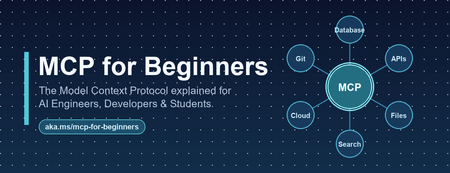
The Model Context Protocol (MCP) is the open standard for connecting AI models to tools and data. It was first introduced to the world by Anthropic in November 2024, and is now the most widely adopted standard in the world of Generative AI. You can now use MCP servers to connect agents to your data sources across multiple clients: VS Code, Claude Desktop, Codex, Copilot App, Goose, and many more. Plus, MCP is the most common way to build your own agents that connect to internal enterprise tools, like when using Microsoft agent-framework or Langchain. To celebrate the success of MCP and its rich ecosystem, we are hosting MCP Live! on September 9th, from 9AM to 1PM PT. We'll hear both from the teams at Microsoft that are implementing MCP, but also from core MCP maintainers and the global community of MCP developers. Register here: https://aka.ms/MCPLive/99/b Here's our current planned agenda: Time Topic Speakers 9 AM PT Welcome to MCP Live! Liam Hampton and Pamela Fox (Microsoft/GitHub), MCP advocates 9:05 AM State of MCP Caitie McCaffrey (Microsoft), MCP core maintainer 9:40 AM MCP: Server, Client & Protocol at GitHub Sam Morrow (GitHub), GitHub MCP server maintainer 10:05 AM A unified MCP layer with Toolboxes in Microsoft Foundry Viswajeeet Balaji (Microsoft), Principal Software Engineer 10:30 AM Building MCP servers in VS Code Harald Kirschner (Microsoft), VS Code Principal PM 11:15 AM MCP Authorization: DCR, EMA, and more! Den Delimarsky (Anthropic), Sam Bellen (Okta) 12:05 AM Building MCP apps with FastMCP Jeremiah Lowin (Prefect), FastMCP maintainer 12:30 AM MCP Tasks, Events, Triggers Clare Liguori (Amazon), MCP core maintainer 12:45 AM Event-driven agents, powered by MCP Liam Hampton and Pamela Fox (Microsoft/GitHub), MCP advocates We're very excited to bring together so many folks working on both the MCP specification and on production MCP servers, so we can all learn about the latest MCP features and best practices together. Learn more MCP Brand new to MCP? We still want you to join! If you want, you can learn MCP fundamentals from our free resources: MCP-for-beginners : A step-by-step written tutorial covering all the MCP features Python + MCP series : Recordings of a 3-part livestream series focusing on building MCP servers with Python Meet the MCP community Want to meet the MCP community in person? We're also planning several IRL events: San Francisco (14 Sep 2026) Bengaluru (26 Sep 2026) Hope to see you in the live chat on September 9th!1.3KViews0likes0CommentsBuilding AI Agents from Zero to Production
Building AI Agents from Zero to Production Most agent demos stop at "it answered my question." Production doesn't. The gap between a notebook that calls an LLM and a governed, observable, multi-agent system your organisation can actually depend on is where real engineering happens, evaluation, deployment, data sovereignty, tool governance, and cross-team interoperability. Microsoft's open-source course Building AI Agents from Zero to Production walks that entire arc in seven lessons, using one realistic use case and the Microsoft Agent Framework (MAF) plus Microsoft Foundry. This post is a developer-focused tour of what it teaches, the architecture decisions behind each stage, and the code patterns that matter when you move from prototype to production. Who this is for AI engineers building their first or first production, agent system. Backend and full-stack developers integrating agents into real applications and CI/CD. Cloud architects who need data sovereignty, private networking, and governance around agent workloads. Technical leads deciding how to standardise tools and orchestration across multiple teams. The samples are Python 3.12+, served through Microsoft Foundry using GPT-5 series models (for example gpt-5.1 ). Lesson 4 adds a TypeScript/React frontend. You will want an Azure subscription and the Azure CLI. The AI Agent Development Lifecycle The course is organised around a lifecycle rather than a feature list. Each lesson is a stage, and each stage assumes the previous one is solved: # Stage The production question it answers 1 Agent Design What should each agent do, and how do they hand off? 2 Agent Development How do I build and run them with the Agent Framework? 3 Agent Evaluations How do I know they actually work — and keep working? 4 Agent Deployment How do I ship one as a hosted service with a UI and CI gate? 5 Production Hosted Agents How do I meet enterprise data, network, and governance needs? 6 Microsoft Toolbox How do I govern tools once, and reuse them across teams? 7 Multi-Agent & A2A How do agents from different teams interoperate safely? The thread running through all seven is a single scenario: a Developer Onboarding agent system that helps a new hire find the right teammates, get a sensible first task, and pull learning resources and code snippets. It is deliberately mundane, which is exactly why it exposes the production concerns that flashy demos hide. Lesson 1 — Agent Design: three components, one graph The course defines an agent by three parts: an LLM for reasoning, tools to act, and memory to retain context. The design work is context engineering — making sure the right information reaches the model at the right moment, no more and no less. Rather than one monolithic assistant, the onboarding system is split into specialists coordinated by a triage agent using handoff orchestration: Agent Job Tool Employee Search Answer org and people questions Foundry file search over an employee-directory vector store Task Recommendation Suggest 1–3 GitHub issues for the new dev GitHub MCP Server (reads recent commits + open issues) Code Assistant Provide resources and runnable snippets Microsoft Learn MCP + Code Interpreter Architecturally this is a directed graph: User → Triage → [Employee, Learning, Coding] . Splitting responsibilities early pays off later, each agent gets a tightly scoped prompt (less hallucination), can be evaluated independently, and can be upgraded without touching its peers. Lesson 2 — Development: standalone agents with MAF Here the design becomes code. Each specialist is a small, independently runnable service built with the Microsoft Agent Framework, authenticated to Foundry with your Azure CLI login. Setup is deliberately boring: az login az account set --subscription "<your-subscription-id>" cp .env.example .env # Fill FOUNDRY_PROJECT_ENDPOINT and FOUNDRY_MODEL (e.g. gpt-5.1) # Create the employee-directory vector store once; note the printed VECTOR_STORE_ID python lesson-2-agent-development/setup_vector_store.py # Start an agent — serves on http://localhost:8090 python lesson-2-agent-development/employee-search-agent.py The FoundryChatClient auto-reads any FOUNDRY_ -prefixed environment variables and uses AzureCliCredential , so there are no keys in code. The lesson ships six samples, each on its own port, so you can chat with them individually in the local DevUI before wiring them together: Sample Tool Port employee-search-agent.py Foundry file search / vector store 8090 task-recommendation-agent.py GitHub MCP Server 8095 azure-learning-agent.py Microsoft Learn MCP 8092 coding-agent.py Code Interpreter 8093 learning-recommendation-agent.py Learn MCP + reasoning 8091 agent-orchestration.py Multi-agent handoff 8094 Why this matters: keeping each agent as its own process with its own port is a testability decision, not an accident. You can smoke-test one specialist in isolation, then compose them in agent-orchestration.py . Lesson 3 — Evaluation: you can't unit-test a probability distribution This is the lesson that separates a demo from a product. Agents are non-deterministic, so traditional assertions don't fit. The course uses three complementary layers: Observability / tracing — always on, via OpenTelemetry to Application Insights. Smoke tests — fast, run on every deploy. Evaluations — deeper, model-based scoring run on-demand or nightly. Turning on tracing is a single call: from agent_framework.foundry import FoundryChatClient client = FoundryChatClient() client.configure_azure_monitor() # export traces + metrics to Application Insights For quality it uses Foundry's built-in "LLM-as-a-judge" evaluators against real persisted responses (identified by response_id ), not freshly regenerated ones: Evaluator evaluator_name Measures Relevance builtin.relevance Does the response address the request? Groundedness builtin.groundedness Is it supported by retrieved data (no hallucination)? Tool-call accuracy builtin.tool_call_accuracy Were the right tools called with the right arguments? Tool-output utilization builtin.tool_output_utilization Did the agent actually use tool results? The judge model is set independently via AZURE_AI_MODEL_DEPLOYMENT_NAME , so you can evaluate a cheap production model with a stronger one. The run prints a report_url that deep-links into the Foundry portal. Lesson 4 — Deployment: a hosted agent, a UI, and a CI gate Now the agent becomes a managed service. It is deployed as a Foundry Hosted Agent a Microsoft-managed execution environment and fronted by an OpenAI ChatKit React UI talking to a FastAPI backend: ChatKit React (3000) → FastAPI backend (8001) → Foundry Hosted Agent → tools Building the agent is declarative attach tools, name it, serve it: agent = client.as_agent( name="DevOnboardingAgent", instructions="...", tools=[file_search_tool, learn_mcp_tool], ) # served with: from_agent_framework(agent).run() The recommended deploy path is the Azure Developer CLI: cd hosted-agent azd auth login azd agent deploy The genuinely production-minded part is the smoke test as a post-deploy CI gate. Six cases cover reachability, each scenario, off-topic prompt adherence, and multi-turn threading (verifying state via previous_response_id ). The GitHub Action runs them against the freshly deployed agent: export FOUNDRY_TOKEN=$(az account get-access-token \ --resource https://ai.azure.com/ --query accessToken -o tsv) python runner.py \ --project-endpoint "https://<account>.services.ai.azure.com/api/projects/<project>" \ --agent-name dev-onboarding \ --tests-file tests/smoke-tests.json Pitfall to remember: the token audience must be https://ai.azure.com/ . A cognitiveservices.azure.com token is rejected by the Responses API — a mistake that costs many engineers an afternoon. Lesson 5 — Production: separating where an agent runs from where its data lives The pivotal concept for enterprise readiness is the distinction between a Hosted Agent (compute, scaling, identity) and a Capability Host (where conversation history, files, and embeddings actually reside): Concern Hosted Agent Capability Host Compute / scaling / identity ✅ Provided — Conversation history Microsoft-managed default Redirect to your Azure Cosmos DB File uploads Microsoft-managed default Redirect to your Azure Storage Vector embeddings Microsoft-managed default Redirect to your Azure AI Search Required to run the agent? ✅ Yes ❌ Optional Required for data sovereignty? ❌ Not sufficient ✅ Yes "Basic" setup uses Microsoft-managed storage and is perfect for getting started. "Standard" setup redirects each data plane to your own Azure resources through a project-level capability host, this is how you keep customer data in your tenant, inside your network boundary: PUT .../accounts/{account}/projects/{project}/capabilityHosts/{name}?api-version=2025-06-01 { "properties": { "capabilityHostKind": "Agents", "threadStorageConnections": ["my-cosmosdb-connection"], "vectorStoreConnections": ["my-ai-search-connection"], "storageConnections": ["my-storage-connection"] } } Operational constraints worth internalising before you provision: there is one capability host per scope (a second attempt returns 409 Conflict ), configuration is immutable (delete and recreate to change it), deletion is destructive, and the account-level host must exist before the project-level one. Lesson 6 — Toolbox: govern tools once, reuse everywhere Left unchecked, every team re-implements the same tools, scatters credentials, and loses governance visibility. The Microsoft Foundry Toolbox solves this by exposing a curated, versioned set of tools behind a single MCP-compatible endpoint, with credentials held in Foundry connections rather than agent code. You build a toolbox version once: from azure.ai.projects.models import MCPTool, ToolboxSearchPreviewTool, WebSearchTool toolbox_version = project.toolboxes.create_toolbox_version( name="agent-tools", description="Web search + an MCP server + tool search", tools=[ WebSearchTool(), MCPTool( server_label="myserver", server_url="https://your-mcp-server.example.com", require_approval="never", project_connection_id="my-key-auth-connection", # credentials live in Foundry ), ToolboxSearchPreviewTool(), ], ) And every agent consumes it through one endpoint, no per-team tool code: from agent_framework import MCPStreamableHTTPTool mcp_tool = MCPStreamableHTTPTool( name="toolbox", url=TOOLBOX_ENDPOINT, # {project_endpoint}/toolboxes/{name}/mcp?api-version=v1 http_client=http_client, load_prompts=False, ) agent = chat_client.as_agent(name="my-toolbox-agent", instructions="...", tools=[mcp_tool]) Versioning is blue/green: create a new version, test it on its version-specific endpoint, then promote it to default and every consumer picks it up with zero code changes. A Guardrail (RAI) policy can be applied at the toolbox layer, independent of model-level content filters. Note the toolbox management APIs are currently preview; the portal or VS Code Foundry Toolkit are practical alternatives for creation today. Lesson 7 — Multi-Agent & A2A: agents as networked peers The final lesson contrasts two ways agents collaborate: Handoff / Workflow — in-process, same codebase, fastest, tightest coupling. Agent-to-Agent (A2A) — cross-process over an open protocol, so agents from different teams, orgs, or frameworks interoperate. A2A gives each agent a discoverable Agent Card at /.well-known/agent-card.json and a task lifecycle (submitted → working → completed/failed). The elegant part: A2AExecutor wraps an existing MAF agent with no changes to that agent's code. from agent_framework.a2a import A2AExecutor from a2a.server.apps import A2AStarletteApplication from a2a.server.tasks import InMemoryTaskStore agent_card = AgentCard( name="Coding Assistant", url="http://localhost:9000/", version="1.0.0", capabilities=AgentCapabilities(streaming=True), skills=[AgentSkill(id="generate-code", name="Generate code", tags=["code"])], ) request_handler = DefaultRequestHandler( agent_executor=A2AExecutor(agent), # wraps your existing MAF agent unchanged task_store=InMemoryTaskStore(), ) app = A2AStarletteApplication(agent_card=agent_card, http_handler=request_handler).build() Consuming a remote agent then looks exactly like calling a local one: from agent_framework.a2a import A2AAgent remote_agent = A2AAgent(name="remote-coding-assistant", url="http://localhost:9000") result = await remote_agent.run("Write a Python function that reverses a string.") Because an A2AAgent can be a participant inside a HandoffBuilder workflow, you can mix in-process routing with remote services in the same orchestration. For enterprise use, A2AAgent accepts an auth_interceptor for bearer tokens, and the Agent Card carries security_schemes . Responsible and secure by design Production readiness in this course is not just uptime, it is governance: Identity over keys — AzureCliCredential and managed identity throughout; no secrets in code. Least privilege — CI runners get a scoped Azure AI User role assignment on the specific project. Data sovereignty — capability hosts keep conversation history, files, and embeddings in your own Cosmos DB, Storage, and AI Search. Tool approval and guardrails — MCP approval_mode and toolbox-level RAI policy gate what agents can do. Grounded evaluation — groundedness and tool-utilization scoring catch hallucination and unused-tool behaviour before users do. Cost hygiene — the lessons create real Azure resources; delete the resource group when done: az group delete --name <rg> --yes --no-wait . Key takeaways Design as a graph of specialists. Handoff orchestration with tightly scoped agents beats one monolith on reliability and testability. One .run() contract, many backends. The Agent Framework keeps orchestration code stable from local dev to hosted production. Evaluate continuously. Tracing + smoke tests + model-based evaluators are three layers, not alternatives. Separate compute from data. Hosted Agents run the agent; Capability Hosts give you sovereignty — you need both for enterprise. Govern tools centrally. A versioned toolbox behind one MCP endpoint kills tool sprawl and credential duplication. Open protocols for interop. A2A lets agents cross team, org, and framework boundaries without rewrites. Get started Clone the repo (skip the 50+ translations for a faster download) and work through the lessons in order: git clone --filter=blob:none --sparse https://github.com/microsoft/Building-AI-Agents-From-Zero-To-Production.git cd Building-AI-Agents-From-Zero-To-Production git sparse-checkout set --no-cone '/*' '!translations' '!translated_images' References Building AI Agents from Zero to Production — course repo Microsoft Agent Framework Microsoft Foundry documentation Agent-to-Agent (A2A) protocol specification a2a-python SDK AI Agents for Beginners MCP for Beginners Microsoft Foundry DiscordMCP for Beginners: Why Every AI Engineer and Developer Should Learn the Model Context Protocol
If you have spent any time building with large language models in the last year, you have hit the same wall everyone hits: your model is brilliant at reasoning but blind to the real world. It cannot read your database, call your internal API, search your documents, or trigger a deployment unless you hand-write glue code for every single integration. The Model Context Protocol (MCP) exists to tear that wall down, and Microsoft's open-source MCP for Beginners curriculum (reachable via the short link https://aka.ms/mcp-for-beginners) is the most complete, hands-on way to learn it. This post explains what MCP is, walks through the latest updates to the course, shows real code, and makes the case for why MCP belongs on your learning roadmap right now. Whether you are an AI engineer shipping agents to production, a developer wiring tools into Copilot, or a student trying to build a standout portfolio project. What is MCP, and why does it matter? Think of MCP as a universal translator for AI applications. Just as a USB-C port lets you connect any peripheral to any laptop without a custom cable per device, MCP lets an AI model connect to any tool or data source through one standardized protocol. The course uses exactly this analogy, and it holds up well. Before MCP, integrations were an M × N problem: every one of your M AI applications needed bespoke code to talk to each of your N tools. MCP turns that into an M + N problem. Build a tool once as an MCP server, and any MCP-compatible client, Claude Desktop, VS Code, Cursor, GitHub Copilot, and many others — can use it immediately. The protocol is built on a clean client–server model with a small set of primitives: Tools — functions the model can call (query a database, send an email, run code). Resources — data the server exposes for context (files, records, documents). Prompts — reusable, parameterized prompt templates. Sampling — a server asking the client's LLM to generate a completion, enabling collaborative workflows. Elicitation — a server requesting structured input from the user mid-task. Roots — boundaries that tell a server which directories or resources it is allowed to operate on. Communication runs over JSON-RPC, with transports for local processes ( stdio ) and remote servers (streamable HTTP). That standardization is the whole point: write to the spec, and you interoperate with the entire ecosystem. What's new: the latest updates to the course The MCP for Beginners curriculum is actively maintained, and the public changelog reads like a release log for a living product. Here are the most important recent changes, drawn directly from that changelog. 1. Aligned to MCP Specification The biggest update: the entire curriculum has been validated against the current MCP Specification 2025-11-25 and the latest official SDKs. Stale references to older spec revisions (2025-03-26 and 2025-06-18) were corrected across the security, transport, real-time search, sampling, and stdio-server modules, with links repointed to the canonical modelcontextprotocol.io spec paths. A gap analysis confirmed the course already covers every primitive introduced or expanded in the latest spec: Sampling — covered in lesson 3.14 and Advanced Topics. Elicitation (including URL mode) — in Core Concepts and Protocol Features. Roots — in the Introduction, Core Concepts, and Root Contexts. Tasks (experimental, long-running operations) — in Core Concepts and Protocol Features. Tool Annotations ( readOnlyHint / destructiveHint ) — in Core Concepts and Protocol Features. 2. Samples validated against current SDKs Code that does not run is worse than no code at all, so the maintainers re-validated the core samples: TypeScript: @modelcontextprotocol/sdk resolved to 1.29.0 ; a tsc --noEmit type-check passed with no errors — the McpServer and StdioServerTransport APIs remain valid. Python: validated in an isolated virtual environment with mcp[cli] (1.27.2); FastMCP.list_tools() correctly returned the sample add and subtract tools. SDK version pins across labs were bumped (for example mcp>=1.26.0 ) and lockfiles regenerated so every sample tracks the current release. 3. A serious security pass Security is treated as a first-class concern, not an afterthought. A full audit across every dependency manifest and the sample source code was run, and npm audit now reports 0 vulnerabilities in every audited directory. Highlights: Transitive npm advisories (in the MCP Inspector dev tool, the OpenAI client, and the SDK) were remediated by bumping @modelcontextprotocol/inspector to 0.22.0 and pinning a patched shell-quote . A real code-level command-injection fix (OWASP A03): an open_in_vscode tool that used subprocess.run(..., shell=True) was rewritten to launch the resolved executable directly with no shell — closing a metacharacter-injection vector. Python dependencies were audited with pip-audit , and a vulnerable transitive werkzeug was pinned to a patched >=3.1.6 . For anyone learning to ship agents, this is gold: the course demonstrates the whole secure-development loop, not just the happy path. 4. New lessons and a growing curriculum The curriculum keeps expanding with practical, modern lessons: 5.17 Adversarial Multi-Agent Reasoning — two agents argue opposite sides of a question using shared MCP tools ( web_search + run_python ), judged by a third agent. Includes a Mermaid architecture diagram, orchestrators in Python, TypeScript, and C#, and use cases like hallucination detection, threat modeling, and API design review. 3.12 MCP Hosts — configuration for Claude Desktop, VS Code, Cursor, Cline, and Windsurf, with JSON templates and a transport comparison table. 3.13 MCP Inspector — a debugging guide for testing tools, resources, and prompts. 4.1 Pagination — cursor-based pagination patterns in Python, TypeScript, and Java. 5.16 Protocol Features — progress notifications, request cancellation, resource templates, and lifecycle management. 5. Microsoft product rebranding Content was updated to reflect Microsoft's rebranding: Azure AI Foundry → Microsoft Foundry, and the AI Toolkit (AITK) → Microsoft Foundry Toolkit Extension for VS Code. If you have seen older tutorials referencing the previous names, the curriculum is now current. Your first MCP server: see how little code it takes The course's "first server" lesson builds a simple calculator. Here is the shape of a minimal MCP server in Python using FastMCP , which mirrors the validated sample in the repo. Notice how the protocol plumbing disappears — you just decorate functions. # server.py — a minimal MCP server with two tools from mcp.server.fastmcp import FastMCP # Name your server; this identifies it to MCP clients mcp = FastMCP("Calculator") @mcp.tool() def add(a: int, b: int) -> int: """Add two numbers and return the result.""" return a + b @mcp.tool() def subtract(a: int, b: int) -> int: """Subtract b from a and return the result.""" return a - b if __name__ == "__main__": # Run over stdio so local hosts (VS Code, Claude Desktop) can connect mcp.run() The same idea in TypeScript, using the official SDK validated at version 1.29.0 : // server.ts — minimal MCP server in TypeScript import { McpServer } from "@modelcontextprotocol/sdk/server/mcp.js"; import { StdioServerTransport } from "@modelcontextprotocol/sdk/server/stdio.js"; import { z } from "zod"; const server = new McpServer({ name: "Calculator", version: "1.0.0" }); // Register a tool with a typed input schema server.tool( "add", { a: z.number(), b: z.number() }, async ({ a, b }) => ({ content: [{ type: "text", text: String(a + b) }], }) ); // Connect over stdio and start listening const transport = new StdioServerTransport(); await server.connect(transport); That is a complete, runnable server. The docstrings and schemas matter: MCP exposes them to the model so it knows when and how to call each tool. Clear descriptions are effectively prompt engineering for your tools — a common pitfall is leaving them vague, which leads to the model misusing or ignoring the tool. Connecting it in VS Code Once your server runs, an MCP host connects to it. A typical VS Code / host configuration looks like this: { "servers": { "calculator": { "command": "python", "args": ["server.py"] } } } Lesson 3.12 (MCP Hosts) covers the equivalent JSON for Claude Desktop, Cursor, Cline, and Windsurf, and lesson 3.13 shows how to use the MCP Inspector to test your tools before wiring them into a host — the single best debugging habit you can build early. How the course is structured The curriculum is organized as a progressive journey with hands-on code in C#, Java, JavaScript, Python, Rust, and TypeScript. It is grouped into phases: Foundations (Modules 0–2): Introduction, Core Concepts, and Security. Building (Module 3): Getting Started — 15 lessons covering your first server and client, LLM clients, VS Code integration, stdio and HTTP streaming, testing, deployment, auth, hosts, the Inspector, sampling, and MCP Apps. Growing (Modules 4–5): Practical Implementation and Advanced Topics — 17 advanced lessons including Azure integration, OAuth2, Entra ID auth, scaling, multi-modality, context engineering, custom transports, and adversarial multi-agent reasoning. Mastery (Modules 6–11): Community Contributions, Lessons from Early Adoption, Best Practices, Case Studies, a Microsoft Foundry Toolkit workshop, and an end-to-end 13-lab PostgreSQL capstone. That final module is the standout for portfolio building: a complete, production-flavored path that takes you from architecture and row-level security through database design, a FastMCP server, semantic search with pgvector and Azure OpenAI, testing, Docker deployment to Azure Container Apps, and monitoring with Application Insights. Why developers should learn MCP now For AI engineers MCP is becoming the default integration layer for agents. Instead of re-implementing tool calling for every framework, you write to one open protocol and your tools work everywhere. The advanced modules — sampling, roots, elicitation, scaling, routing, and adversarial multi-agent patterns — are exactly the techniques you need to move agents from demo to production. For developers MCP is already wired into tools you use daily: VS Code, GitHub Copilot, Claude Desktop, Cursor, and more. Learning to build an MCP server means you can expose your systems — internal APIs, databases, CI/CD — to AI assistants safely. The security-first approach in the course (OAuth2, Entra ID, RBAC, dependency auditing) teaches you to do this the right way from day one. For students MCP is a rare opportunity to learn a technology while it is still early, with a free, beginner-friendly, Microsoft-maintained curriculum and code in six languages. The 13-lab capstone alone is a genuine portfolio project. And with content translated into 50+ languages, the barrier to entry is low no matter where you are. Responsible and secure by design A recurring theme worth calling out: the course does not treat security and governance as optional extras. It models real practices you should carry into your own work: Least privilege via roots — constrain what a server can touch. Tool annotations — mark tools readOnlyHint or destructiveHint so clients can warn users before destructive actions. No shells for user input — the command-injection fix is a textbook example of why you never pass untrusted input through a shell. Dependency hygiene — audit with npm audit and pip-audit , and pin patched releases. Proper auth — dedicated lessons on OAuth2 and Microsoft Entra ID. Key takeaways MCP standardizes how AI connects to tools and data, turning a combinatorial integration problem into a simple, reusable one. The course is current, validated against MCP Specification 2025-11-25 with SDKs at TypeScript 1.29.0 and Python mcp 1.27.2 . Samples actually run, and the repo demonstrates a full secure-development loop with 0 reported vulnerabilities after auditing. It is broad and deep: from a 10-line calculator server to a 13-lab production capstone, in six languages. It is the fastest credible path to MCP fluency for AI engineers, developers, and students alike. Get started today Open the course: https://aka.ms/mcp-for-beginners (redirects to the GitHub repository). Fork and clone it — use a sparse checkout to skip translations for a faster download: git clone --filter=blob:none --sparse https://github.com/microsoft/mcp-for-beginners.git cd mcp-for-beginners git sparse-checkout set --no-cone "/*" "!translations" "!translated_images" Build your first server with lesson 3.1 in your language of choice. Debug it with the MCP Inspector, then connect it in VS Code. Go deep with the 13-lab database capstone, and read the official spec at modelcontextprotocol.io. Track what's new in the changelog and join the community discussions. MCP is quietly becoming the connective tissue of the AI ecosystem. The earlier you learn it, the more leverage you will have — and Microsoft's MCP for Beginners is the clearest on-ramp available. Star the repo, build a server this week, and start connecting your AI to the world.