visual studio
212 TopicsNew Azure Open AI models bring fast, expressive, and real‑time AI experiences in Microsoft Foundry
Modern AI applications, whether voice‑first experiences or building large software systems, rarely fit into a single prompt. Real work unfolds over time: maintaining context, following instructions, invoking tools, and adapting as requirements evolve. When these foundations break down through latency spikes, instruction drift, or unreliable tool calls, both user conversations and developer workflows are impacted. OpenAI’s latest models address this shared challenge by prioritizing continuity and reliability across real‑time interaction and long‑running engineering tasks. Starting today, GPT-Realtime-1.5, GPT-Audio-1.5, and GPT-5.3-Codex are rolling out into Microsoft Foundry. Together, these models reflect the growing needs of the modern developer and push the needle from short, stateless interactions toward AI systems that can reason, act, and collaborate over time. GPT-5.3-Codex at a glance GPT‑5.3‑Codex brings together advanced coding capability with broader reasoning and professional problem solving in a single model built for real engineering work. It unifies the frontier coding performance of GPT-5.2-Codex with the reasoning and professional knowledge capabilities of GPT5.2 in one system. This shifts the experience from optimizing isolated outputs to supporting longer running development efforts; where repositories are large, changes span multiple steps, and requirements aren’t always fully specified at the start. What’s improved Model experiences 25% faster execution time, according to Open AI, than its predecessors so developers can accelerate development of new applications. Built for long-running tasks that involve research, tool use, and complex, multi‑step execution while maintaining context. Midtask steerability and frequent updates allow developers to redirect and collaborate with the model as it works without losing context. Stronger computer-use capabilities allow developers to execute across the full spectrum of technical work. Common use cases Developers and teams can apply GPT‑5.3‑Codex across a wide range of scenarios, including: Refactoring and modernizing large or legacy applications Performing multi‑step migrations or upgrades Running agentic developer workflows that span analysis, implementation, testing, and remediation Automating code reviews, test generation, and defect detection Supporting development in security‑sensitive or regulated environments Pricing Model Input Price/1M Tokens Cached Input Price/1M Tokens Output Price/1M Tokens GPT-5.3-Codex $1.75 $0.175 $14.00 GPT-Realtime-1.5 and GPT-Audio-1.5 at a glance The models deliver measurable gains in reasoning and speech understanding for real‑time voice interactions on Microsoft Foundry. In OpenAI’s evaluations, it shows a +5% lift on Big Bench Audio (reasoning), a +10.23% improvement in alphanumeric transcription, and a +7% gain in instruction following, while maintaining low‑latency performance. Key improvements include: What's improved More natural‑sounding speech: Audio output is smoother and more conversational, with improved pacing and prosody. Higher audio quality: Clearer, more consistent audio output across supported voices. Improved instruction following: Better alignment with developer‑provided system and user instructions during live interactions. Function calling support: Enables structured, tool‑driven interactions within real‑time audio flows. Common use cases Developers are using GPT-Realtime-1.5 and GPT-Audio-1.5 for scenarios where low‑latency voice interaction is essential, including: Conversational voice agents for customer support or internal help desks Voice‑enabled assistants embedded in applications or devices Live voice interfaces for kiosks, demos, and interactive experiences Hands‑free workflows where audio input and output replace keyboard interaction Pricing Model Text Audio Image Input Cached Input Output Input Cached Input Output Input Cached Input Output GPT-Realtime-1.5 $4.00 $0.04 $16.0 $32.0 $0.40 $64.00 $4.00 $0.04 $16.0 GPT-Audio-1.5 $2.50 n/a $10.0 $32.00 n/a $64.00 $2.50 n/a $10.0 Getting started in Microsoft Foundry Start building in Microsoft Foundry, evaluate performance, and explore Azure Open AI models today. Foundry brings evaluation, deployment, and governance into a single workflow, helping teams progress from experiments to scalable applications while maintaining security and operational controls.19KViews1like0CommentsUsing Visual Studio Notebooks for learning C#
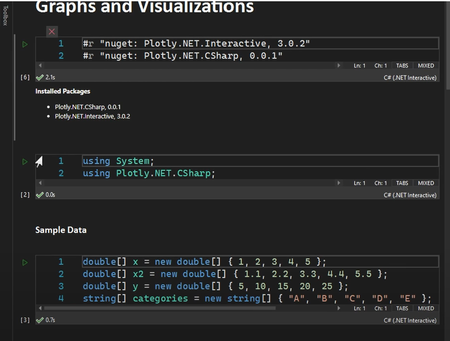
Getting Started Install Notebook Editor Extension: Notebook Editor - Visual Studio Marketplace C# 101 GitHub Repo dotnet/csharp-notebooks: Get started learning C# with C# notebooks powered by .NET Interactive and VS Code. (github.com) Machine Learning and .NET dotnet/csharp-notebooks: Get started learning C# with C# notebooks powered by .NET Interactive and VS Code. (github.com) .NET Interactive Notebooks for C# dotnet/csharp-notebooks: Get started learning C# with C# notebooks powered by .NET Interactive and VS Code. (github.com)16KViews0likes4CommentsBuild your first ML-Model with ML.NET Model Builder
Excited to dive into machine learning in .NET? With the aid of tools like ML.NET Model Builder and Visual Studio, it's a breeze. Here's a preview of the steps you'll take: 1. Download Visual Studio 2022 with .NET desktop development and ML.NET Model Builder. 2. Create a .NET console app named myMLApp. 3. Add a machine learning model named SentimentModel.mbconfig. 4. Choose the Data classification scenario. 5. Select Local (CPU) as the training environment. 6. Prepare and import your data. 7. Train the model. 8. Evaluate its performance. 9. Consume the model using provided code. 10. Run and debug to observe the results. Now you're all set to leverage ML.NET's prowess for predictive models in your .NET apps!14KViews3likes0CommentsCreating Tests with GitHub Copilot for Visual Studio
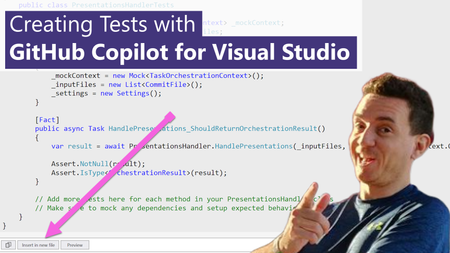
One of the recurring jokes in our industry is that developers are not very good at two things when coding: Documenting code, and creating unit tests. These are two areas where GitHub Copilot can help! Let's see how in the new short video that I just published.Referencing a file in GitHub Copilot for Visual Studio
A project never consists of one single file. In fact, most applications have multiple code files, as well as additional configuration files, test files, data and other helpers. In the new video we just posted, Gwyn "GPS" Peña-Siguenza shows how Copilot uses the "#" shortcut to add one or more files to the context.