user
2 Topics
Is there a way to hide settings or lock these settings?
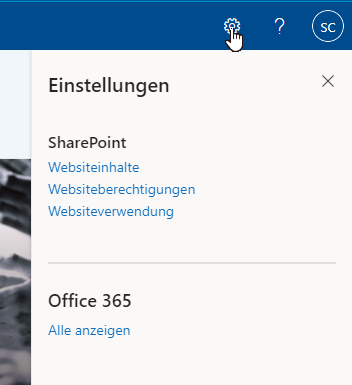
Hello Community! I have a question and that is for our sharepoint intranet site we have created a user and this is used for digital board monitor (touchscreen enabled) so that clients can view the site. The problem is the customers can go to this gear and log out the user or go to these settings and change something. But we don't want that. Is there somehow a solution for this ? Click on Gear - Settings Websiteinhalte = Website content Websiteberechtigungen = Website permissions Websiteverwendung = Website Usage Click on User Abmelden = Log Out Konto Anzeigen = View Account Mein Office-Profile = My Office-Profile Kind regards Oguzhan Okur791Views0likes1Comment
Adding a comment to a DevOps Work Item using a given user
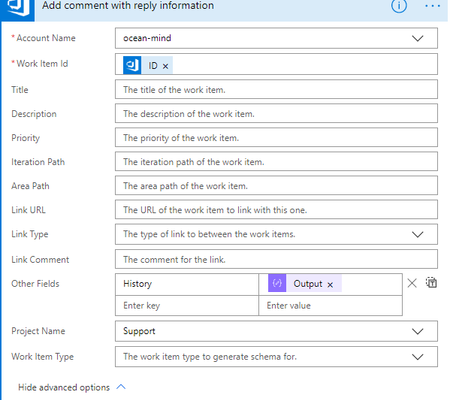
Second time writing this, as when trying to post the first time it gave me an error "invalid html" and discarded all my content -.- In Flow, I am using a DevOps - Update Work Item action, that updates a work item and adds a comment to it, using the Other Field "history" as the content of the comment. The problem is that the author is set to be the owner of the connection that the action is using, yet since the flow is triggering using an email, the author needs to be set dynamically using the email's author (provided he has an account in DevOps). How can I do this? Is there another name in "other fields" section, perhaps something like "Author" that I can use to set the author of the comment given the name, email or id from the email that started the flow? Screenshot: