troubleshooting
125 Topics
Determine Availability Group Synchronization State, Minimize Data Loss When Quorum is Forced
First published on MSDN on Nov 11, 2014 When Windows Cluster quorum is lost either due to a short term network issue, or a disaster causes long term down time for the server that hosted your primary replica, and forcing quorum is required in order to quickly bring your availability group resource online, a number of circumstances should be considered to eliminate or reduce data loss.9.2KViews0likes0CommentsLarge Transaction Interrupted by Failover, Secondary Database Reports REVERTING
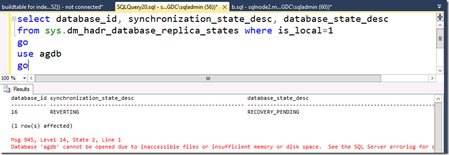
First published on MSDN on Nov 25, 2014 If a large transaction in an availability database on the primary replica is interrupted by a failover of the availability group, once failover has occurred, the database state on your secondary (old primary replica) reports to be in a NOT SYNCHRONIZING or REVERTING state for a long period of time.10KViews1like1CommentDiagnose Unexpected Failover or Availability Group in RESOLVING State
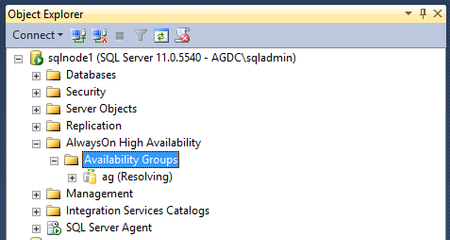
First published on MSDN on Nov 26, 2014 AlwaysOn availability groups use Windows Cluster to 1) detect the health of the SQL Server process that hosts the primary replica, and 2) to fail over the availability group resource, if configured to do so.38KViews0likes1CommentImproved AlwaysOn Availability Group Lease Timeout Diagnostics
First published on MSDN on Feb 23, 2016 When your AlwaysOn availability group is configured for automatic failover, you may find your availability group failed over, or if configured for manual failover, you may observe your availability group transition from the PRIMARY role to the RESOLVING role, during which users cannot access the availability group databases.23KViews0likes0Comments