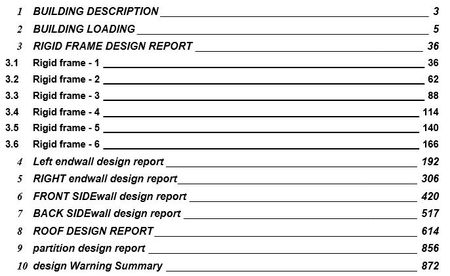
table of contents
4 Topics
Free 200-page Advanced Microsoft Word Tutorial for Theses, Reports and Publications
I am a professor at Ghent University in Belgium and I have written a free tutorial (200+ pages) on advanced Microsoft Word. The tutorial is useful for everybody who is writing larger documents, such as technical reports, MSc or PhD theses, publications, law documents, etc. Topics include: Paragraph styles Field codes (SEQ, STYLEREF, REF) Bookmarks and cross-references Equation numbering Multi-level lists Headers and footers Sections VBA macros Reference management Word XML structure PDF/A export The document is freely available and feedback is welcome. Here is the download link: https://composites.ugent.be/downloads.html Best regards, Wim VAN PAEPEGEM307Views2likes1Comment
Table Of Contents Formatting Not Matching Heading Style Formatting
In my word document (Microsoft Office Professional 2019 / .docx) all of the headings are setup using the Heading 1 style which is set for font= Arial, Size= 12, and BOLD is turned on. My table of contents is setup to use the Heading 1 style as shown: {TOC \h \z \t "Heading 1,1,Heading 2,2,Heading 3,3" } The table of contents works to capture all of the correct pages, however, where all of the headings in the document are done in all caps, the entries in the table of contents vary from all caps, all caps for the first word or two, to all lowercase as shown below. I've tried to update the Heading 1 style and then doing the "Update Field / Update Entire Table", but the text in the TOC stays the same.Solved13KViews1like2Comments