suggestion
270 Topics
Microsoft & Windows in Evolvement
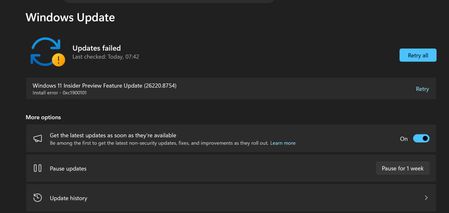
Ready? Evolve! It's time for a modular "Micore" architecture to fix Windows' legacy pain points (Updates, Registry, Kernel) Body: Hi fellow Insiders and Windows enthusiasts, As a long-time Windows user and developer, I love the OS, but I think we can all agree that the current architecture is showing its age. I’ve been thinking about a fundamental shift in how Windows is built, and I’d love to get your thoughts on this concept I’m calling "Micore". 🔴 The Problems We All Face: Fragile Updates: We've all seen updates fail (e.g., error 0x800f0922) due to legacy BCD conflicts or driver issues. Registry Bloat: The monolithic Registry is a single point of failure. It causes "DLL hell," leaves massive residual files after uninstallation, and is a nightmare to troubleshoot. Monolithic Kernel Limits: The legacy NT kernel structure makes it increasingly difficult to ensure absolute memory safety and seamless cross-device scalability. 💡 The Proposal: "Micore" (Modular Windows Core) I propose that Microsoft accelerates the transition to a fully modular, state-separated OS architecture. Let's call it Micore. This name isn't just a catchy brand; it represents three core pillars: Microsoft Core (Heritage): Honoring the 1975 founding vision ("Micro-Soft"), signaling a return to a lightweight, foundational core. Microkernel (Technical Accuracy): Reflecting the engineering reality of moving away from a monolithic legacy kernel toward a secure, modular microkernel architecture. My Core (User-Centric): In the AI/cloud era, the OS should be the user's personal, secure digital hub, not just a cold resource manager. 🚀 What "Micore" Would Look Like: Seamless A/B Updates: Like ChromeOS/Android. Install to an inactive partition, reboot to apply. If it fails, instant, invisible rollback. No more 0x800f0922. Death to the Registry: Modern, sandboxed apps would be forced to use isolated, modern config formats (JSON/TOML/SQLite). Uninstalling an app would mean 100% clean deletion of its folder. Rust-Native Security: A modular core makes it vastly easier to rewrite critical components in memory-safe languages like Rust, mathematically reducing the vulnerability surface. I know a transition of this magnitude is a massive undertaking and Microsoft has to balance backward compatibility. However, I believe embracing a "Micore" philosophy is the definitive path for Windows to remain the dominant, most reliable OS for the next 50 years. What do you all think? Is this a realistic direction for the future of Windows, or are we stuck with the legacy NT architecture forever? I hope discussions like this can help shape the future of Windows.30Views0likes0Comments
A Vision for Windows 12: Familiar Power Meets Modern Innovation
Dear Microsoft Windows Development Team and Community Hub, With the inevitable speculation around Windows 12, I wanted to share a comprehensive vision for the next iteration of Windows. The goal is to blend the best elements of past versions with modern needs, creating a truly powerful and personalizable operating system. Here’s what many users like myself are hoping to see: 1. A Revitalized Start Menu & Screen Fresh, Resizable Layout: A clearly divided Start Menu with dedicated zones: Account Area (top-left), Shortcut Area (far left for common folders), List Area (pinned, most-used, and suggested apps), and a Pinned Tiles Area (right side, four-column layout). It should be resizable by dragging its edges. Full-Screen Start Screen Option: A return of the full-screen Start that combines the easy-to-browse list from Windows 7 with the dynamic Windows 8.1-style Live Tiles, supporting both horizontal and vertical arrangements. Enhanced Tile Flexibility: Tiles in five sizes (small, medium, long, wide, large, tall) with smooth resizing animations. New customization options should include colorful, gradient, light, dark, transparent, and semi-transparent tones. Migration Friendly: When upgrading from Windows 7, 8.1, 10, or 11, all pinned apps and websites should automatically migrate. Copilot Integration: A dedicated, prominent Copilot Tile to highlight the AI assistant's role, perhaps with a new rainbow effect for visual flair. 2. A More Functional Taskbar & Search Comprehensive Taskbar: Featuring the Cortana icon, mobile devices, Start, Search, Task View, Chat, applications, and the system tray. Prominent Search Box: The search box should be more prominent, changing from a circle to a rectangular shape, serving as a stronger entry point. Flexible Search Menu: The search interface should be highly adjustable and consistent with the new Start menu's style. 3. Personalized User Experience Lock Screen Customization: Options for left or center-aligned date and time. New photo effects that highlight the main subject, allowing it to overlay the time. Windows Hello: Facial recognition that works while wearing a mask. Enhanced Widgets: Desktop Pinning: Widgets should be pinnable anywhere on the desktop, not just in a sidebar. Full-Screen Widgets Board: A full-screen mode with a widget panel on the left and news/feeds on the right, supporting up to six columns. New Widgets: Introduction of a 'Calendar', 'People', 'Microsoft Edge', 'Cortana Suggestions', and a dedicated 'Microsoft Store' widget. 4. Peak Productivity & Multitasking Task View & Virtual Desktops: A return to the mature Windows 10 experience, allowing windows to be dragged directly to other desktops in Task View. Timeline Returns: The Timeline feature should come back, including cross-device history. Classic Alt+Tab: The Windows 10 Alt+Tab window switcher experience should be restored. Supercharged Snap Assist: Enhanced Snap Layouts supporting up to 8 segments for large screens, with specific, intelligent layouts for ultrawide (21:9, 32:9) monitors. 5. Application & Ecosystem Evolution App Updates: New versions of Mail, Calendar, and People. The new Outlook app should fully support popular third-party email services like QQ, 163, and 126. A New Cortana: Multilingual support with the return of consumer skills (music control, smart home, third-party skills). It could be offered in two visual forms and power the 'Cortana Suggestions' widget. Screenshot Tool Upgrade: Should support full-screen recording. Media Player: The return of an appearance selector and support for live tiles. Microsoft Store Revamp: UWP Return: High-quality UWP and classic Metro apps should return to the store, with PWAs transitioning to UWP. Gaming Expansion: Addition of dedicated PlayStation and Nintendo Switch apps, including a Nintendo game section. 6. Visual & Nostalgic Enhancements Refined Aesthetics: Improved window transparency with a new glass effect, rounded rectangle system avatars, and a new top bar (weather, system tray, time). Dynamic wallpaper effects would be a welcome addition. Keep the Win11 Sound: The Windows 11 startup sound is great and should be retained. The "Bold Strategy" – Legacy Feature Return: To satisfy power users and nostalgia, consider the large-scale return of beloved features like MSN apps, Windows 7 Desktop Gadgets, Windows Media Center, Groove Music, HomeGroup, a significantly enhanced Tablet Mode, and Windows Ink Workspace. 7. Hardware, Compatibility & Core System Broad Controller Support: Native compatibility with DualShock 4/5, Joy-Con, and others. Android Subsystem (WSA) Return: WSA should return with a focus on fixing previous pain points, especially full-screen landscape app support. Separated Notification Center: The Notification Center and Calendar quick actions should be separated for a cleaner interface. "Next-Gen PC" Promise: Windows 12 should deliver on larger storage, longer battery life, more power, and enhanced security/stability. Enhanced Backup & Transfer: Windows Backup should expand to more regions and add support for backing up personal files and apps to external drives, including migration from old PCs or to new hard drives. 8. Core Versioning & Hardware Requirements A Fresh Start: Version 26H1, with an internal OS version reset to 12.0.0.0. Tiered Editions: Windows 12e (for education, 2GB RAM), Windows 12 (mainstream, 4GB RAM, removing strict TPM restrictions), and Windows 12 Ultra (flagship, 8GB RAM, unlocking all AI and performance features). Extensive Free Upgrade Path: A critical strategy, offering free upgrades from Windows 11 (including SE), Windows 10 (including S), Windows 8/8.1 (including RT), and Windows 7. Doubled Support Lifecycle: Home/Pro/Workstation: 24 months → 48 months. Enterprise/Education/IoT: 36 months → 72 months. In summary, we envision a Windows 12 that isn't afraid to learn from its rich history while pushing forward with modern innovation. It should be a system that respects user choice, empowers productivity, and welcomes everyone from legacy users to those with the latest hardware. If you like this vision and want to support it, you can upvote it here: https://aka.ms/AAylqhw Thank you for considering this feedback. Sincerely, A Passionate Windows User11KViews1like10CommentsCan we get Microsoft to make the CorePC modular OS into a windows 12 smooth experience?
Guys I was thinking microsoft should change the software architecture for windows on ARM devices since they chose to use a unified memory architecture and ram consumption is nuts, I thought we could maybe convince them into making it so that the Os they seem to be planning to make for arm devices is rlly lightweight and modular, if compatibility was an issue they could maybe make a wine-like compatibility layer that doesnt run unless the program is categorized as x64 rather than arm, like a "better prism" which is the current compatibility layer, and maybe make better use of the npu so it actually helps the OS rather than just idling there, unmenacingly, MICROSOFT TEAM IF U SEE THIS PLEASE DO I NEED THIS, THESE ARM DEVICES HAVE SO MUCH POTENTIAL BUT RIGHT NOW THEY ARE KINDA BAD PLEASEEEEEE, GET EM BOYS269Views0likes2CommentsWindows 10 Installation problem help
The installation process either gets stuck at a certain point or fails to complete entirely. I have tried different troubleshooting steps, but the problem persists. I need help understanding what might be causing this and how I can successfully install Windows 10 without errors. Any advice or solutions would be greatly appreciated as I am unable to use my computer properly due to this issue.235Views0likes2Comments
[Proposal] Windows Atomic: Triple-Kernel Isolation & AI-Master Engine
Technical Proposal: The Windows Atomic Concept A Strategic Document Combining Engineering Ingenuity with Commercial Viability General Definition Windows Atomic is a next-generation operating system based on the philosophy of "Atomic Partitioning." It is designed to end the era of sudden system crashes and performance degradation by decoupling system functions into three completely independent kernels. These kernels operate within protected, isolated environments, all managed by a Sovereign AI-Master Engine. Engineering Structure: The Triple-Kernel Shield Sovereign Kernel (SK) Nature: A highly protected and isolated environment, completely separated from the rest of the system. Function: The supreme authority for physical resource management (CPU/RAM). It strictly and physically allocates CPU threads and a RAM bridge for the Master Engine. Maintenance: Features a "Protected Maintenance Vault" designed to restore and repair the engine during the boot process. Microsoft Services Kernel (MSK) Nature: A protected, isolated environment dedicated to Microsoft add-ons and services (e.g., Copilot, Edge). Function: Operates on a "Zero-Idle" basis, meaning it consumes zero system resources unless an explicit request is made. Drivers & Apps Kernel (DAK) Nature: An active, protected environment for third-party drivers and user applications. Function: Acts as a "Safety Valve" to absorb and isolate driver errors or software conflicts, preventing them from affecting the core system. The AI Master Engine The AI Master Engine is a comprehensive operational unit responsible for managing, coordinating, requesting, and transmitting all data between the three kernels. Physical Hardware Reservation: Mid-Range Hardware (8th Gen): Reserves 2 Threads (Request/Delivery) and 512MB of RAM. Modern Hardware (13th/14th Gen+): Reserves 4 Threads (2 Requests / 2 Delivery) and 800MB to 1GB of RAM. Technical Goal: To ensure ultra-fast data transfer and prevent channel interference, achieving Zero Latency responsiveness. Strategic Update Lifecycle This architecture provides Microsoft with immense development flexibility without compromising system stability: Sovereign Kernel (Quarterly): Core updates are released every 3 months, focusing on deep stability and advanced security, allowing developers ample time for rigorous testing. Engine & Services (Monthly): Monthly security and feature updates for the Master Engine and Microsoft services to keep pace with new technologies without risking the "Heart" of the OS. Maintenance & Intelligent Diagnostics Boot-Time Restoration: Performs periodic audits of the engine's files before entering the OS. Any corrupted file is instantly replaced from the Maintenance Vault within the protected environment. Fault Identification: The engine precisely identifies the source of any conflict (specific driver or application), isolates it within its protected kernel, issues a transparent report to the user, and executes an automatic recovery. Technical Conclusion The Windows Atomic system ensures that the "Heart" remains protected and clean, while the Master Engine intelligently manages crises and physical resource allocation. This smart scheduling of updates ensures a perfect equilibrium between Continuous Innovation and Absolute Stability. Data Flow & Logical Architecture Diagram [ MS Services Kernel ] --- [ Reserved Request Paths ] ________________ [ Reserved Delivery Paths ] --- [ Sovereign Kernel ] (Protected Env) | | | | | | (Isolated Env) | | | AI-Powered | | | [ Drivers & Apps Kernel ]- [ Reserved Transfer Paths ]-- | Master Engine | -- [ Auto-Recovery Paths ] ---- [ Maintenance Vault ] (Protected Env) | | | | | | (Within Sovereign) |________________________| |________________| |_________________________| The Strategic Profitability & Adoption Roadmap for Windows Atomic Commercial Clause: The Adaptive Profit Model Instead of phasing out legacy hardware, Windows Atomic implements the "Adaptive Performance" principle to ensure market inclusivity and sustainable revenue. Phase I: The "Containment" Stage (Targeting 2 Billion Existing Devices) Universal Compatibility: The system is designed to support legacy hardware (minimum 4GB RAM) using the "Flexible Engine Mode." Profitability: Microsoft generates revenue through "Upgrade Licenses" or "Cloud-based AI Services." The system’s absolute stability—achieved via Kernel Isolation—extends the hardware lifecycle, converting users into long-term subscribers of the Microsoft ecosystem (Microsoft 365, Game Pass). Phase II: "Technical Excellence" (Subscription-Based Premium Features) Microsoft introduces periodic software enhancements for the Engine through a Subscription Model. These updates offer exclusive performance-tier features, such as a "20% Gaming Performance Boost" or "Ultra-Secure Banking Isolation," ensuring a consistent monthly recurring revenue (MRR). Phase III: The "Golden Alliance" (The 5-Year Strategic Plan) The "Atomic-Ready" Generation: In strategic partnership with hardware manufacturers, new components (Motherboards, CPUs) will be launched under the "Atomic Certified" brand. Consumer Incentive: This is an elective upgrade path. Users will be driven to purchase "Atomic Certified" hardware to unlock "Physical Reserved Paths," which enable system speeds up to 10x faster than standard software-based versions. Shared Revenue: Microsoft earns Licensing Fees for every hardware component sold bearing the "Atomic" certification. The Business Logic (The Hook) Microsoft secures a dual-win scenario: Immediate Value: By retaining the 2-billion-user base with a non-crashing, stable OS, Microsoft drastically reduces technical support overhead while maximizing service-side sales. Future Value: By creating a "Genuine Necessity" for hardware upgrades to fully utilize the Isolated Kernel and Physical Reserved Paths, revitalizing the global PC market. Final Addendum: Dynamic Profitability Strategy Maximum Compatibility: Windows Atomic maintains the massive 2-billion-device user base via the "Flexible Engine" architecture. Revenue Model: Driven by "Smart Engine" service tiers, software subscriptions, and hardware licensing fees for the "Atomic-Ready" hardware generation, positioned to dominate the market over the next five years. Final Conclusion: Under this logic, Microsoft avoids user churn. Instead, it establishes a Strategic Roadmap that guarantees sustained profitability and market leadership for the next decade. Conclusion: Shaping the Future of Windows Together Windows Atomic is not just a proposal for UI tweaks or cosmetic features; it is a call to rethink the very "core" of the operating system millions rely on. We are moving from a system that "struggles to stay stable" to one "built on absolute reliability" through isolated kernel architecture and a smart engine. This proposal balances the engineering ambition for peak performance with corporate goals for sustainable profitability, all while keeping millions of existing devices at the heart of the ecosystem. I invite my fellow experts, system architects, and tech enthusiasts in this community to share their thoughts: Do you believe that "Physical Path Isolation" is the ultimate solution to end driver conflicts and prevent system file corruption forever? How do you foresee the impact of the "AI-Master Engine" on gaming performance and professional productivity? Your engagement, feedback, and support—through comments or upvotes—are what will carry our voice to the core development team at Microsoft. Let us usher in a new era where Windows is synonymous with "Absolute Reliability." Thank you for your time and trust. engineer122Solved360Views0likes2CommentsWhy new design of MS Edge shows less items on the Workspaces selection list?
I have some 9 frequently used workspaces. When I want to open one of them only 6 are listed so I often must catch the narrow scrollbar to spot and select the right one. When trying to point to the scrollbar I often miss-click one of them. I'd prefer the list to be longer and the blank space between items smaller. Also it is very handy that icons there are respectively colored but it is just narrow lines. If the color appeared at a bigger surface it would be easier to spot the right one (like e.g. if one of the 3 sheets of the icon was filled). Mabye, making the list size parametrizable (6/12/24) or making the second line with tab count just optional (detailed/compact list layout) would solve this inconvenience. Thanks. (Sorry, my company blocked posting feedback from MS Edge directly. That's why I am asking here.)107Views0likes0CommentsGeneral Improvements to Windows and Apps
I’ve been thinking about how Windows could improve, especially around Fluent Design. I wrote down six ideas that I’d love to hear opinions on. I will be sharing them here to see what you all think: 1: Two branches for Windows and content updates; Trying to please everyone with a single version of Windows is difficult, so Microsoft could maintain two official branches of the system: a “Vintage Windows” (like Windows 10), for those who prefer the classic interface and a more traditional look, with extended support indefinitely. And a “Modern Windows” (Windows 11), consistent with Fluent Design, constantly updated, and focused on introducing new features. Both would use the same kernel and APIs for developer compatibility. This approach would offer users greater freedom of choice and demonstrate that a trillion-dollar company is dedicating teams to simultaneously deliver traditional features and modernity. I’ve seen many people complain about the lack of consistency and lack of content. Additionally, I miss feature updates for Windows and hope that Microsoft brings more flexibility, apps, and Fluent 2-style fixes in future updates. And, yes, this would increase the efforts and costs, but it's a cost that a trillionary company could take. 2: Modern Flyouts and Windows volume limits; In Windows 11, the multimedia controls displayed by apps like Fluent Flyouts are very limited; they only allow you to pause or skip tracks, with no option to adjust the volume or use repeat or shuffle buttons. This makes the experience less convenient compared to Android, where users can control the app’s volume or the music’s volume separately, and the operating system allows third-party apps to do so. My suggestion is that Microsoft should be more flexible and give apps like Modern Flyout the ability to adjust the volume, so you could turn the music up or down without affecting the overall system volume. Honestly, it’s surprising that something as basic as this hasn’t been implemented yet in the most widely used operating system. 3: Lack of flexibility in the Windows 11 search bar; It’s unbelievable that even in Windows 11, the system still limits users and developers to a rigid and impractical search bar. Apps like Fluent Search, Flow Search, and Everything Toolbar are much faster and more powerful, but they’re confined to taskbar icons or floating search bars, while the native search bar takes up space without offering the same efficiency. Microsoft needs to be more flexible and release an API that allows third-party apps to appear as a search bar directly on the taskbar. This isn’t a complex feature; it’s something simple and obvious that should already exist. If the official search bar itself isn’t improved, the least they could do is give other apps the freedom to offer a superior experience. It’s frustrating to see Windows remain limited in such basic aspects, while other systems offer more modern and practical solutions. Microsoft needs to listen to users and stop holding Windows back with an outdated model. 4: Windows Task Scheduler and other menus and tools need to be updated The native Windows Task Scheduler is completely outdated and inconsistent with the Fluent 2 style. Independent projects like the Fluent Task Scheduler show that it’s possible to have a modern, organized, and much more user-friendly interface. It’s frustrating that these apps have to coexist with outdated system tools, without being able to replace them or integrate with the system. Microsoft, as a trillion-dollar company, should invest in modernizing its own utilities or hire independent developers who have already proven capable of creating superior solutions, such as the Fluent Task Scheduler. The lack of visual and functional consistency in Windows is glaring and needs to be addressed 5: Lack of flexibility in naming user folders Compared to the Android system; Windows is very inflexible and lacks practicality in many ways. Here’s one example: C:\Users\eagl<- Here for example, I can’t correct my name—which would simply involve adding an “e”—; I have to create an entirely new account and move all my files to that account because of a typo. This should be a basic and simple fix. On Android, I was already so used to the system’s practicality that when I switched to Windows—which was supposed to be a more robust and powerful system—I was surprised to find it lacks even such a basic feature. 6: Differences in user experience between home and business users, and inconsistencies in Fluent 2; Microsoft seems to be focusing more and more on businesses, consistently applying Fluent 2 to apps like Teams, Outlook, and Office, while everyday users are left with a Windows full of outdated and inconsistent menus. This contradicts the marketing that promotes Fluent 2 as the standard, yet is frequently violated by the official apps themselves. It’s frustrating to see that Microsoft can’t deliver on its promises. If it really wants to preserve old elements for the sake of businesses, then it should separate the systems: a legacy one for compatibility and a modern one for home users. Or, at the very least, adhere to the Fluent 2 style across all of Windows. I love Fluent 2 and really want to see significant progress in this area, but seeing that Microsoft itself hasn’t made much effort in this regard has been a disappointment. The trillion-dollar company that talks so much about innovation shouldn’t be delivering a fragmented and outdated system. 7: Digital Wellness and productivity; Microsoft should make a native app with fluent style to help users watch their screen/app time. In 2026 there haven't any app that's free, solid and that feels native in Windows 11, because there aren't any API for that. Apps like Activity Watch for some reason don't work in my PC and apps like SolidTime are paid and not really fluent. Naturally, something like this should be made by Microsoft itself. Android has it since the beginning, why Windows doesn't have it yet?464Views3likes4Comments