sharepoint
4121 TopicsCopilot, Microsoft 365 & Power Platform Community call
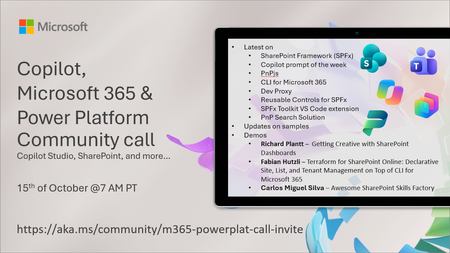
💡 Copilot, Microsoft 365 & Power Platform weekly community call focuses on different use cases and features within the Microsoft 365 and Power Platform - across Microsoft 365 Copilot, Copilot Studio, SharePoint, Power Apps and more. Demos in this call are presented by the community members. 👏 Looking to catch up on the latest news and updates, including cool community demos, this call is for you! 📅 On 15th of October we'll have following agenda: Latest on SharePoint Framework (SPFx) Latest on Copilot prompt of the week PnPjs CLI for Microsoft 365 Dev Proxy Reusable Controls for SPFx SPFx Toolkit VS Code extension PnP Search Solution Demos this time Richard Plantt – Getting Creative with SharePoint Dashboards Fabian Hutzli – Terraform for SharePoint Online: Declarative Site, List, and Tenant Management on Top of CLI for Microsoft 365 Carlos Miguel Silva – Awesome SharePoint Skills Factory 📅 Download recurrent invite from https://aka.ms/community/m365-powerplat-dev-call-invite 📞 & 📺 Join the Microsoft Teams meeting live at https://aka.ms/community/m365-powerplat-dev-call-join 💡 Building something cool for Microsoft 365 or Power Platform (Copilot, SharePoint, Power Apps, etc)? We are always looking for presenters - Volunteer for a community call demo at https://aka.ms/community/request/demo 👋 See you in the call! 📖 Resources: Previous community call recordings and demos from the Microsoft Community Learning YouTube channel at https://aka.ms/community/youtube Microsoft 365 & Power Platform samples from Microsoft and community - https://aka.ms/community/samples Microsoft 365 & Power Platform community details - https://aka.ms/community/home 🧡 Sharing is caring!4Views0likes0CommentsCopilot Extensibility community call - October 2026
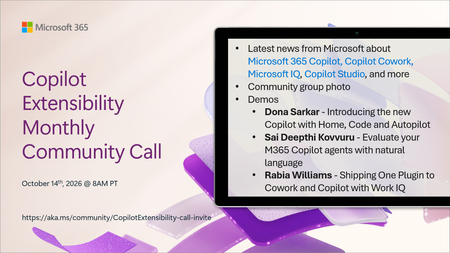
🚀 The Copilot Extensibility Monthly Community Call is a recurring virtual gathering designed to keep the global developer and maker community consistently connected, informed, and engaged with the latest advancements in Microsoft 365 Copilot, Copilot Cowork, Microsoft Scout, GitHub Copilot, Microsoft IQ, etc. and their extensibility ecosystem. 👏 Monthly Wednesday call is for all community members to see Microsoft PMs, engineering and Cloud Advocates showcasing the art of possible with the Microsoft AI technologies. 📅 On the 14th of October we'll have following agenda: News and updates from Microsoft Community group photo Dona Sarkar – Introducing the new Copilot with Home, Code and Autopilot Sai Deepthi Kovvuru - Evaluate your M365 Copilot agents with natural language Rabia Williams - Shipping One Plugin to Cowork and Copilot with Work IQ 📞 & 📺 Join the Microsoft Teams meeting live at https://aka.ms/community/CopilotExtensibility-call-join 🗓️ Download recurrent invite for this weekly call from https://aka.ms/community/CopilotExtensibility-call-invite 👋 See you in the call! 💡 Building something cool with Microsoft AI technologies (Copilot, Cowork, Copilot Studio, Microsoft IQ, etc)? We are always looking for presenters - Volunteer for a community call demo at https://aka.ms/community/request/demo 📖 Resources: Previous community call recordings and demos from the Microsoft Community Learning YouTube channel at https://aka.ms/community/youtube Labs and training material about Microsoft 365 Copilot Extensibility - https://aka.ms/copilotdevcamp Microsoft 365 & Power Platform samples from Microsoft and community - https://aka.ms/community/samples Microsoft 365 & Power Platform community details - https://aka.ms/community/home 🧡 Sharing is caring!5Views0likes0CommentsCopilot, Microsoft 365 & Power Platform product updates call
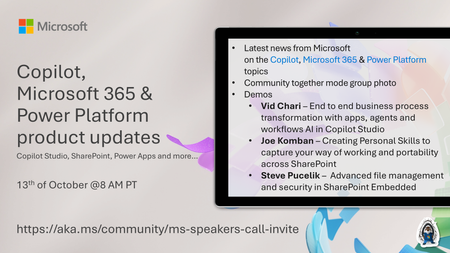
💡Copilot, Microsoft 365 & Power Platform product updates call concentrates on the different use cases and features within the Microsoft 365 and in Power Platform. Call includes topics like Microsoft 365 Copilot, Copilot Studio, Microsoft Teams, Power Platform, Microsoft Graph, Microsoft Viva, Microsoft Search, Microsoft Lists, SharePoint, Power Automate, Power Apps and more. 👏 Weekly Tuesday call is for all community members to see Microsoft PMs, engineering and Cloud Advocates showcasing the art of possible with Microsoft 365 and Power Platform. 📅 On the 13th of October we'll have following agenda: News and updates from Microsoft Together mode group photo Vid Chari – End to end business process transformation with apps, agents and workflows AI in Copilot Studio Joe Komban – Creating Personal Skills to capture your way of working and portability across SharePoint Steve Pucelik – Advanced file management and security in SharePoint Embedded 📞 & 📺 Join the Microsoft Teams meeting live at https://aka.ms/community/ms-speakers-call-join 🗓️ Download recurrent invite for this weekly call from https://aka.ms/community/ms-speakers-call-invite 👋 See you in the call! 💡 Building something cool for Microsoft 365 or Power Platform (Copilot, SharePoint, Power Apps, etc)? We are always looking for presenters - Volunteer for a community call demo at https://aka.ms/community/request/demo 📖 Resources: Previous community call recordings and demos from the Microsoft Community Learning YouTube channel at https://aka.ms/community/youtube Microsoft 365 & Power Platform samples from Microsoft and community - https://aka.ms/community/samples Microsoft 365 & Power Platform community details - https://aka.ms/community/home 🧡 Sharing is caring!8Views0likes0Comments
Tired of Excel exports, Power BI, or separate web parts for charts? Try in-place list visuals.
Hi Microsoft Tech Community, If you manage operational data in SharePoint Lists, you know the drill: your data is accurate and updated, but presenting it visually usually means leaving SharePoint entirely or navigating away from the list itself. Whether it is exporting raw data to Excel, setting up and embedding custom SPFx web parts on separate pages, or configuring full Power BI reports just for basic charts, the process often feels like overkill for quick, everyday reporting. I would love to open a discussion around Graphify—a solution designed specifically to eliminate these extra steps by bringing instant, interactive charts directly inside SharePoint Lists. Why In-Place Visual Analytics Matter: • Zero-Setup Data Decoding: Automatically reads list schemas, column types, and formatted fields to generate meaningful charts instantly—no manual dataset mapping required. • Beyond Basic List Formatting & Web Parts: Replaces clunky custom web parts and limited list formatting options with dynamic visual cards right where your data lives. • 100% Native In-Place Security: All analytics render securely within your tenant; your data never leaves your SharePoint environment. • Rich Customization & Exporting: - Automated Trend & Performance Insights: Instantly highlight highs, lows, and distribution patterns across list records. - Custom Color & Column Controls: Align chart visuals directly with your list styling and brand palette. - One-Click Export: Save chart views as images or embed them seamlessly onto SharePoint communication and team pages. Try It Out: Interactive Free Playground Instead of reading through docs or scheduling a demo, you can test how the interface and chart rendering work in real-time using simulated list data in our live playground. Explore Graphify & Test the Interactive Playground Here: https://tenantforge.cloud/sharepoint/graphify Discussion Questions for the Community: 1. What is your current go-to for list reporting: Power BI, custom SPFx web parts, standard view formatting, or Excel exports? 2. Where do existing M365 list visualization options fall short for your end users? 3. How critical is keeping visual reporting in-place within the SharePoint List experience versus sending users to separate reporting pages or dashboards? Looking forward to hearing how other admins, developers, and power users are handling list visualizations!23Views0likes0CommentsArchive Old Teams Channel Email Files with Microsoft 365 Archive
The File-level archiving API supports any file stored in a SharePoint Online document library, including the emails sent to Teams channels and stored in folders where the email files often disappear from view, occupying valuable storage quietly and without fuss. Finding and moving the email files to Microsoft 365 Archive makes sense because it saves on storage and stops AI tools using old email to generate responses. Here’s how to archive old email files with PowerShell. https://office365itpros.com/2026/10/06/file-level-archiving-teams/28Views0likes0CommentsCopilot, Microsoft 365 & Power Platform Community call
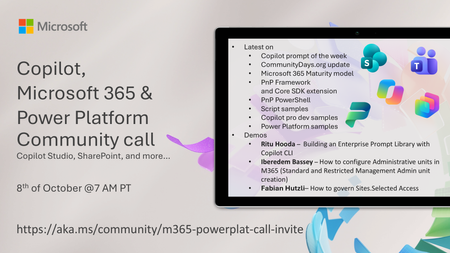
💡 Copilot, Microsoft 365 & Power Platform weekly community call focuses on different use cases and features within the Microsoft 365 and Power Platform - across Microsoft 365 Copilot, Copilot Studio, SharePoint, Power Apps and more. Demos in this call are presented by the community members. 👏 Looking to catch up on the latest news and updates, including cool community demos, this call is for you! 📅 On 8th of October we'll have following agenda: Latest news and events from Microsoft Topics Copilot prompt of the week CommunityDays.org update Microsoft 365 Maturity model PnP Framework and Core SDK extension PnP PowerShell Script samples Copilot pro dev samples Power Platform samples Demos this time Ritu Hooda – Building an Enterprise Prompt Library with Copilot CLI Iberedem Bassey – How to configure Administrative units in M365 (Standard and Restricted Management Admin unit creation) Fabian Hutzli – How to govern Sites.Selected Access 📅 Download recurrent invite from https://aka.ms/community/m365-powerplat-dev-call-invite 📞 & 📺 Join the Microsoft Teams meeting live at https://aka.ms/community/m365-powerplat-dev-call-join 💡 Building something cool for Microsoft 365 or Power Platform (Copilot, SharePoint, Power Apps, etc)? We are always looking for presenters - Volunteer for a community call demo at https://aka.ms/community/request/demo 👋 See you in the call! 📖 Resources: Previous community call recordings and demos from the Microsoft Community Learning YouTube channel at https://aka.ms/community/youtube Microsoft 365 & Power Platform samples from Microsoft and community - https://aka.ms/community/samples Microsoft 365 & Power Platform community details - https://aka.ms/community/home 🧡 Sharing is caring!190Views0likes0CommentsCopilot, Microsoft 365 & Power Platform product updates call
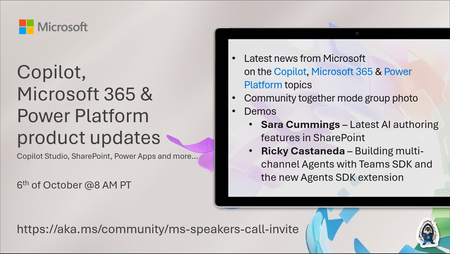
💡Copilot, Microsoft 365 & Power Platform product updates call concentrates on the different use cases and features within the Microsoft 365 and in Power Platform. Call includes topics like Microsoft 365 Copilot, Copilot Studio, Microsoft Teams, Power Platform, Microsoft Graph, Microsoft Viva, Microsoft Search, Microsoft Lists, SharePoint, Power Automate, Power Apps and more. 👏 Weekly Tuesday call is for all community members to see Microsoft PMs, engineering and Cloud Advocates showcasing the art of possible with Microsoft 365 and Power Platform. 📅 On the 6th of October we'll have following agenda: News and updates from Microsoft Together mode group photo Sara Cummings – Latest AI authoring features in SharePoint Ricky Castaneda – Building multi-channel Agents with Teams SDK and the new Agents SDK extension 📞 & 📺 Join the Microsoft Teams meeting live at https://aka.ms/community/ms-speakers-call-join 🗓️ Download recurrent invite for this weekly call from https://aka.ms/community/ms-speakers-call-invite 👋 See you in the call! 💡 Building something cool for Microsoft 365 or Power Platform (Copilot, SharePoint, Power Apps, etc)? We are always looking for presenters - Volunteer for a community call demo at https://aka.ms/community/request/demo 📖 Resources: Previous community call recordings and demos from the Microsoft Community Learning YouTube channel at https://aka.ms/community/youtube Microsoft 365 & Power Platform samples from Microsoft and community - https://aka.ms/community/samples Microsoft 365 & Power Platform community details - https://aka.ms/community/home 🧡 Sharing is caring!154Views0likes0Comments
SharePoint - Stop sharing - new behavior or new bug?
It used to be possible for a user with Contribute permission in a library to upload a file, share it, and the stop sharing it. The result of sharing the file would be that unique permisions then apply to the file. That is, it would no longer inherit permissions from its parent container. If the user then stopped sharing the file, permisisons would be reset and again inherit permissions. This behavior has very recently changed. The person with Contribute permission who shared it can no longer stop sharing it (the Stop sharing button is grayed out). Only someone with Full Control permission can stop sharing it, and if they do, permissions for all members are removed from the fiile except for the site owners group. A user reported this new behavior to me after accidentally sharing with the wrong person, and being unable to undo their mistake. Anyone else concur with my understanding of this being a new behavior?97Views0likes2Comments
MCP Integration for OneDrive/SharePoint
Hi OneDrive Team, I'm reaching out to explore Model Context Protocol (MCP) server integration for OneDrive and SharePoint. I am looking to integrate OneDrive/SharePoint data access into ThoughtSpot application using MCP solution. Are there existing MCP server implementations (official or community-driven) for OneDrive/SharePoint? If available, what are the connection endpoints and authentication details needed to set up the MCP server? If no MCP server currently exists, are there any upcoming plan on this and is there any alternate recommended approach present. Also could you please provide a SPOC from your team who can support further discussions and technical guidance on this integration? I'd like to schedule a follow-up conversation to explore the best path forward and discuss the use case. Thanks in advance for your help.143Views0likes0Comments