security
5419 Topics
Device Guard
I'm running into an issue running downloaded binaries in a Windows Sandbox. The error indicates that the Device Guard feature is protecting my system. How do I override this protection? Is there an interactive security control, or perhaps a registry variable, that applies? My research thus far has located a method for establishing Code Integrity Policies. Is this an aid to this problem? Thanks in advance.20Views0likes1CommentUpcoming IT Management and Security in the AI Era events on Tech community!
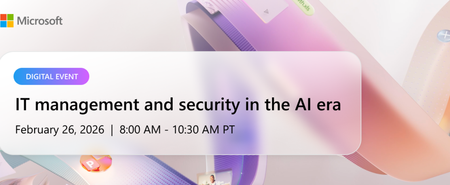
We’re excited to invite you to IT Management and Security in the AI Era, on Thursday, February 26th, from 8:00AM to 10:30 AM Pacific. This digital event is designed to help IT and security professionals answer questions with clarity and confidence, grounded in the latest Microsoft 365 Copilot capabilities and controls. What to expect IT Management and Security in the AI Era brings together insights, demos, and deep dives from Microsoft experts, giving you a practical understanding of how to prepare your environments for Copilot and agents while managing risks responsibly. Topics covered include: Built-in protections in the Copilot platform that help proactively safeguard your organization Practical ways to reduce exposure to common attack vectors in an increasingly AI-driven digital workplace Technical guidance for protecting sensitive data while maintaining productivity Best practices for managing AI agents and controlling costs Measurement, analytics, and usage insights to understand adoption and business impact Guidance on enabling users and assessing the value of Microsoft 365 Copilot and agents across your organization Continue reading and register here!56Views1like0CommentsSecurity baseline for Windows Server 2025, version 2602
Microsoft is pleased to announce the February 2026 Revision (v2602) of the security baseline package for Windows Server 2025! You can download the baseline package from the Microsoft Security Compliance Toolkit, test the recommended configurations in your environment, and customize / implement them as appropriate. Summary of Changes in This Release This release includes several changes made since the Security baseline for Windows Server 2025, version 2506 to further assist in the security of enterprise customers along with better aligning with the latest capabilities and standards. The changes include what is now depicted in the table below. Security Policy Change Summary Configure the behavior of the sudo command Configured as Enabled: Disabled on both MS and DC Configure Validation of ROCA-vulnerable WHfB keys during authentication Configured as Enabled: Block on DC to block Windows Hello for Business (WHfB) keys that are vulnerable to the Return of Coppersmith's attack (ROCA) Disable Internet Explorer 11 Launch Via COM Automation Configured as Enabled to prevent legacy scripts and applications from programmatically launching Internet Explorer 11 using COM automation interfaces Do not apply the Mark of the Web tag to files copied from insecure sources Configured as Disabled on both MS and DC Network security: Restrict NTLM: Audit Incoming NTLM Traffic Configured as Enable auditing for all accounts on both MS and DC Network security: Restrict NTLM: Audit NTLM authentication in this domain Configured as Enable all on DC Network security: Restrict NTLM: Outgoing NTLM traffic to remote servers Configured as Audit all on both MS and DC NTLM Auditing Enhancements Already enabled by default to improve visibility into NTLM usage within your environment Prevent downloading of enclosures Remove from the baseline as it is not applicable for Windows Server 2025. It depends on IE – RSS feed Printer: Configure RPC connection settings Enforce the default, RPC over TCP with Authentication Enabled, on both MS and DC Printer: Configure RPC listener settings Configure as RPC over TCP | Kerberos on MS Printer: Impersonate a client after authentication Add RESTRICTED SERVICES\PrintSpoolerService to allow the Print Spooler’s restricted service identity to impersonate clients securely Configure the behavior of the sudo command Sudo for Windows can be used as a potential escalation of privilege vector when enabled in certain configurations. It may allow attackers or malicious insiders to run commands with elevated privileges, bypassing traditional UAC prompts. This is especially concerning in environments with Active Directory or domain controllers. We recommend to configuring the policy Configure the behavior of the sudo command (System) as Enabled with the maximum allowed sudo mode as Disabled to prevent the sudo command from being used. Configure Validation of ROCA-vulnerable WHfB keys during authentication To mitigate Windows Hello for Business (WHfB) keys that are vulnerable to the Return of Coppersmith's attack (ROCA), we recommend enabling the setting Configure Validation of ROCA-vulnerable WHfB keys during authentication (System\Security Account Manager) in a Block mode in domain controllers. To ensure there are no incompatible devices/orphaned/vulnerable keys in use that will break when blocked, please see Using WHfBTools PowerShell module for cleaning up orphaned Windows Hello for Business Keys - Microsoft Support. Note: A reboot is not required for changes to this setting to take effect. Disable Internet Explorer 11 Launch Via COM Automation Similar to the Windows 11 version 25H2 security baseline, we recommend disabling Internet Explorer 11 Launch Via COM Automation (Windows Components\Internet Explorer) to prevent legacy scripts and applications from programmatically launching Internet Explorer 11 using COM automation interfaces such as CreateObject("InternetExplorer.Application"). Allowing such behavior poses a significant risk by exposing systems to the legacy MSHTML and ActiveX components, which are vulnerable to exploitation. Do not apply the Mark of the Web tag to files copied from insecure sources We have included the setting Do not apply the Mark of the Web tag to files copied from insecure sources (Windows Components\File Explorer) configured as Disabled, which is consistent with Windows 11 security baseline. When this configuration is set to Disabled, Windows applies the Mark of the Web (MotW) tag to files copied from locations classified as Internet or other untrusted zones. This tag helps enforce additional protections such as SmartScreen checks and Office macro blocking, reducing the risk of malicious content execution. NTLM Auditing As part of our ongoing effort to help customers transition away from NTLM and adopt Kerberos for a more secure environment, we introduce new recommendations to strengthen monitoring and prepare for future NTLM restrictions on Windows Server 2025. Configure Network security: Restrict NTLM: Audit Incoming NTLM Traffic (Security Options) to Enable auditing for all accounts on both member servers and domain controllers. When enabled, the server logs events for all NTLM authentication requests that would be blocked once incoming NTLM traffic restrictions are enforced. Configure Network security: Restrict NTLM: Audit NTLM authentication in this domain (Security Options) to Enable all on domain controllers. This setting logs NTLM pass-through authentication requests from servers and accounts that would be denied when NTLM authentication restrictions are applied at the domain level. Configure Outgoing NTLM traffic to remote servers (Security Options) to Audit all on both member servers and domain controllers to log an event for each NTLM authentication request sent to a remote server, helping identify servers that still receive NTLM traffic. In addition, there are two new NTLM auditing capabilities enabled by default that were recently introduced in Windows Server 2025 and Windows 11 version 25H2. These enhancements provide detailed audit logs to help security teams monitor and investigate authentication activity, identify insecure practices, and prepare for future NTLM restrictions. Since these auditing improvements are enabled by default, no additional configuration is required, and thus the baseline does not explicitly enforce them. For more details, see Overview of NTLM auditing enhancements in Windows 11 and Windows Server 2025. Prevent Downloading of Enclosures The policy Prevent downloading of enclosures (Windows Components\RSS Feeds) has been removed from the Windows Server 2025 security baseline. This setting is not applicable to Windows Server 2025 because it depends on Internet Explorer functionality for RSS feeds. Printer security enhancements There are two new policies in Windows Server 2025 designed to significantly improve security posture of printers: Require IPPS for IPP printers (Printers) Set TLS/SSL security policy for IPP printers (Printers) Enabling these policies may cause operational challenges in environments that still rely on IPP or use self-signed or locally issued certificates. For this reason, these policies are not ter enforced in the Windows Server 2025 security baseline. However, we do recommend customers transition out of IPP or self-signed certificates and restricting them for a more secure environment. In addition, there are some changes to printer security Added RESTRICTED SERVICES\PrintSpoolerServiceto the Impersonate a client after authentication (User Rights Assignments) policy for both member servers and domain controllers, consistent with security baseline for Windows 11 version 25H2. Enforced the default setting for Configure RPC connection settings (Printers) to always use RPC over TCP with Authentication Enabled on both member servers and domain controllers. This prevents misconfiguration that could introduce security risks. Raised the security bar of the policy Configure RPC listener settings (Printers) from Negotiate (default) to Kerberos on member servers. This change encourages customers to move away from NTLM and adopt Kerberos for a more secure environment. Secure Boot certificate update To help organizations deploy, manage, and monitor the Secure Boot certificate update, Windows includes several policy settings under Administrative Templates\Windows Components\Secure Boot. These settings are deployment controls and aids. Enable Secure Boot Certificate Deployment allows an organization to explicitly initiate certificate deployment on a device. When enabled, Windows begins the Secure Boot certificate update process the next time the Secure Boot task runs. This setting does not override firmware compatibility checks or force updates onto unsupported devices. Automatic Certificate Deployment via Updates controls whether Secure Boot certificate updates are applied automatically through monthly Windows security and non‑security updates. By default, devices that Microsoft has identified as capable of safely applying the updates will receive and apply them automatically as part of cumulative servicing. If this setting is disabled, automatic deployment is blocked and certificate updates must be initiated through other supported deployment methods. Certificate Deployment via Controlled Feature Rollout allows organizations to opt devices into a Microsoft‑managed Controlled Feature Rollout for Secure Boot certificate updates. When enabled, Microsoft assists with coordinating deployment across enrolled devices to reduce risk during rollout. Devices participating in a Controlled Feature Rollout must have diagnostic data enabled. Devices that are not enrolled will not participate. Secure Boot certificate updates depend on device firmware support. Some devices have known firmware limitations that can prevent updates from being applied safely. Organizations should test representative hardware, monitor Secure Boot event logs, and consult the deployment guidance at https://aka.ms/GetSecureBoot for detailed recommendations and troubleshooting information. SMB Server hardening feature SMB Server has been susceptible to relay attacks (e.g., CVE-2025-55234), and Microsoft has released multiple features to protect against the relay attacks including SMB Server signing, which can be enabled with the setting of Microsoft network server: Digitally sign communications (always) (Security Option) SMB Server extended protection for authentication (EPA), which can be enabled with the setting of Microsoft network server: Server SPN target name validation level (Security Option) To further support customers to adopt these SMB Server hardening features, in the September 2025 Security Updates, Microsoft has released support for Audit events, across all supported in-market platforms, to audit SMB client compatibility for SMB Server signing as well as SMB Server EPA. These audit capabilities can be controlled via the two policies located at Network\Lanman Server Audit client does not support signing Audit SMB client SPN support This allows you to identify any potential device or software incompatibility issues before deploying the hardening measures that are already supported by SMB Server. Our recommendation is For domain controllers, the SMB signing is already enabled by default so there is no action needed for hardening purposes. For member servers, first enabling the two new audit features to assess the environment and then decide whether SMB Server Signing or EPA should be used to mitigate the attack vector. Please let us know your thoughts by commenting on this post or through the Security Baseline Community.Ask Microsoft Anything: Purview Data Security Investigations Part 2
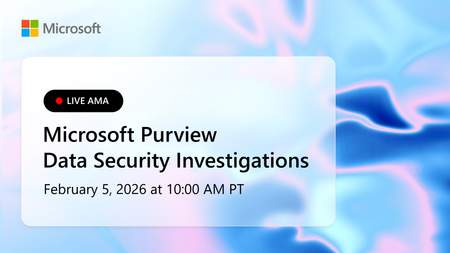
Microsoft Purview Data Security Investigations is now generally available! Data Security Investigations enables customers to quickly uncover and mitigate data security and sensitive data risks buried in their data using AI‑powered deep content analysis—both proactively and reactively. With Data Security Investigations, security teams can identify investigation-relevant data, analyze it at scale with AI, and mitigate uncovered risks in a single unified solution. By streamlining complex, time‑consuming investigative workflows, organizations can move from signal to insight in hours rather than weeks or months. Whether you're responding to an active data security incident or proactively assessing data exposure, DSI gives data security teams the clarity, speed, and confidence to investigate data risk in today's threat landscape. Join us for an AMA with the team that developed Microsoft Purview's newest solution to go over new features, our refined business model and more! What is an AMA? An 'Ask Microsoft Anything' (AMA) session is an opportunity for you to engage directly with Microsoft employees! This AMA will consist of a short presentation followed by taking questions on-camera from the comment section down below! Ask your questions/give your feedback and we will have our awesome Microsoft Subject Matter Experts engaging and responding directly in the video feed. We know this timeslot might not work for everyone, so feel free to ask your questions at any time leading up to the event and the experts will do their best to answer during the live hour. This page will stay up so come back and use it as a resource anytime. We hope you enjoy!4.1KViews10likes23CommentsArchitecting Microsoft 365 Environments for Multi-National Enterprises: Lessons from the Field
Introduction In today’s global economy, enterprises rely on Microsoft 365 to empower seamless collaboration across borders. However, deploying and securing multi-national M365 environments introduces complex technical, operational, and compliance challenges. With over two decades architecting cloud environments across the Americas, EMEA and APAC, I’ve led numerous deployments and migrations requiring hybrid identity resilience, data sovereignty compliance, and global operational continuity. This article presents field-tested lessons and strategic best practices to guide architects and IT leaders in designing robust, compliant, and scalable Microsoft 365 environments for multi-national operations. Key Challenges in Multi-National M365 Deployments 1. Hybrid Identity Complexity Managing synchronization between on-premises Active Directory and Azure AD becomes exponentially complex across regions. https://learn.microsoft.com/en-us/azure/active-directory/hybrid/whatis-hybrid-identity can introduce replication delays and login failures if not properly planned. Tip: Always assess latency impact on Kerberos authentication, token issuance, and Azure AD Connect synchronization cycles. 2. Data Residency and Compliance Many countries enforce strict data sovereignty laws restricting where personal and sensitive data can reside. Selecting tenant regions and enabling https://learn.microsoft.com/en-us/microsoft-365/enterprise/microsoft-365-multi-geo?view=o365-worldwide become critical to avoid compliance violations. Impact Example: A financial institution with European operations faced potential GDPR breaches until Multi-Geo was implemented to ensure Exchange Online and OneDrive data remained within EU boundaries. 3. Licensing and Cost Control Balancing E3, E5, and F3 licenses across countries with varying user roles and local currencies adds administrative and financial complexity. Best Practice: Implement https://learn.microsoft.com/en-us/azure/active-directory/enterprise-users/licensing-groups-assign, aligning assignments with security groups mapped to user personas. 4. Secure Collaboration Across Borders External sharing in SharePoint, OneDrive, and Teams federation introduces security risks if not precisely configured. Default sharing settings often exceed local compliance requirements, risking data leakage. Lesson Learned: Always validate external sharing policies against each country’s data protection laws and client contractual agreements. 5. Operational Support and SLA Alignment Global operations require support models beyond single-region business hours, demanding proactive incident response and escalation planning. Example: Implementing follow-the-sun support with regional admins trained on Microsoft 365 admin centers and PowerShell mitigates downtime risks. Strategic Solutions and Best Practices 1. Architect Hybrid Identity with Redundancy Deploy https://learn.microsoft.com/en-us/entra/identity/hybrid/connect/how-to-connect-sync-staging-server in alternate datacenters. Implement Password Hash Sync to reduce dependency on VPN and WAN availability for authentication. 2. Utilize Microsoft 365 Multi-Geo Capabilities Leverage https://learn.microsoft.com/en-us/microsoft-365/enterprise/microsoft-365-multi-geo?view=o365-worldwide to meet data residency requirements per geography. Validate licensing implications and admin configurations for each satellite location. 3. Segment Licensing by User Persona Define clear user personas (executives, knowledge workers, frontline staff). Map license types accordingly, optimizing costs while ensuring productivity needs are met. Use https://learn.microsoft.com/en-us/azure/active-directory/enterprise-users/licensing-groups-assign for scalable management. 4. Design Conditional Access Policies by Geography Create https://learn.microsoft.com/en-us/azure/active-directory/conditional-access/location-condition. Integrate with Intune compliance policies to block or limit access for non-compliant devices. 5. Implement a Global Governance Model Establish clear local vs. global admin roles to maintain accountability. Enforce https://learn.microsoft.com/en-us/azure/active-directory/privileged-identity-management/pim-configure to control and audit privileged access. Lessons Learned from the Field Latency is a silent killer – Always test Microsoft Teams and OneDrive performance across regions before production rollouts. Communication is critical – Local IT teams must align early with global security and compliance strategies. Compliance first – Never assume Microsoft’s default data location suffices for local regulations. Cost optimization is ongoing – Conduct license audits and adjust assignments every six months. Conclusion Architecting Microsoft 365 for a multi-national enterprise demands strategic integration of compliance, hybrid identity resilience, secure collaboration, and cost optimization. Cloud success in a global enterprise is not an accident – it is architected. By applying these best practices validated against Microsoft recommendations and real-world deployments, organizations can empower global collaboration without sacrificing governance or security. About the Author Gonzalo Brown Ruiz is a Senior Office 365 Engineer with over 21 years architecting secure, compliant cloud environments across North America, Latin America, EMEA and APAC. He specializes in Microsoft Purview, Entra ID, Exchange Online, eDiscovery, and enterprise cloud security.227Views0likes1CommentSecuring the Modern Workplace: Transitioning from Legacy Authentication to Conditional Access
Authored by: Gonzalo Brown Ruiz, Senior Microsoft 365 Engineer & Cloud Security Specialist Date: July 2025 Introduction In today’s threat landscape, legacy authentication is one of the weakest links in enterprise security. Protocols like POP, IMAP, SMTP Basic, and MAPI are inherently vulnerable — they don’t support modern authentication methods like MFA and are frequently targeted in credential stuffing and password spray attacks. Despite the known risks, many organizations still allow legacy authentication to persist for “just one app” or “just a few users.” This article outlines a real-world, enterprise-tested strategy for eliminating legacy authentication and implementing a Zero Trust-aligned Conditional Access model using Microsoft Entra ID. Why Legacy Authentication Must Die No support for MFA: Enables attackers to bypass the most critical security control Password spray heaven: Common vector for brute-force and scripted login attempts Audit blind spots: Limited logging and correlation in modern SIEM tools Blocks Zero Trust progress: Hinders enforcement of identity- and device-based policies Removing legacy auth isn’t a nice-to-have — it’s a prerequisite for a modern security strategy. Phase 1: Auditing Your Environment A successful transition starts with visibility. Before blocking anything, I led an environment-wide audit to identify: All sign-ins using legacy protocols (POP, IMAP, SMTP AUTH, MAPI) App IDs and service principals requesting basic auth Users with outdated clients (Office 2010/2013) Devices and applications integrated via PowerShell, Azure Sign-In Logs, and Workbooks Tools used: Microsoft 365 Sign-In Logs Conditional Access insights workbook PowerShell (Get-SignInLogs, Get-CASMailbox, etc.) Phase 2: Policy Design and Strategy The goal is not just to block — it’s to transform authentication securely and gradually. My Conditional Access strategy included: Blocking legacy authentication protocols while allowing scoped exceptions Report-only mode to assess potential impact Role-based access rules (admins, execs, vendors, apps) Geo-aware policies and MFA enforcement Service account handling and migration to Graph or Modern Auth-compatible apps Key considerations: Apps that support legacy auth only Delegates and shared mailbox access scenarios BYOD and conditional registration enforcement Phase 3: Staged Rollout and Enforcement A phased approach reduced friction: Pilot group enforcement (IT, InfoSec, willing users) Report-only monitoring across business units Clear communications to stakeholders and impacted users User education campaigns on legacy app retirement Gradual enforcement by department, geography, or risk tier We used Microsoft Entra’s built-in messaging and Service Health alerts to notify users of policy triggers. Phase 4: Monitoring, Tuning, and Incident Readiness Once policies were in place: Monitored Sign-in logs for policy match rates and unexpected denials Used Microsoft Defender for Identity to correlate legacy sign-in attempts Created alerts and response playbooks for blocked sign-in anomalies Results: 100% of all user and app traffic transitioned to Modern Auth Drastic reduction in brute force traffic from foreign IPs Fewer support tickets around password lockouts and MFA prompts Lessons Learned Report-only mode is your best friend. Avoids surprise outages. Communication beats configuration. Even a perfect policy fails if users are caught off guard. Legacy mail clients still exist in vendor tools and old mobile apps. Service accounts can break silently. Replace or modernize them early. CA exclusions are dangerous. Every exception must be time-bound and documented. Conclusion Eliminating legacy authentication is not just a policy update — it’s a cultural shift toward Zero Trust. By combining deep visibility, staged enforcement, and a user-centric approach, organizations can securely modernize their identity perimeter. Microsoft Entra Conditional Access is more than a policy engine — it is the architectural pillar of enterprise-grade identity security. Author’s Note: This article is based on my real-world experience designing and enforcing Conditional Access strategies across global hybrid environments with Microsoft 365 and Azure AD/Entra ID. Copyright © 2025 Gonzalo Brown Ruiz. All rights reserved.865Views0likes1Comment